3-48
Common Operations > Using Various Functions
Zoom
Reduce or enlarge original to send or store size.
Refer to Sending Size on page 6-36 and Storing Size on page 7-13.
1
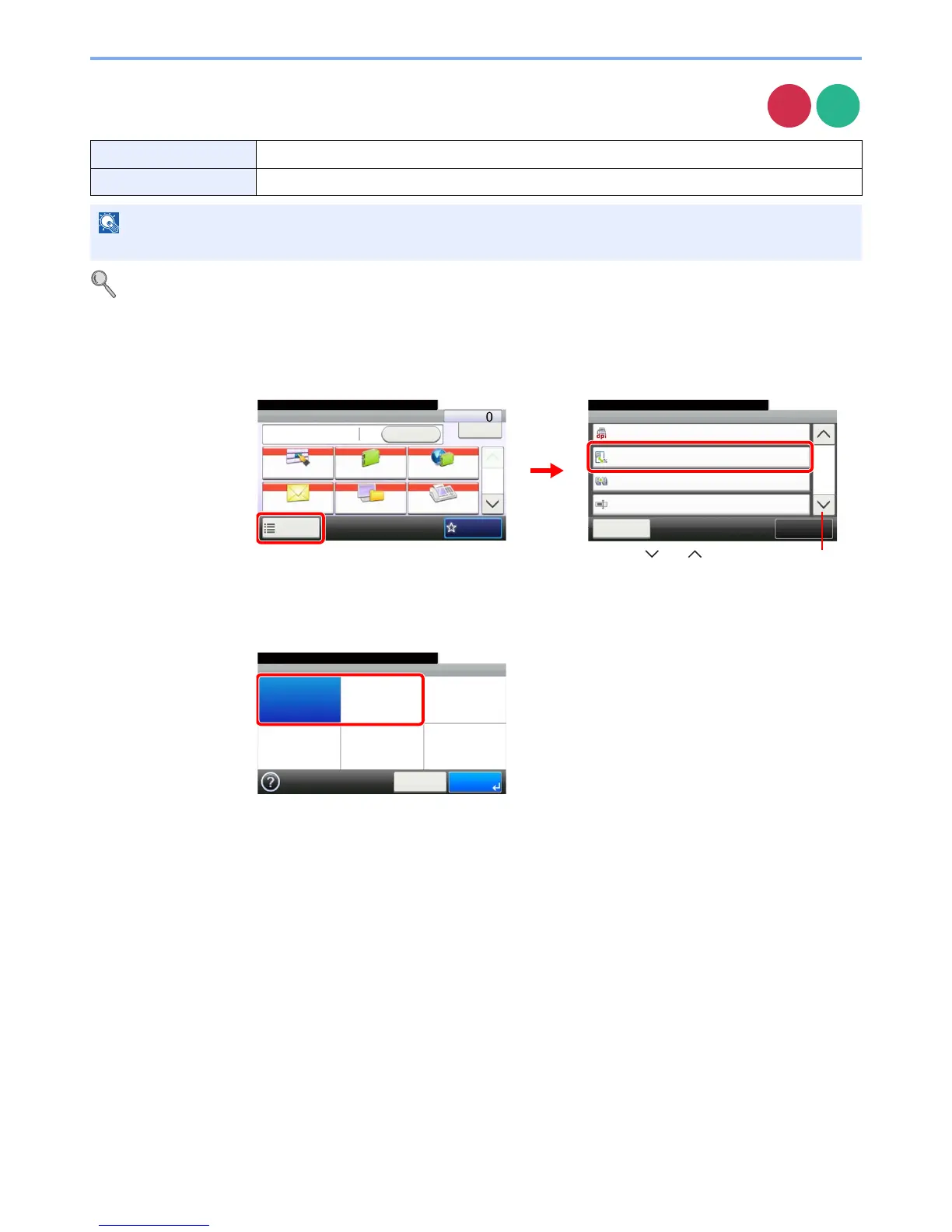
Display the screen.
1 Referring to Using Various Functions on page 3-33, display the screen.
2
Press [Functions] and then [Zoom].
2
Select the function.
100% Reproduces the original size.
Auto Adjust the image to match the send or store size.
NOTE
Original Size (page 3-35), Sending Size (page 6-36), Storing Size (page 7-13), and Zoom are related to each other.
Send
Scan to
USB
Ready to send.
Functions
Close
10:10
100%
200x100dpi Normal
FAX TX Resolution
Zoom
4/6
Add/Edit
Shortcut
Continuous Scan
Off
File Name Entry
doc
Send Dest. :
Recall
Check
E-mail
One Touch Key Address Book Ext Address Book
FAXFolder
Functions
10:10
1/2
Favorites
Ready to send.
GB0055_00
GB0081_03
1
2
Use [ ] or [ ] to scroll up and down.
Zoom
100% Auto
10:10
Cancel OK
Ready to send.
GB0087_00


 To Next Page
 Loading...








