10-2
Troubleshooting > Toner Container Replacement
Toner Container Replacement
When the touch panel displays Toner is empty., replace the toner.
Installation procedures of the toner container is same for every color. The procedures here represent the cyan toner
container.
1
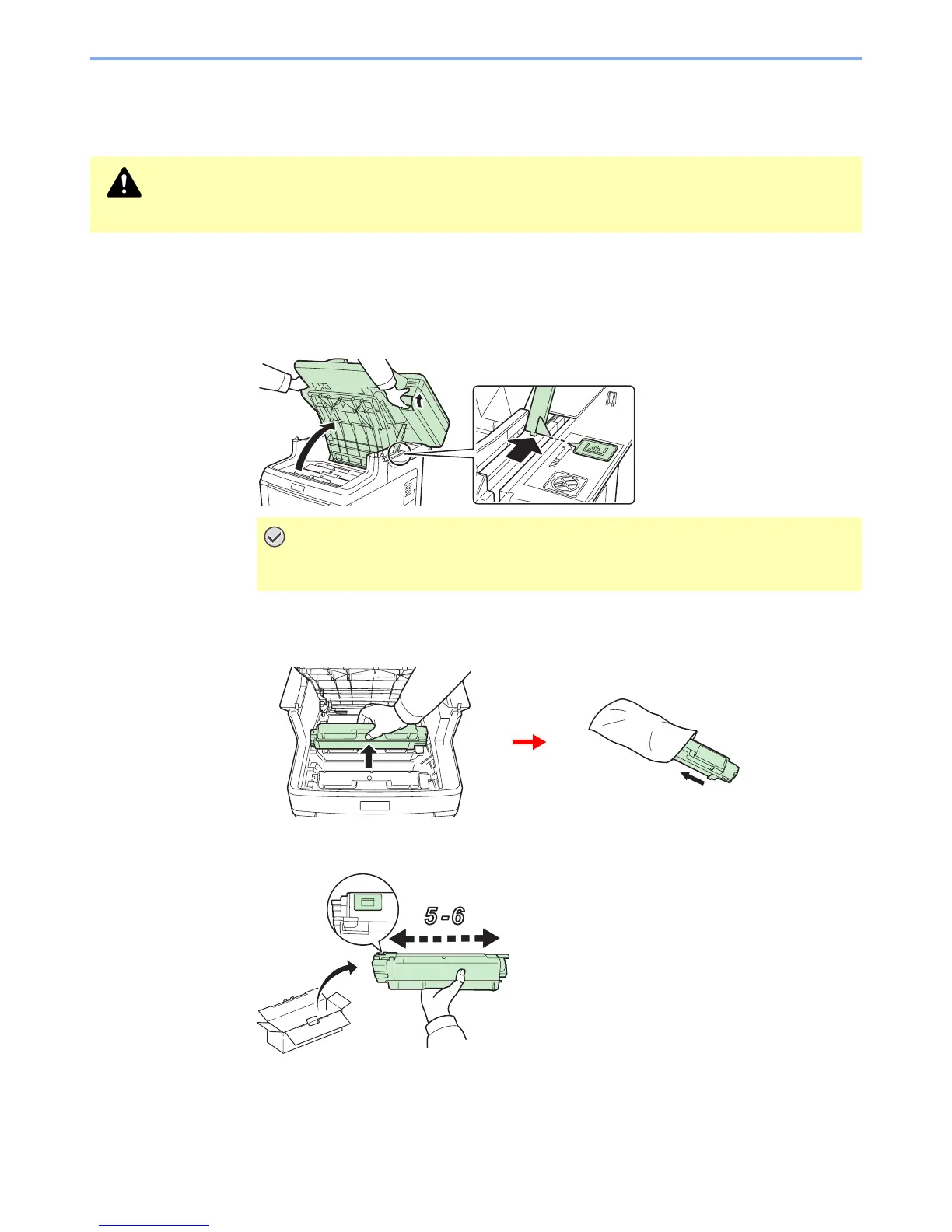
Remove the old toner container.
1
Open the top cover to the position shown. If the tray is not opened to this position, it will not be
possible to install the toner container.
2
2
Prepare the new toner container.
CAUTION
Do not attempt to incinerate parts which contain toner. Dangerous sparks may cause burns.
IMPORTANT
To prevent toppling, the top cover and document processor cannot be opened at the
same time.


 To Next Page
 Loading...








