6-18
Sending > Specifying Destination
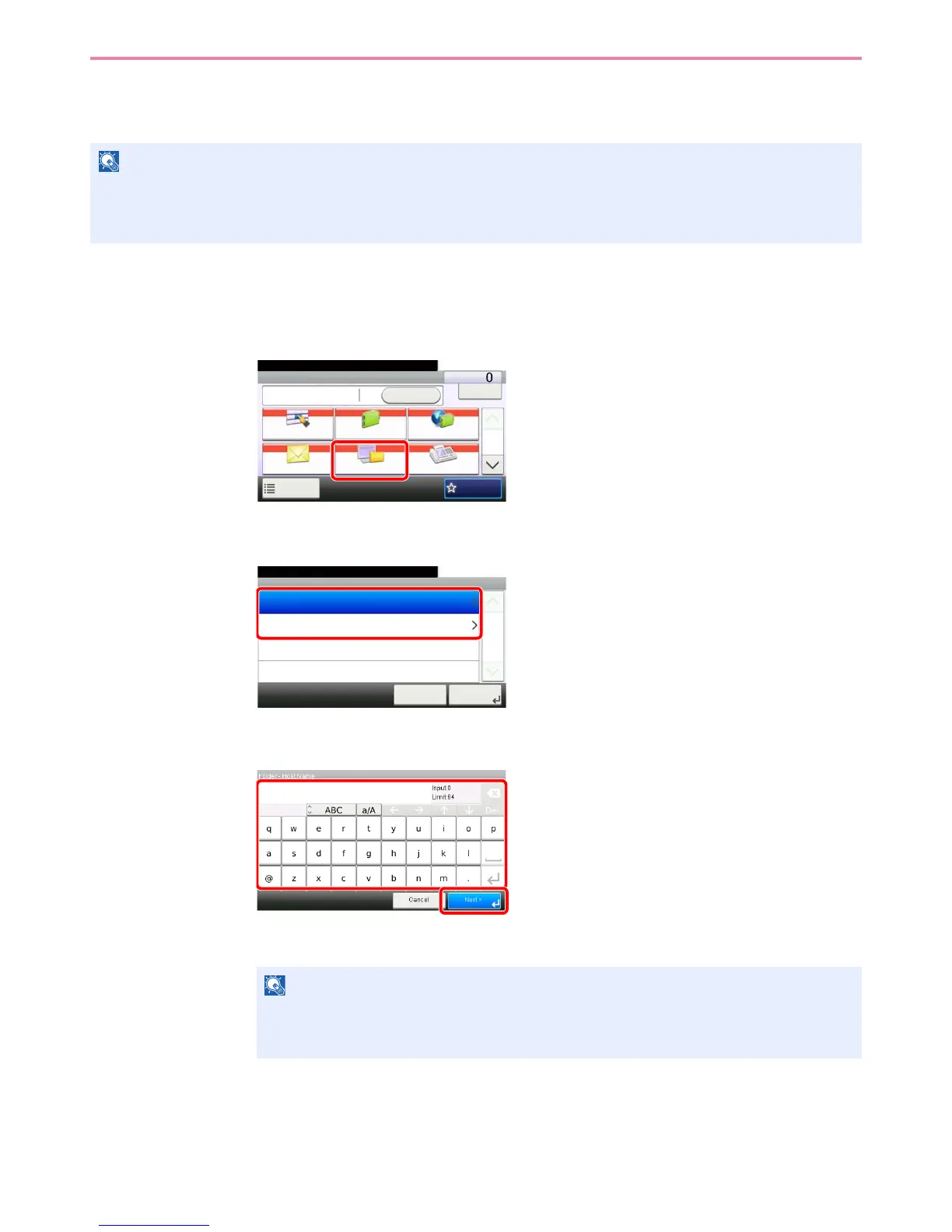
Specifying a New PC Folder
Specify either the desired shared folder on a computer or an FTP server as the destination.
1
Display the screen.
1 Referring to Basic Operation on page 6-2, display the screen.
2
2
Select the folder type.
3
Enter the destination information.
Enter the next information. Once you have entered one item, press [Next] to advance to the
next item.
NOTE
Refer to Creating a Shared Folder on page 6-7 for details on how to share a folder.
Be sure that SMB Protocol or FTP in the COMMAND CENTER is On. For details, refer to the KYOCERA COMMAND
CENTER Operation Guide.
NOTE
For the computer name, share name, domain name, and user name, enter the information
that you noted when you created the shared folder. For details on creating shared folders,
refer to Creating a Shared Folder on page 6-7.
GB0055_00
Send Dest. :
Recall
Check
E-mail
One Touch Key Address Book Ext Address Book
FAXFolder
Functions
10:10
1/2
Favorites
Ready to send.
GB0103_00
Folder
10:10Ready to send.
FTP Path Entry
SMB Path Entry
Cancel
1/1
Next >
GB0057_08
1
2


 To Next Page
 Loading...








