4-7
Copying > Copying Functions
Duplex
Copy 2-sided documents.
1
Display the screen.
1 Referring to Basic Operation on page 4-2, display the screen.
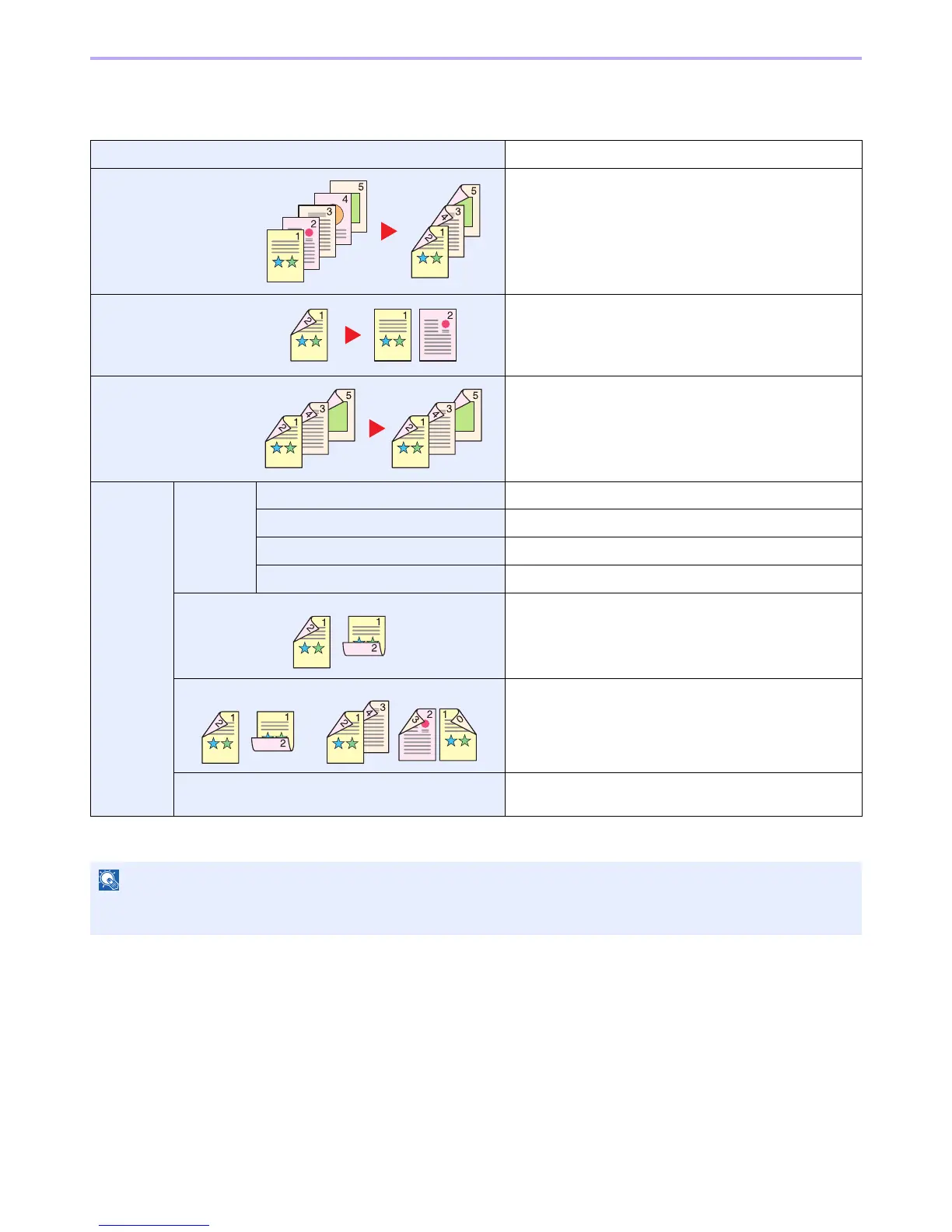
1-sided>>1-sided Prints 1-sided to 1-sided.
1-sided>>2-sided Prints 1-sided to 2-sided.
2-sided>>1-sided Prints 2-sided to 1-sided.
2-sided>>2-sided Prints 2-sided to 2-sided.
Others Duplex 1-sided>>1-sided Prints 1-sided to 1-sided.
1-sided>>2-sided Prints 1-sided to 2-sided.
2-sided>>1-sided Prints 2-sided to 1-sided.
2-sided>>2-sided Prints 2-sided to 2-sided.
Binding in Original*
* This item is not displayed when [1-sided>>1-sided] is selected.
If you choose a 2-sided sheet original, select the binding
edge of the originals.
Binding in Finishing* If you choose a 2-sided copy, select the binding edge of the
finished copies.
Original Orientation* Select the orientation of the original document top edge to
scan correct direction.
NOTE
The paper sizes supported in Two-sided to Two-sided are Letter, Legal, Executive, Statement, Oficio II, A4, A5, B5,
Folio and 216 × 340mm.


 To Next Page
 Loading...








