6.Slidetheflexbaystorageenclosureintotheopticaldrivebay.See“Deviceintheoptical-drivebay”
onpage64.
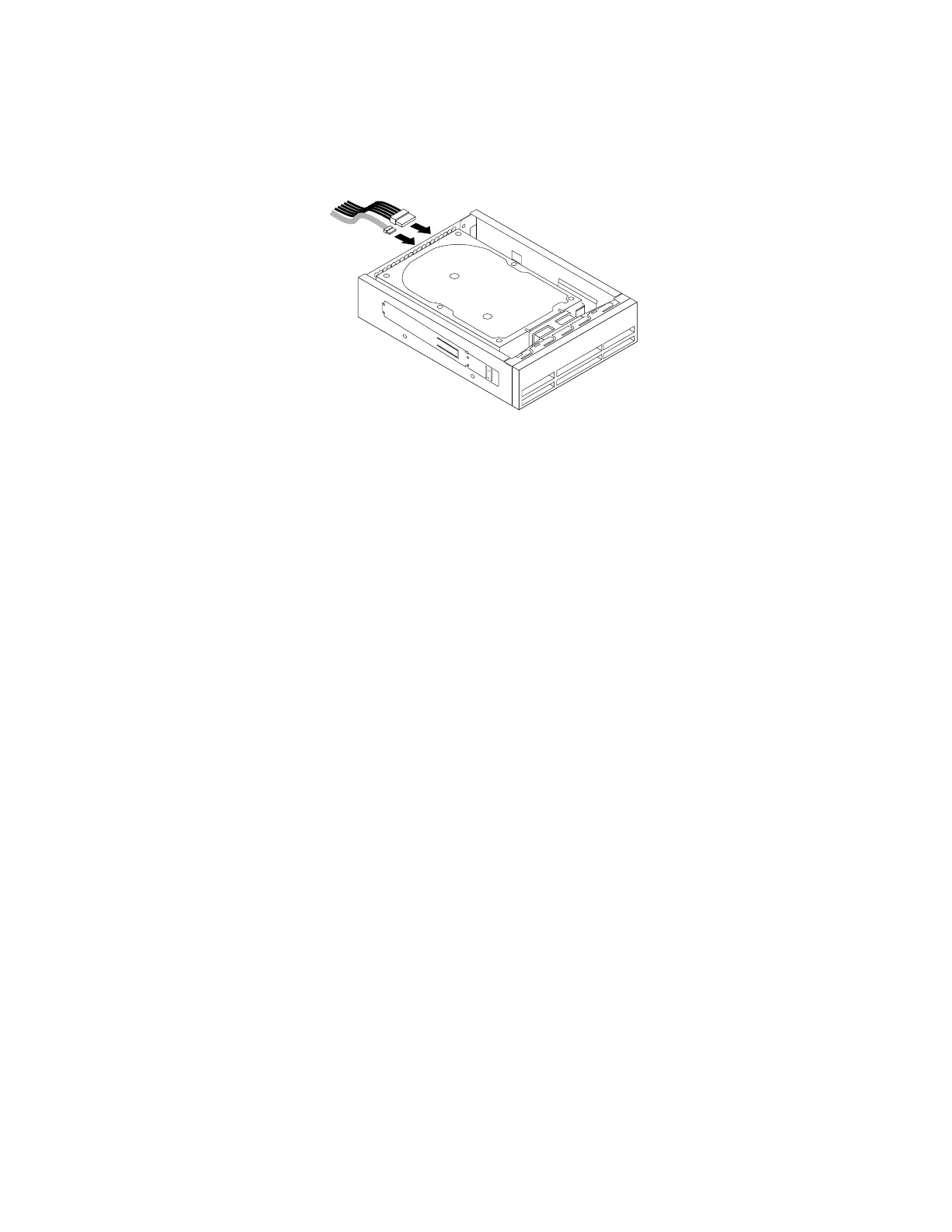
7.Connectthesignalcableandthepowercabletothenewstoragedrive.
Figure25.Connectingthecablestothestoragedrive
Whattodonext:
•Toworkwithanotherpieceofhardware,gototheappropriatesection.
•Tocompletetheinstallationorreplacement,goto“Completingthepartsreplacement”onpage133.
Deviceinthe5.25-inchflexmodule
Attention:Donotopenyourcomputerorattemptanyrepairbeforereadingandunderstandingthe“Read
thisfirst:Importantsafetyinformation”onpagev.
Thissectionprovidesinstructionsonhowtoinstallorreplaceadeviceinthe5.25-inchflexmodule.Installing
andreplacingadeviceinthe5.25-inchflexmoduleinvolvesthefollowingoperations:
•“Slimopticaldrive”onpage72
•“Cardreader”onpage75
•“eSATAconnectororIEEE1394connector”onpage77
Slimopticaldrive
Toinstallorreplaceaslimopticaldriveintheflexmodule,dothefollowing:
1.Prepareyourcomputer.See“Preparingyourcomputerandremovingthecomputercover”onpage61.
2.Removetheflexmodulefromthefrontofthecomputer.See“Deviceintheoptical-drivebay”onpage64.
72ThinkStationP510andP710UserGuide


 To Next Page
 Loading...