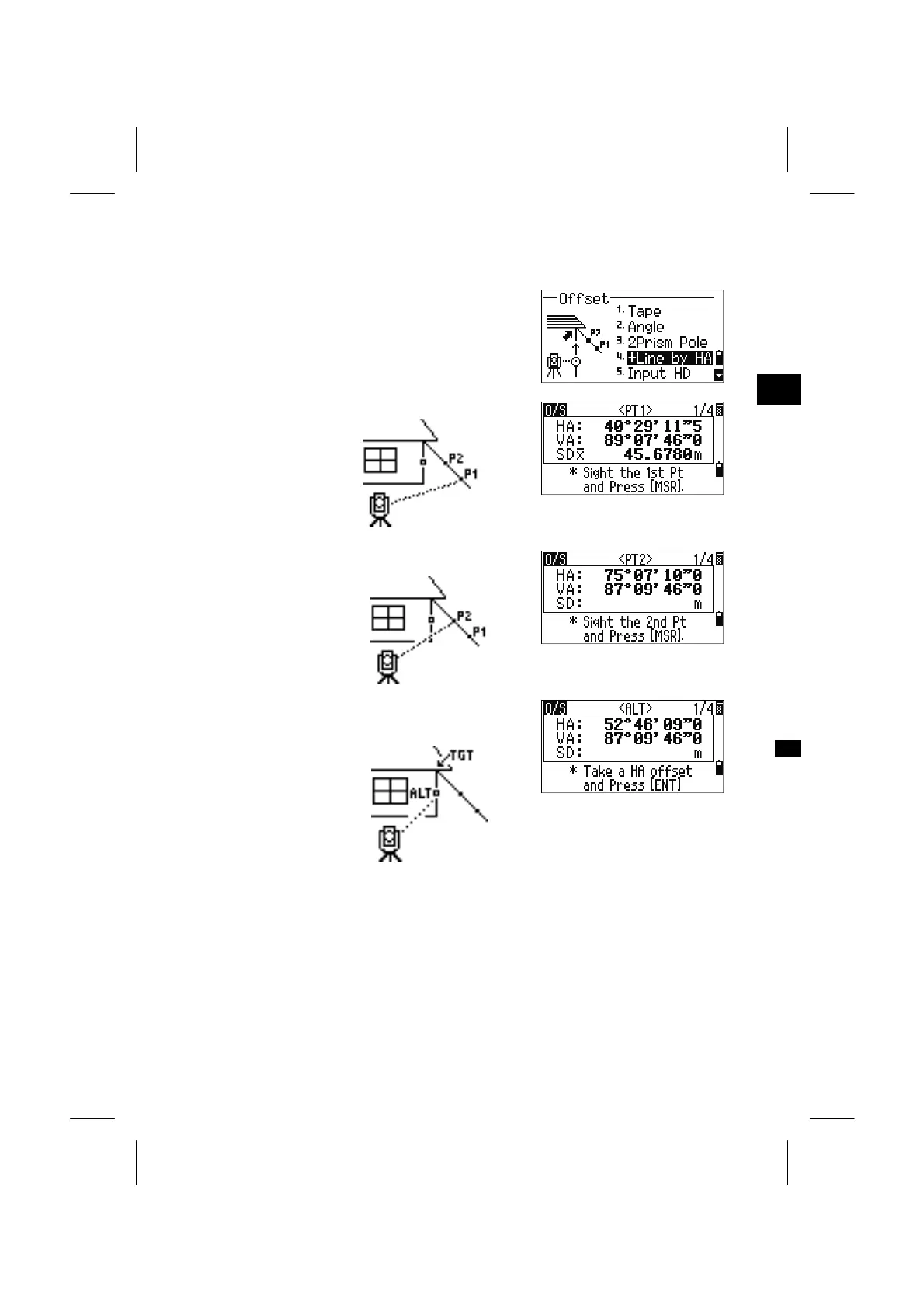
4. Line Extension by Horizontal Angle Offset
Press the [O/S] key on the BMS and select [4] to get
to the Line Extension (by HA) function.
3
O/S: 4. +Lin
Sight the first prism (or target) and press [MSR1] or
[MSR2].
It automatically goes
to the next screen.
Sight the second prism (or target) and press [MSR1]
or [MSR2].
It automatically goes
to the next screen.
Sight the alternative place which lays on the same
vertical line as the desired target point.
Pressing [ENT] calculates the coordinate and the
raw data of the TGT point.
3-74


 To Next Page
 Loading...








