3
COD
YZ
3
6) COD Key
On the BMS, press the [COD] key to change the default feature code that will appear
in the CD field when you record a point.
1. Updating Default CD
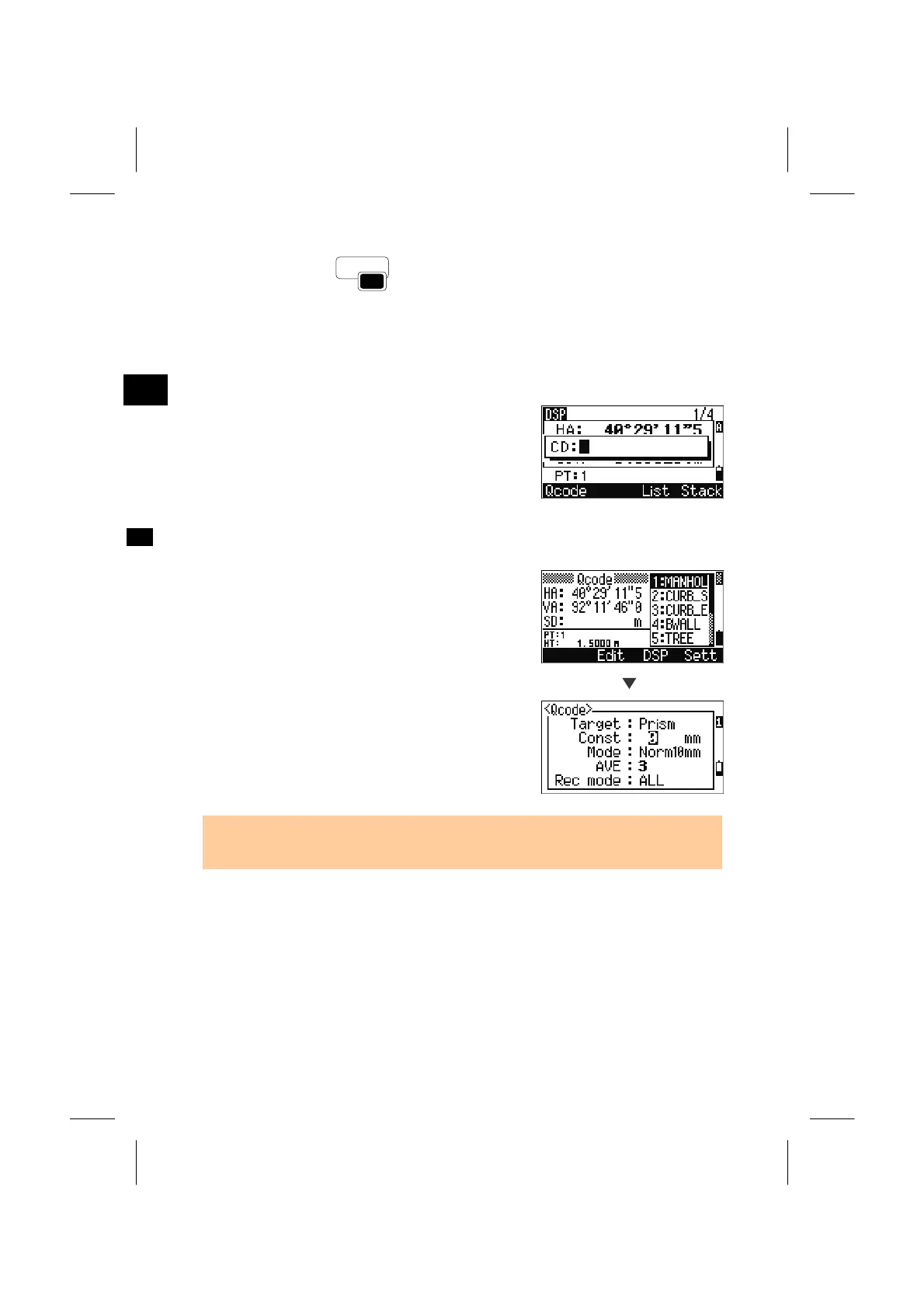
When you press the [COD] key on the BMS, a
window for inputting the feature code is displayed.
[List] and [Stack] functions input are also available
to input the CD.
2. Qcode Observation
Select the [Qcode] softkey to enter the Quick-code
observation routine.
In this function, you can use the ten numeric keys to
both codes and shoot a point.
Sett
By pressing the [Sett] softkey, you can change the
measurement mode for the Quick code observation.
• In Quick code measurement, the “Rec mode” can only set to “Confirm” or “ALL”
(-finish recording data).
3-27


 To Next Page
 Loading...








