3
How to Input Feet-Inches
3) How to Input Feet-Inches
When either US Survey Feet (US-Ft) or International Feet (I-Ft) is selected as the
distance unit, there is an option for values to be input and displayed in decimal feet,
or in feet and inches (See p.3-100, p.3-102). If selected, all distances, HI’s, HT’s and
coordinate values will be entered and displayed in feet and inches.
The input screen allows you to enter “feet and inches”
element by element separated
by periods.
Feet → [.] → Inch → [.] → Numerator → [.] → Denominator → [ENT]
(0~11) (0~15) (1~99)
If the denominator is 16, you don’t have to key in 16.
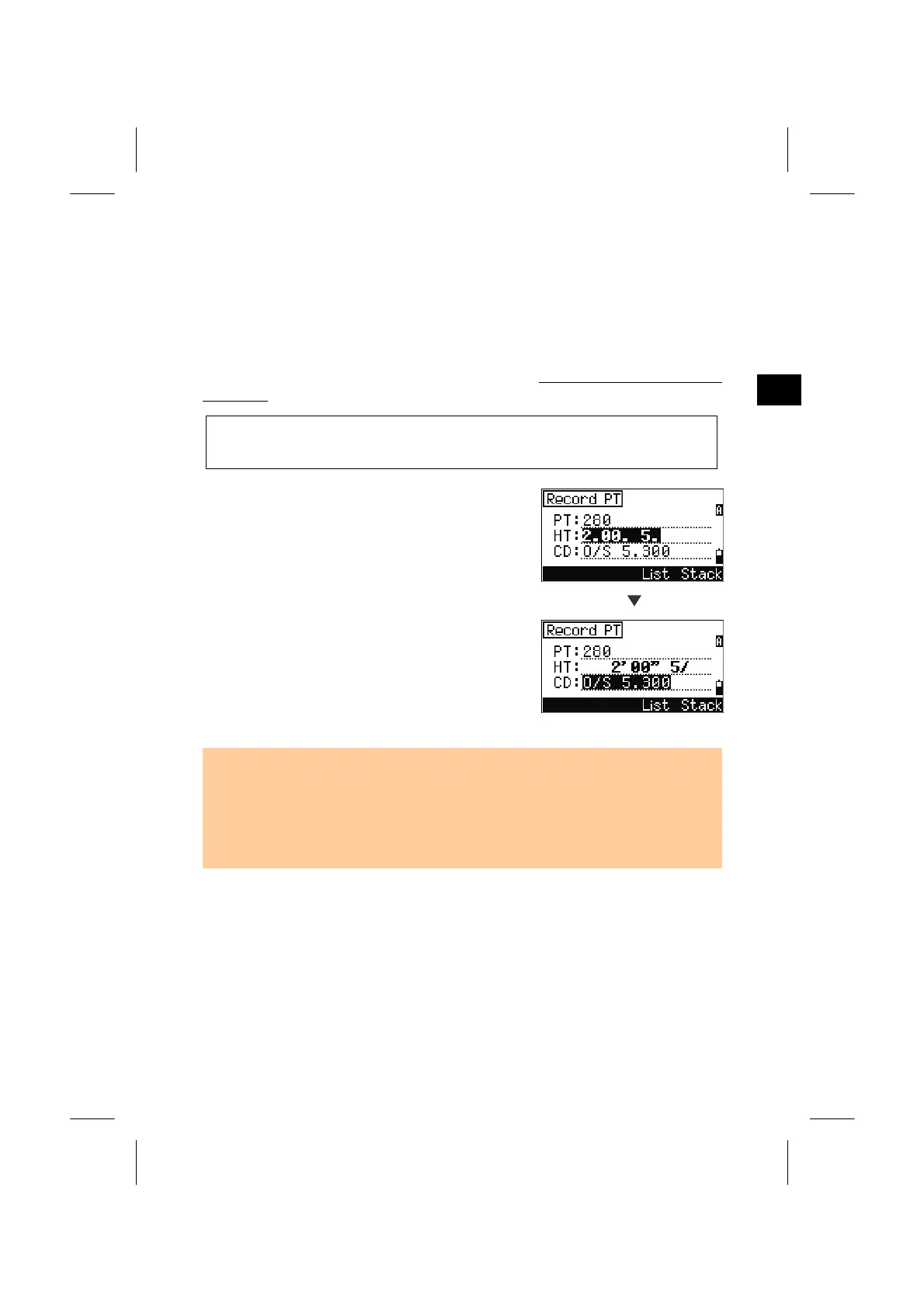
When you press the [ENT] after inputting the
numerator, the system understands that the
denominator is 16.
Denominator “16 (for 16
th
inches)” is not displayed
on the screen. 2’08”5/ indicates 2 feet, 8 and 5/16
ths
inches. Refer to the following examples:
ENT
• 65’ 5 3/8” is entered 65.5.3.8
• 65’ is entered 65
• 65’ 5” is entered 65.5
• 65’ 5 3/8” can be entered 65.5.6
• 5 3/8” is entered 0.5.3.8 or 0.5.6
• Input value (numerator/denominator portion) is automatically converted to the
closest value from the following.
0, 1/8, 1/4, 3/8, 1/2, 5/8, 3/4, 7/8, 1/16, 3/16, 5/16, 7/16, 9/16,
11/16, 13/16, 15/16
(The denominator 16 is not shown on the screen.)
3-14


 To Next Page
 Loading...








