Menu Key 5
Pulse Laser Station NPL-302 Series Instruction Manual 127
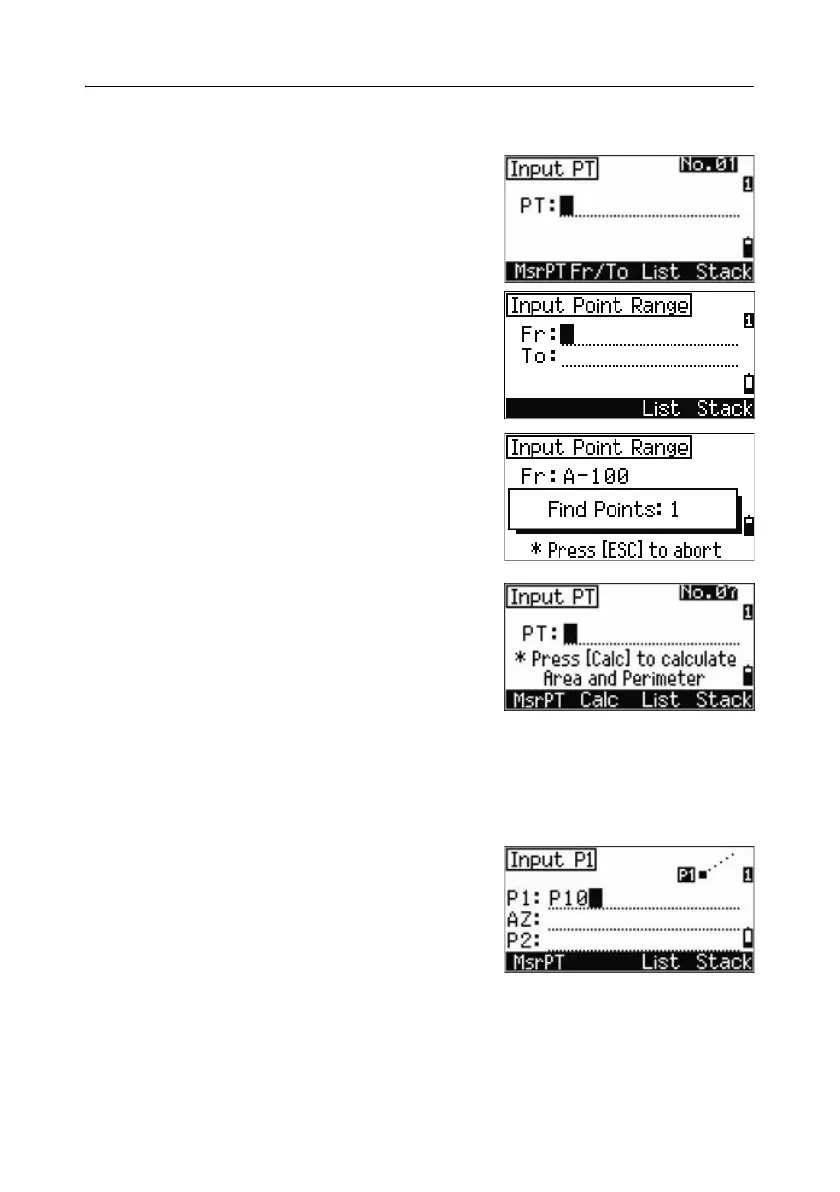
Advanced feature: Entering a range of points
To quickly enter a sequential range of points, use
the range input function. To access this function,
press the
Fr/To softkey in the No. 01 or No. 02
input screens.
Enter the start point name in the Fr field and the
end point name in the To field. You can include
letters and hyphens in the point names, but the last
character must be numeric.
Press
[ENT] in To field to start searching for
matching points. The counter shows the number
of matching points found.
When the search is complete, you are returned to
the Input PT screen.
Press the
Calc softkey to calculate the area and
perimeter, or enter point names in the PT field.
Press
[ESC] to return to the Input PT screen with
the preceding point name.
Calculating coordinates from line and offset 50.3
To enter the Line & offset function, press [4] or select Line & O/S in the Cogo
menu.
Enter the base point (P1).



 To Next Page
 Loading...






