3 Getting Started
30 Pulse Laser Station NPL-302 Series Instruction Manual
Selecting a Language 3.1
The Nikon total station supports one Language Pack at a time. The Language Pack
is a set of up to three different languages installed on the instrument from which the
user can select. Several Language Packs are available for the Nikon total stations.
• Language Pack #1: English, French, Spanish
• Language Pack #2: English, German, Italian
• Language Pack #3: English, Chinese, Russian
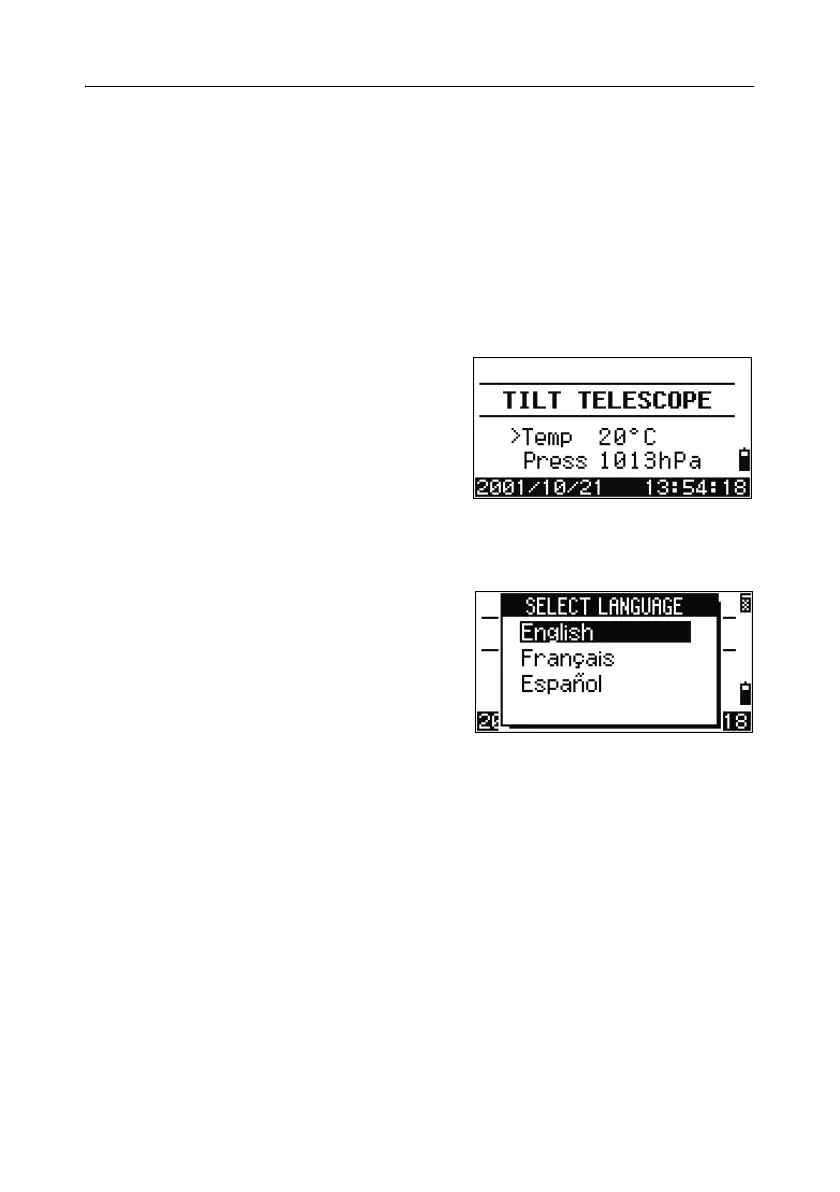
1. To select a different language, power on
the instrument and press
[ESC] and [3] at the
Tilt Telescope screen.
The Select Language screen appears. Up to
three languages are available in the
installed Language Pack. The screen shows
which languages are currently available on
the instrument.
The current language selection is highlighted.
2. Press [^] or [v] to highlight the required
language and then press
[ENT.]
3. The instrument reboots and displays the
start-up Tilt Telescope screen in the
selected language.
Language Pack #1 is the default Language Pack installed at the factory. Other
Language Packs can be installed at an authorized Nikon total station service
provider.


 To Next Page
 Loading...







