5 Menu Key
150 Pulse Laser Station NPL-302 Series Instruction Manual
2.
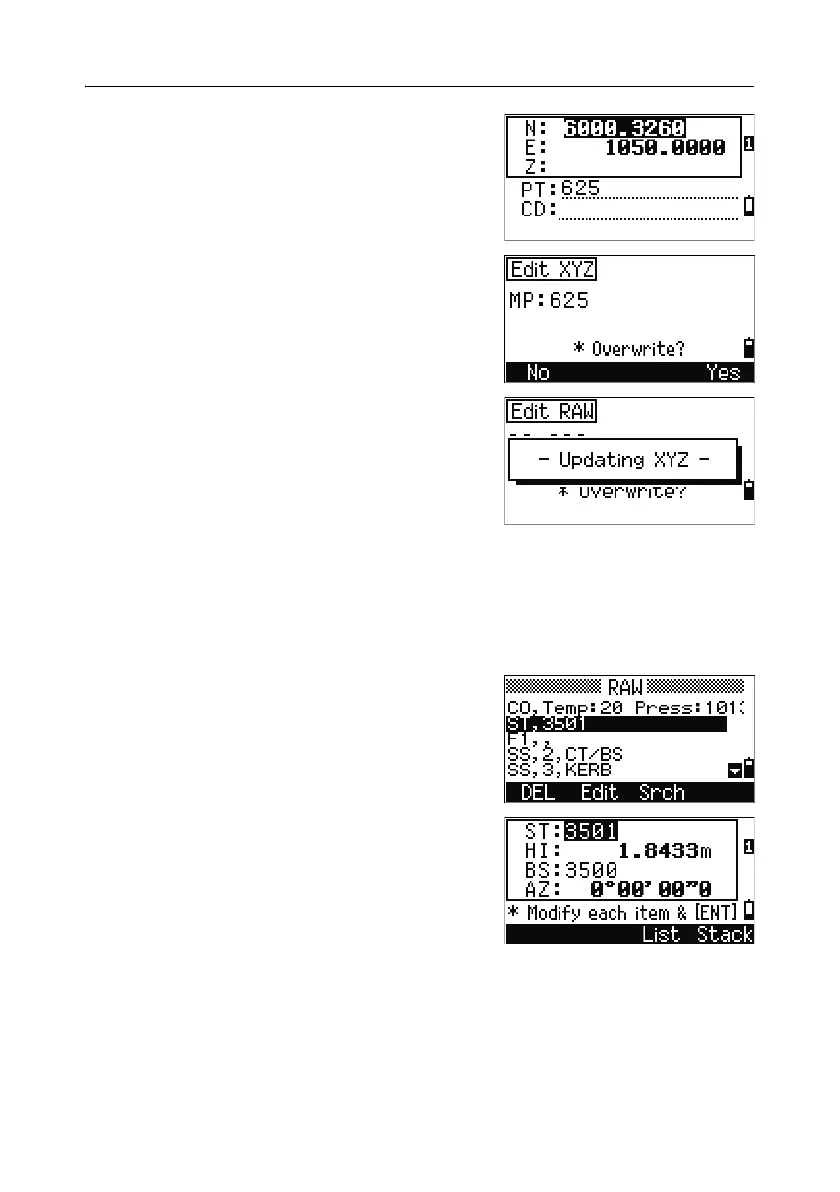
Use [^] or [v] to highlight a field. Then modify
the value in the selected field.
3. To finish editing, press [ENT] in the CD field.
A confirmation screen appears.
4. Do one of the following:
– To accept the changes and return to the
data view screen, press
[ENT] or the Yes
softkey.
– To go back to the edit screen, press
[ESC] or
the
No softkey.
Editing station records
Note – The system will not recalculate measurements if you change the station
record. All coordinate and raw data observed from an edited station record must be
recalculated in your postprocessing software.
In the RAW screen, use
[^] or [v] to highlight the
station record that you want to edit. Then press the
Edit softkey.
You can edit any field in the ST record, but the
instrument does not recalculate any measurements
from this station.
Press
[ENT] in the AZ field to confirm the change.


 To Next Page
 Loading...







