173
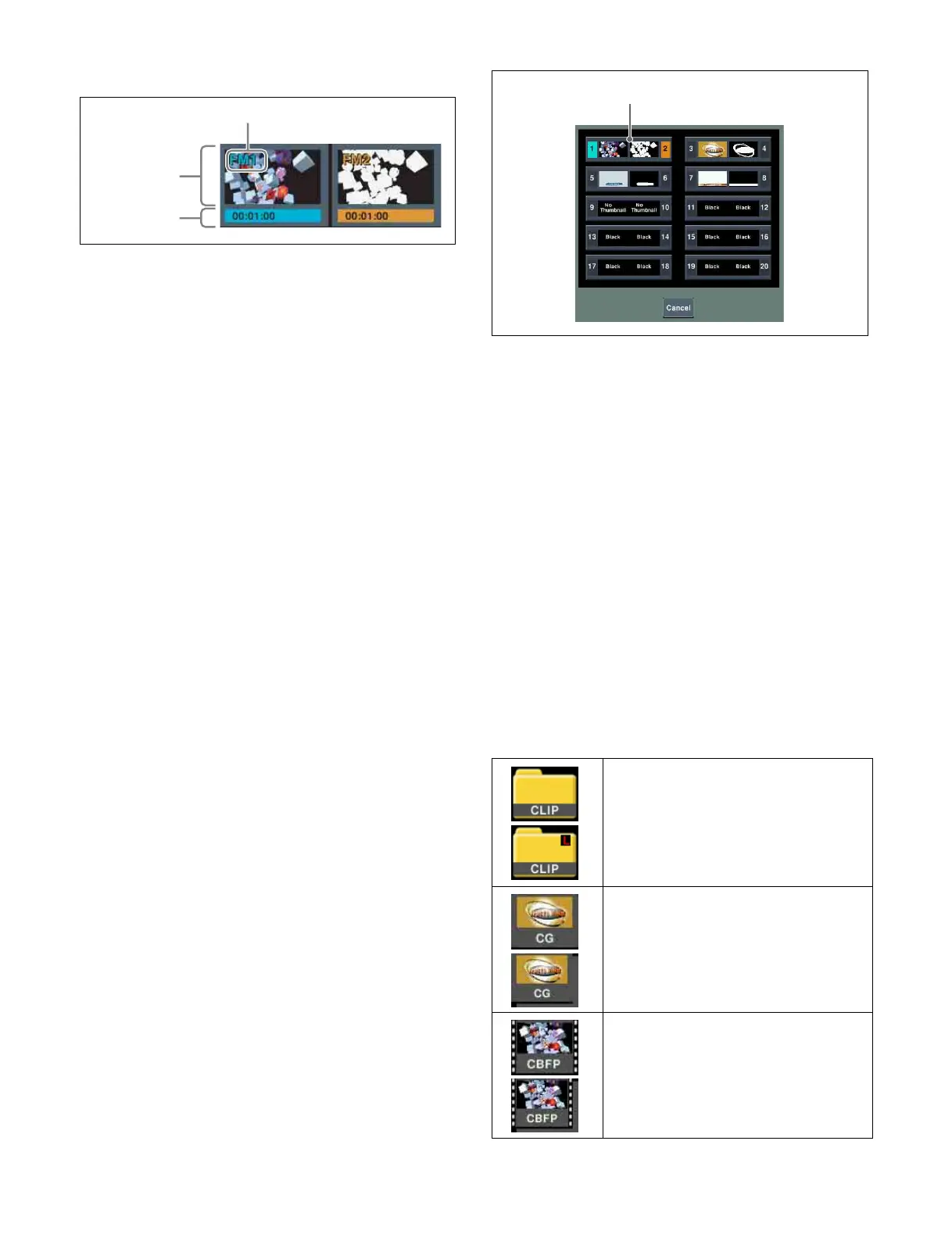
c FM output buttons
The odd-numbered FM output is displayed on the left, and
the even-numbered FM on the right. Pressing a button
selects the FM output as the target for operation.
You can check the button selection state by the color of the
output name and duration indicator area.
• Light blue: Selected FM output (reference FM output
selected in pair mode)
• Orange: Non-reference FM output selected in pair mode
• White output name and black duration indicator area:
Unselected FM output
Thumbnail display area
Displays a thumbnail when a file is recalled on the FM
output.
The following information is also displayed.
• Through: When the input image is output
• Black: When a black signal is output
• Play: During playback
• Record: During recording
• No Thumbnail: File without thumbnail
Duration indicator area
Displays “Still” for a still image, or the duration in
“mm:ss:ff (minutes:seconds:frames)” format for a clip.
Also, if audio data is enabled for an FM output, “A” is
displayed. If an FM output is locked, “L” is displayed.
d Pair button
Pressing this button, turning it on, enables pair mode.
e Out Select button
Pressing this button displays a pop-up window where you
can select the FM output pair to display in the FM output
buttons.
Selected FM outputs are displayed in light blue or orange.
f Audio button
Pressing this button, turning it on, enables audio data.
g Folder hierarchy level selection buttons
Displays the names of the selected folders in hierarchy
levels 1 to 3. Pressing a button switches the folder
hierarchy level.
If the selected folder is locked, “L” is displayed at the top
right of the button.
h Find button
Pressing this button displays a pop-up window, in which
you can specify a folder/file name to carry out a search.
i Folder/file display
Displays the folders and files that exist in the selected
folder.
Selects the file used on the FM output, or the folder/file for
editing.
You can check the folder/file type using the following
icons.
Thumbnail
display area
Output name
Duration
indicator area
Folder:
The name of the folder is displayed on the
icon.
“L” is displayed at the top right of icons for
locked folders.
Still image file:
A thumbnail and the name of the file is
displayed on the icon.
For a pair file, the icon shows the paired
files overlapped.
Clip file:
A thumbnail and the name of the file is
displayed on the icon.
For a pair file, the icon shows the paired
files overlapped.
Selected FM output pair


 To Next Page
 Loading...