Page 23F
T-991
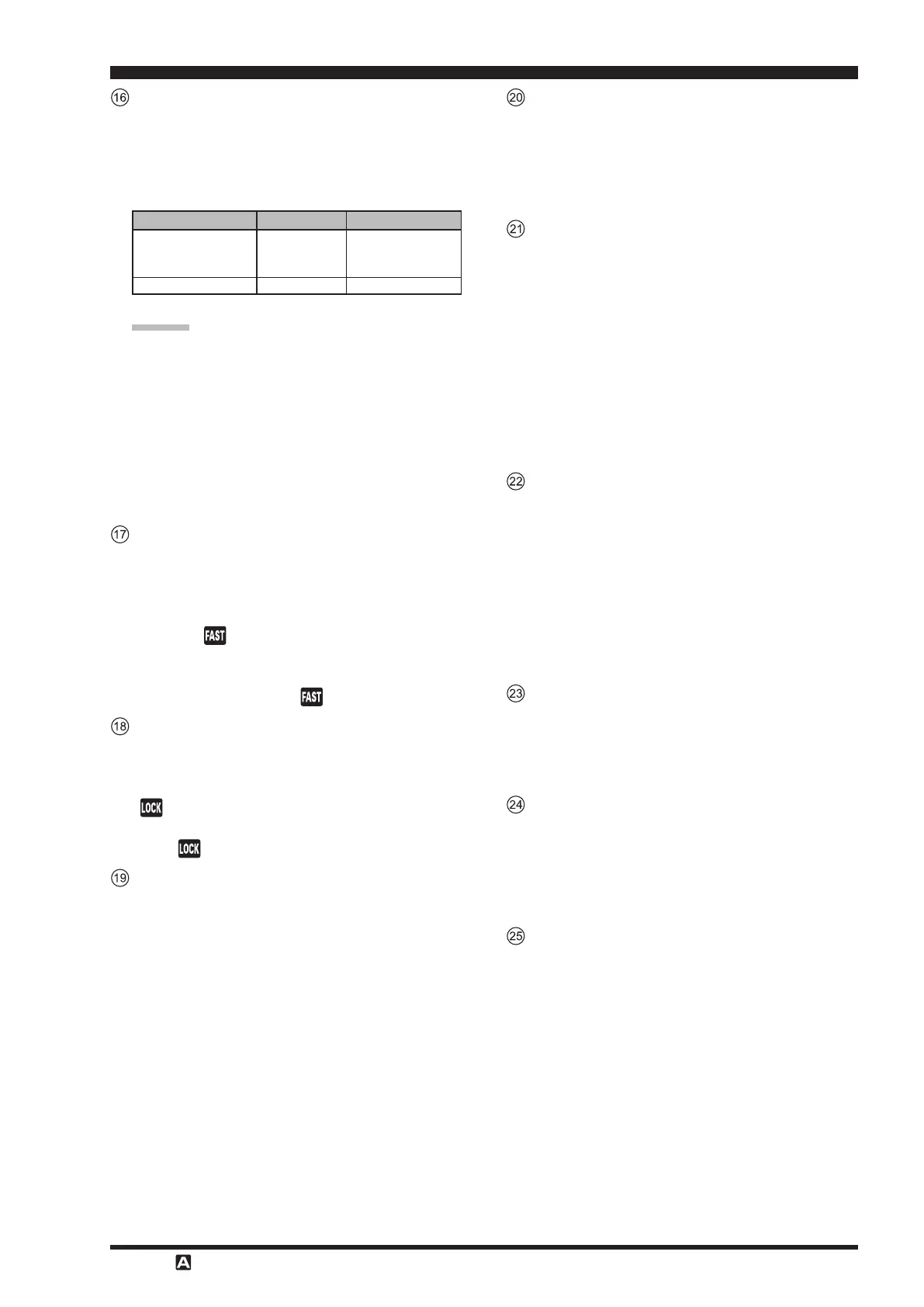
This large knob adjusts the operating frequency of
VFO-A.
Rotate clockwise to increase the operating frequency
and rotate counter-clockwise to decrease the operat-
ing frequency.
Numbers in parentheses indicate steps when the button is On.
The tuning steps for the Main Dial knob are set
at the factory to: 10Hz
(
SSB/AM
)
, 5 Hz
(
CW/
RTTY/DATA-LSB/DATA-USB
)
and 100 Hz
(
FM/
DATA-FM/C4FM
)
per step.
In LSB, USB, CW, RTTY, DATA-LSB or DATA-
USB mode, the frequency change amount
(
step
width
)
may be toggled between “
5Hz
” and “
10Hz
”
by pressing the
F
button, and then touch-
ing [
] on the LCD.
Button
Pressing this button will change the tuning of the
Main Tuning Dial knob
(
VFO-A
)
to a higher step
rate.
Press this button to double the main dial frequency
variation. “
” in the LED indicator area will light
up.
Press this button again to restore the frequency varia-
tion to the original value. “
” will disappear.
Button
This button toggles on/o locking of the Main Tun-
ing Dial knob.
Press this button to lock the main dial operations.
“ ” will light up in the LED indicator area.
Press this button again to unlock the main dial opera-
tions. “ ” will disappear.
Button
During reception, press this button, then rotate the
knob to adjust the VFO-A
RX clarier oset value
(
see page 36
)
.
m
The clarier oset value
(
frequency
)
can be re-
stored to “0
(
zero
)
” by pressing the
button
for more than 1 second.
m
Depending on the menu mode “
040 CLAR
MODE SELECT
” setting, this button can work as
the TX clarifier for changing only the transmit
frequency
(
see page 75
)
or RX/TX clarifier for
both receiving and transmitting
(
see page 36,
75
)
.
Button
This button toggles frequency control between VFO-
A and the memory system.
m
Pressing this button alternately recalls the VFO
frequency data and the frequency data saved in a
memory channel by turns.
A
Button
Pressing and holding this key for one second
(
until
the double beep
)
copies the current operating data
into the currently selected memory channel, over-
writing any previous data stored there.
Press this button briey to display the memory check
function screen, where the data saved in a memory
channel may be reviewed.
m
While displaying memory data, rotate the
knob to review the data in each memory channel.
Press this button again, to close the memory list
screen.
Button
Press this button to operate split frequency between
VFO-A
(
used for reception
)
and VFO-B
(
used for
transmission
)
(
see page 76
)
.
m
Press and hold in the
button for one sec-
ond to engage the “Quick Split”
(
see page 76
)
feature. VFO-B transmit will automatically be
set to a frequency 5 kHz higher than the VFO-A
receive frequency, with the same operating mode.
The transceiver will operate in the Split mode.
Knob
During the VFO-A operation, rotate this knob to ad-
just the clarier.
During Split operation, this knob adjusts the operat-
ing frequency of VFO-B.
Knob
Adjust the receiver gain of the high frequency and
mid-range frequency amplier stages.
m
Rotate the knob clockwise to increase the gain.
Rotate the knob fully clockwise to set the gain to
the highest level for normal operations.
Knob
The
knob sets the receiver audio volume
level.
m
Rotate the knob clockwise to increase the receiv-
er audio volume level.


 To Next Page
 Loading...