13
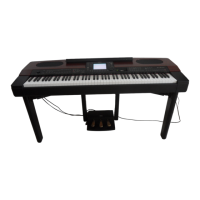
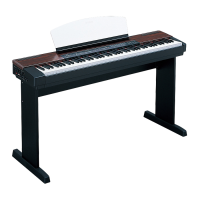
PF-1000
Using a microphone
Connecting the microphone............... ”Connecting the Microphone or Guitar (MIC/LINE IN jack)” on page 141
Settings
Registering Panel Setups......................................................................................................................... page 82
Tuning the pitch/Selecting a scale ........................................................................................................ page 124
Making detailed settings for playing back songs ................................................................................... page 122
Making detailed settings for the auto accompaniment.......................................................................... page 127
Making settings for the pedals...........“Making Settings for the Pedals and Keyboard — Controller” on page 128
Making detailed settings for the keyboard voices ................................................................................. page 130
Showing the display on a TV .......................“Showing the PF-1000 Display on a TV — Video Out” on page 133
Making detailed settings for MIDI ........................................................................................................ page 134
Connecting the PF-1000 to other devices
Basic information on MIDI..................................................................................... “What’s MIDI?” on page 145
Recording your performance...................”Playing the sounds of the PF-1000 through an external audio system,
and recording the sounds to an external recorder (AUX OUT jacks)” on page 142
Raising the volume .................................”Playing the sounds of the PF-1000 through an external audio system,
and recording the sounds to an external recorder (AUX OUT jacks)” on page 142
Outputting another instrument’s sound from the PF-1000 .............. ”Outputting the sound of an external device
through the built in speakers of the PF-1000 (AUX IN jacks)” on page 142
Connecting a computer........... .”Connecting to a Computer (MIDI terminals/TO HOST terminals)” on page 143
Assembling the keyboard stand
Using the stand.......................................................................... “Assembling the Keyboard Stand” on page 150
Quick solution
Basic functions of the PF-1000 and how you can best use it ...........................................................pages 12, 14
Resetting the PF-1000 to the default setting
............................ “Restoring the Factory-programmed Settings of the PF-1000 — System Reset” on page 140
Displaying the Messages ......................................................................“About the Display Messages” on page 8
Troubleshooting ................................................................................................................................... page 152


 To Next Page
 Loading...