141
PF-1000
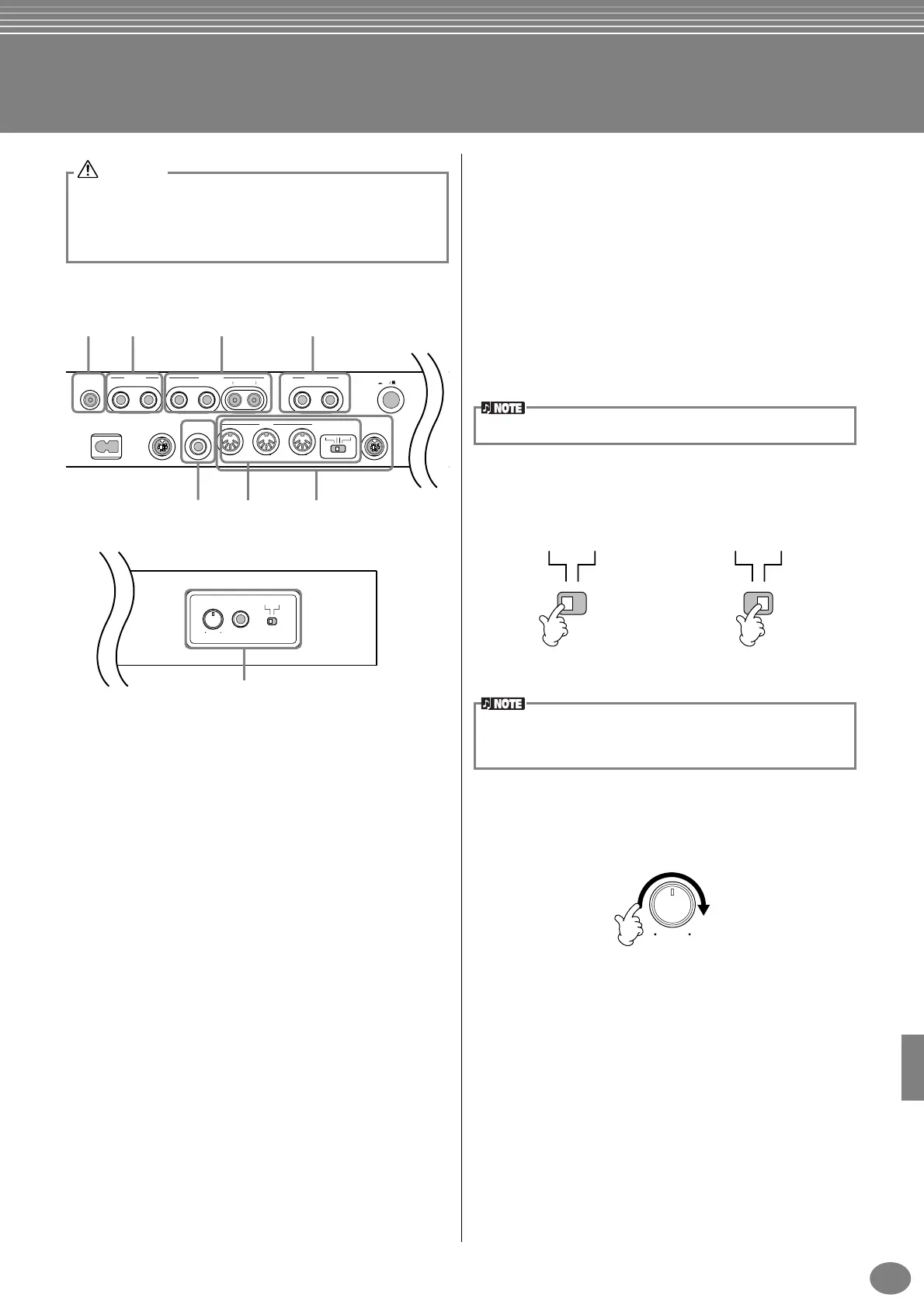
Using Your PF-1000 with Other Devices
1 Using the Headphones
(PHONES jacks).
To use headphones, connect them to one of the PHONES
jacks (standard 1/4" phone jacks) located on the left side
of the keyboard. You can also determine whether or not
the internal stereo speaker system is shut off when a pair
of headphones is plugged into the PHONES jack
(page 138). Two people can enjoy listening to the PF-
1000 together by connecting two pairs of headphones to
the two jacks.
2 Connecting the Microphone
or Guitar (MIC/LINE IN jack).
By connecting a microphone to the PF-1000, you can
enjoy singing along with your own performance or song
playback. (A dynamic microphone is recommended.) The
PF-1000 outputs your vocals or guitar sounds through the
built-in speakers.
1
Connect your microphone to the MIC/LINE IN jack
(standard 1/4" phone jack).
2
Set the [MIC LINE] switch (located next to the [MIC/
LINE IN] jack) to the MIC position.
3
Use the [INPUT VOLUME] knob (located next to the
MIC/LINE IN jack) to set the microphone volume.
Before connecting the PF-1000 to other electronic components,
turn off the power to all the components. Before turning the power
on or off to all components, set all volume levels to minimum (0).
Otherwise, electrical shock or damage to the components may
occur.
CAUTION
PEDAL AUX PEDALAC INLET
VIDEO OUT AUX IN
MIDI TO HOSTHOST SELECT
IN
R
L/L+R
RL R
L/L+R
THRU
ON OFF
MIDI PC-2 MacPC-1
OUT
AUX OUT PHONES POWER
LEVEL FIXED
MIN MAX
INPUT
VOLUME MIC
/
LINE IN MIC LINE
134
6 87
5
2
P.142 P.142 P.142
P.143 P.143 P.143
Use an unidirectional microphone for best results.
MIC LINE MIC LINE
When connecting a microphone When connecting a guitar
You should set the [MIC LINE] switch to the LINE position when
connecting an audio source with line-level output to the MIC/LINE
IN jack.
MIN MAX
INPUT
VOLUME


 To Next Page
 Loading...