Playing and Practicing with the Songs
Quick Guide
36
Playing and Practicing with the Songs
Playing Along with the PF-1000
In this section, try using the PF-1000’s song playback features to cancel or mute the right-hand melody while you play
the part yourself. It’s like having a very talented and versatile playing partner accompany you while you perform.
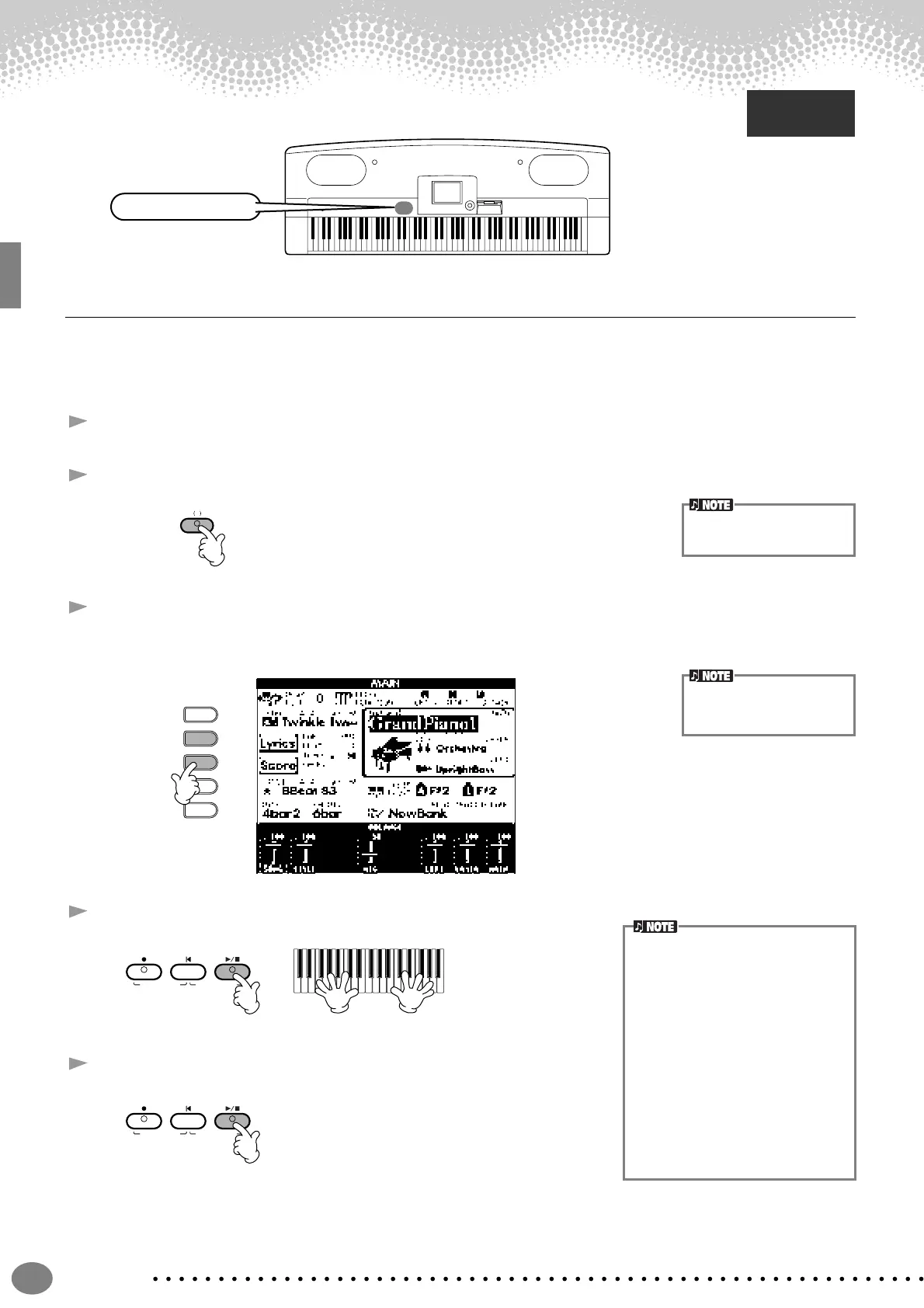
1 - 4 Use the same operations as in “Song Playback” on pages 21 - 23.
5 Press the [TRACK 1] button to cancel the right hand melody part.
6 If you want to have the notation displayed as you play, press the [C] button. If you want to see the lyrics,
press the [B] button.
If the MAIN screen is not displayed, press the [DIRECT ACCESS] button followed by the [EXIT] button.
7 Press the SONG [START/STOP] button and play the part.
8 Press the SONG [START/STOP] button to stop playback.
Reference
on page 73
Song related buttons
TRACK1
R
To cancel the left hand part,
press the [TRACK 2] button
E
D
C
B
A
If the selected song does not
contain lyric data, lyrics are
not displayed.
• If you want to start the song right
away without an intro, use the Sync
Start function. To set Sync Start to
standby, simultaneously hold down
the [TOP] button and press the
SONG [START/STOP] button. Song
playback starts automatically the
moment you start playing the mel-
ody.
• If you can hear the PF-1000 playing
the melody part as well, check the
channel setting for the melody part in
the song data, and change the chan-
nel assigned to Track 1 (page 126).
You can also change the song chan-
nel itself permanently (page 101).
TOPREC
NEW SONG
SYNC.START
START/STOP
TOPREC
NEW SONG
SYNC.START
START/STOP


 To Next Page
 Loading...