Playing Voices
Quick Guide
27
Playing Different Voices with the Left and Right Hands
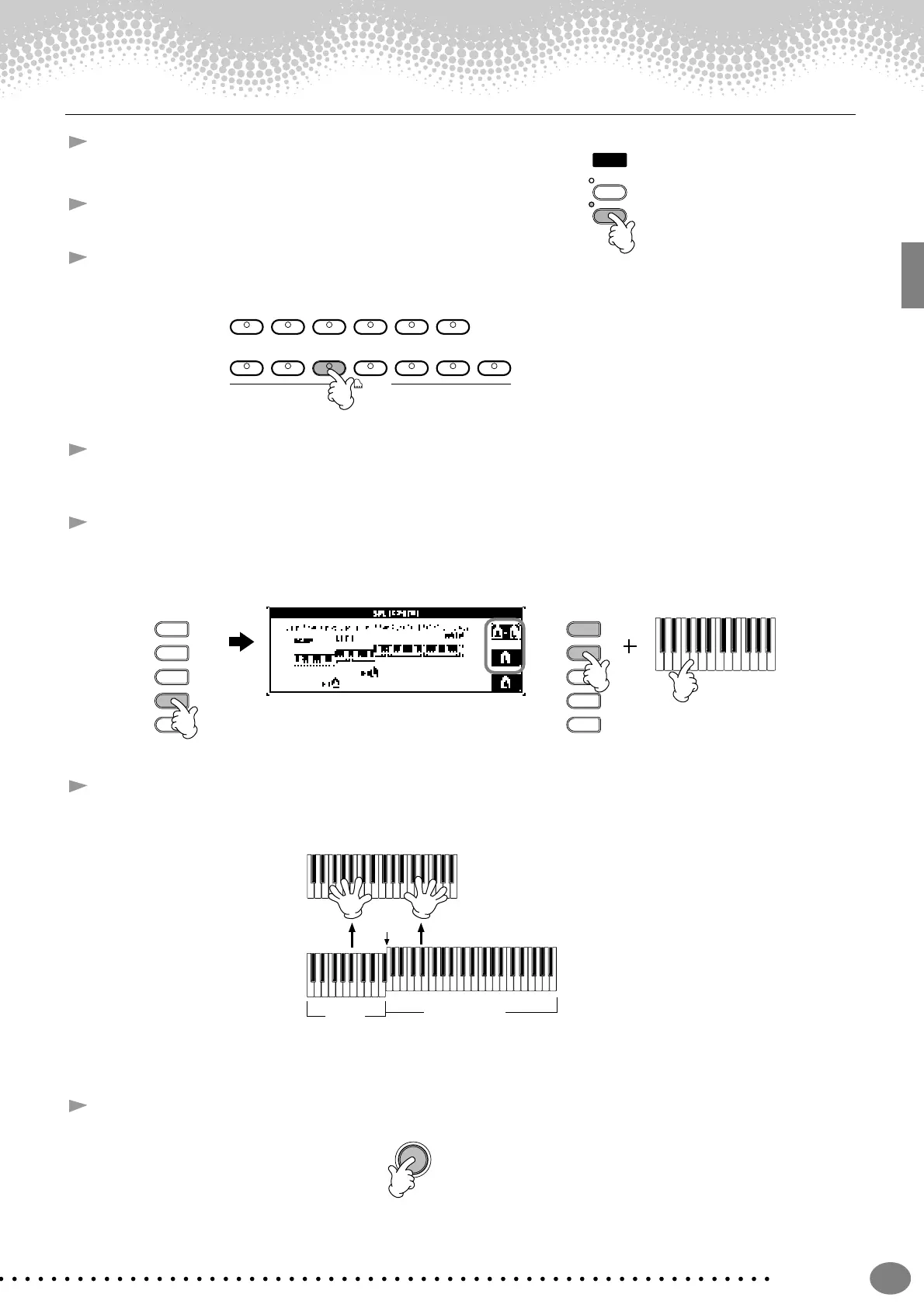
1 Press the VOICE PART ON/OFF [LEFT] button to turn the
LEFT part on.
2 Press the [H] button to select the LEFT part.
3 Select a voice group.
Here, we’ll select the “STRINGS” group — so that you can play rich, orchestral chords with your left hand.
4 Select a voice, then press the [EXIT] button to return to the MAIN display.
For example, select “Symphon. Str.”
5 Press the [I] button to call up the SPLIT POINT display. From here, you can set the particular key on the
keyboard that separates the two voices — called the Split Point. To do this, simultaneously hold down the [F]
or [G] button and press the desired key on the keyboard. (For more information, see page 127.)
6 Play the voices.
The notes you play with your left hand sound one voice, while the notes you play with your right sound a
different voice (or voices).
MAIN and LAYER voices are meant to be played with the right hand. The LEFT voice is played with the left
hand.
7 Press the [EXIT] button to return to the MAIN display.
USERXGSYNTH.
CHOIR & PAD
BRASS WOODWIND STRINGS
PIANO & ORGAN &
BASSGUITAR
PERCUSSION
HARPSI. E.PIANO
ACCORDION
VOICE
J
I
H
G
F
J
I
H
G
F
Split Point
LEFT
MAIN/LAYER
EXIT


 To Next Page
 Loading...