Rockwell Automation Publication 20A-UM001N-EN-P - July 2013 25
Programming and Parameters Chapter 1
MOTOR CONTROL (file B)
Motor Data
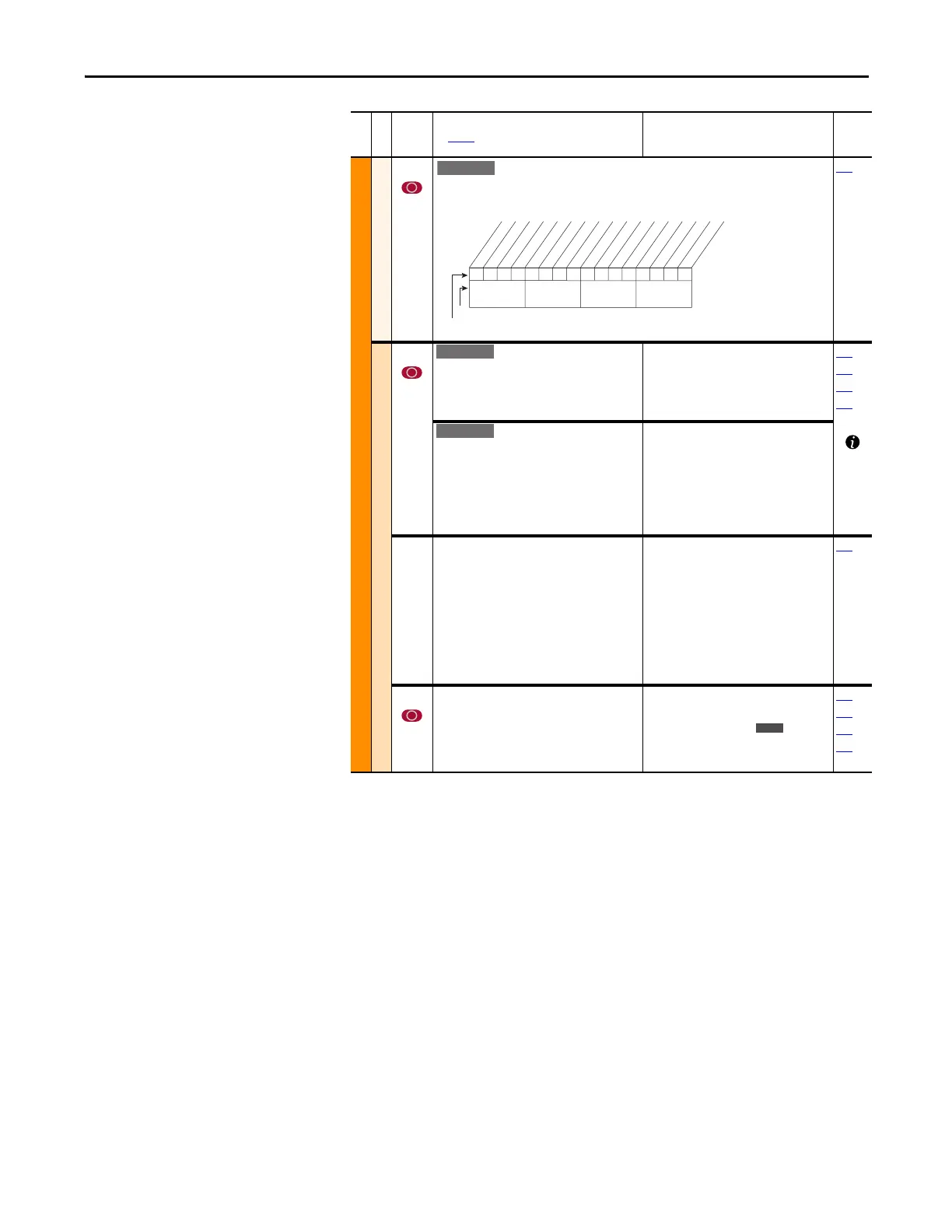
050 [Motor OL Mode]
If “0,” [Motor OL Count], P220 is reset to zero by a drive reset or a power cycle. If “1,” the value
is maintained. A “1” to “0” transition resets [Motor OL Count], P220 to zero.
220
Torq Attributes
053 [Torque Perf Mode]
Sets the method of motor torque production.
Default:
Options:
0
0
1
2
3
“Sensrls Vect”
“Sensrls Vect”
“SV Economize”
“Custom V/Hz”
“Fan/Pmp V/Hz”
062
063
069
070
[Motor Cntl Sel]
Sets the method of motor control used in the
drive.
Important: “FVC Vector” mode requires
autotuning of the motor, both coupled and
uncoupled to the load.
(1)
Enhanced firmware revision 2.001 and later.
Default:
Options:
0
0
1
2
3
4
“Sensrls Vect”
“Sensrls Vect”
“SV Economize”
“Custom V/Hz”
“Fan/Pmp V/Hz”
“FVC Vector”
(1)
054 [Maximum Voltage]
Sets the highest voltage the drive can output.
Default:
Min/Max:
Units:
Drive Rated Volts
Rated Volts × 0.25/Rated Volts
based on high voltage rating, for
example:
· 208/240 ≥ 240.0V
· 400/480 ≥ 480.0V
· 600/600 ≥ 600.0V
0.1 VAC
197
055 [Maximum Freq]
Sets the highest frequency the drive can output.
Refer to parameter 083 [Overspeed Limit].
Default:
Min/Max:
Units:
110.0 or 130.0 Hz
5.0/400.0 Hz
5.0/500.0 Hz
0.1 Hz
082
083
202
298
File B
Group
No.
Parameter Name and Description
See page 14 for symbol descriptions
Values
Related
xxx 0xxxxxxxxxxxx
10 01234567891112131415
1 = Enabled
0 = Disabled
x = Reserved
Bit #
Factory Default Bit Values
Pwr Cyc Ret
Nibble 1Nibble 2Nibble 3Nibble 4
Standard
E C


 To Next Page
 Loading...