Other
Functions
•••••
------------------------
CONTINUOUS
SHOOTING/
HIGH-SPEED
CONTINUOUS
SHOOTING
3 Press [PHOTO] fully and hold it
pressed down.
A series of still images will be
recorded
as
long
as
you hold the
button pressed down.
AUTO
EXPOSURE
BRACKETING
3 Press IPHOTOI
fu
lIy.
Three still images
'in
different
exposures will
be
recorded on the
memory card.
m
·NOTES---·-_
..
· --
-.-----
--
-.J
• The speed and maximum number of
continuous shots
is
as follows.
-
[~
CONTSHOOT]: Approx. 3 images/
second
-
[~
HISPEED
CONTSHOOT]:
Approx. 5
images/second
- Continuous Shooting with flash: Approx.
2.1
images/second
- Maximum Number of Shots: 60 still images
• These figures are approximate and vary with
the recording conditions and subjects.
• The actual number of images per second will
be lower when
"~~
" (camcorder shake
warning)
is
displayed on the screen.
On-Screen
Displays
The camcorder keeps a data code
containing the date and time and other
camera data (shutter speed, exposure,
etc.) registered at the time
of
recording.
You
can select the data to be displayed.
Turning
the
On-Screen
Displays
On/Off
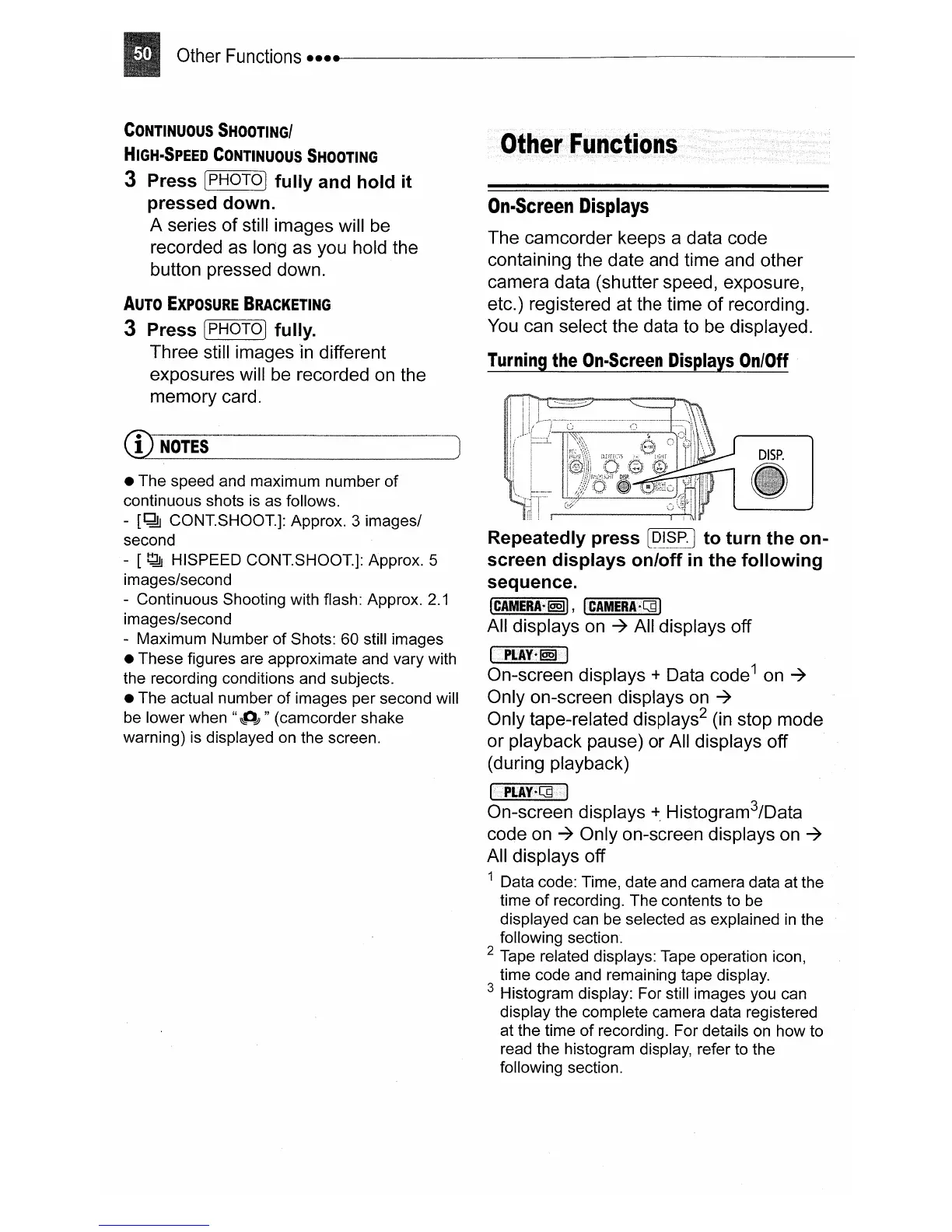
Repeatedly press
[Q!§£]
to turn the on-
screen displays
onloff
in
the following
sequence.
I
CAMERA-@§)I,
~lc-AM=E=R"""'A·=.··.Qd=""1
All displays
on
-7 All displays off
IPLAY·@§)iil
On-screen displays + Data code
1
on -7
Only on-screen displays
on
-7
Only tape-related displ
ays
2 (in stop mode
or playback pause) or All displays off
(during playback)
IpI.AY·QdI
On-screen displays
+.
Histogram
3
/Data
code
on
-7 Only on-screen displays on -7
All displays off
1 Data code: Time, date and camera data at the
time
of
recording. The contents to
be
displayed can be selected as explained
in
the
following section.
2 Tape related displays: Tape operation icon,
time code and remaining tape display.
3 Histogram display: For still images you can
display the complete camera data registered
at the time of recording. For details
on
how to
read the histogram display, refer to the
following section.



 To Next Page
 Loading...