OPERATION TRANSPORTATION
3-171
Loading 3
1. Load and unload on firm level ground only.
Maintain a safe distance from the edge of a road.
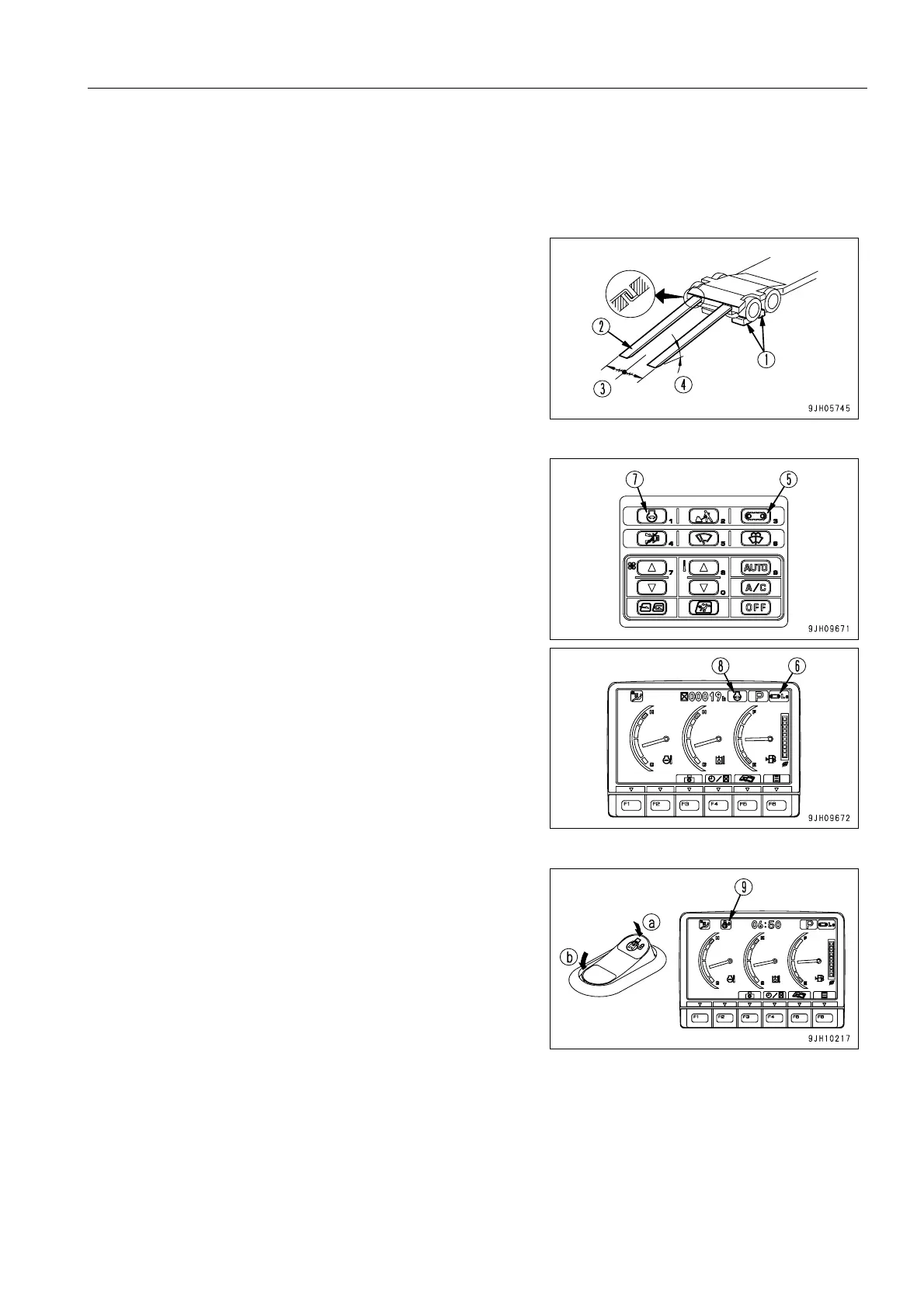
2. Apply the trailer brakes securely, then put blocks (1) under
the tires to prevent the trailer from moving.
q Set left and right ramps (2) parallel to each other and
equally spaced to the left and right of center (3) of the
trailer. Make angle of installation (4) a maximum of
15°. If the ramps bend a large amount under the
weight of the machine, put blocks under the ramps to
prevent them from bending.
3. Turn the travel speed selector switch to low speed travel
(Lo lamp lights up).
q Press travel speed selector switch (5) to switch the
travel speed. The travel speed (Lo, Mi, Hi) is displayed
on the travel speed monitor (6).
4. Turn auto-deceleration switch (7) OFF and operate the fuel
control dial to set the engine speed to low idling.
q Each time auto-deceleration switch (7) is pressed, it
switches OFF J ON J OFF in turn.
q When auto-deceleration switch (7) is turned OFF, the
auto-deceleration monitor (8) goes out.
5. Turn the swing lock switch ON to apply the swing lock.
q When the swing lock switch is turned to the ON posi-
tion, the swing lock monitor (9) lights up.
(a): ON position
(b): OFF position


 To Next Page
 Loading...