Chapter 4: Operations
Removing a Tape Cartridge
42 Quantum LTO-9 HH SAS User’s Guide
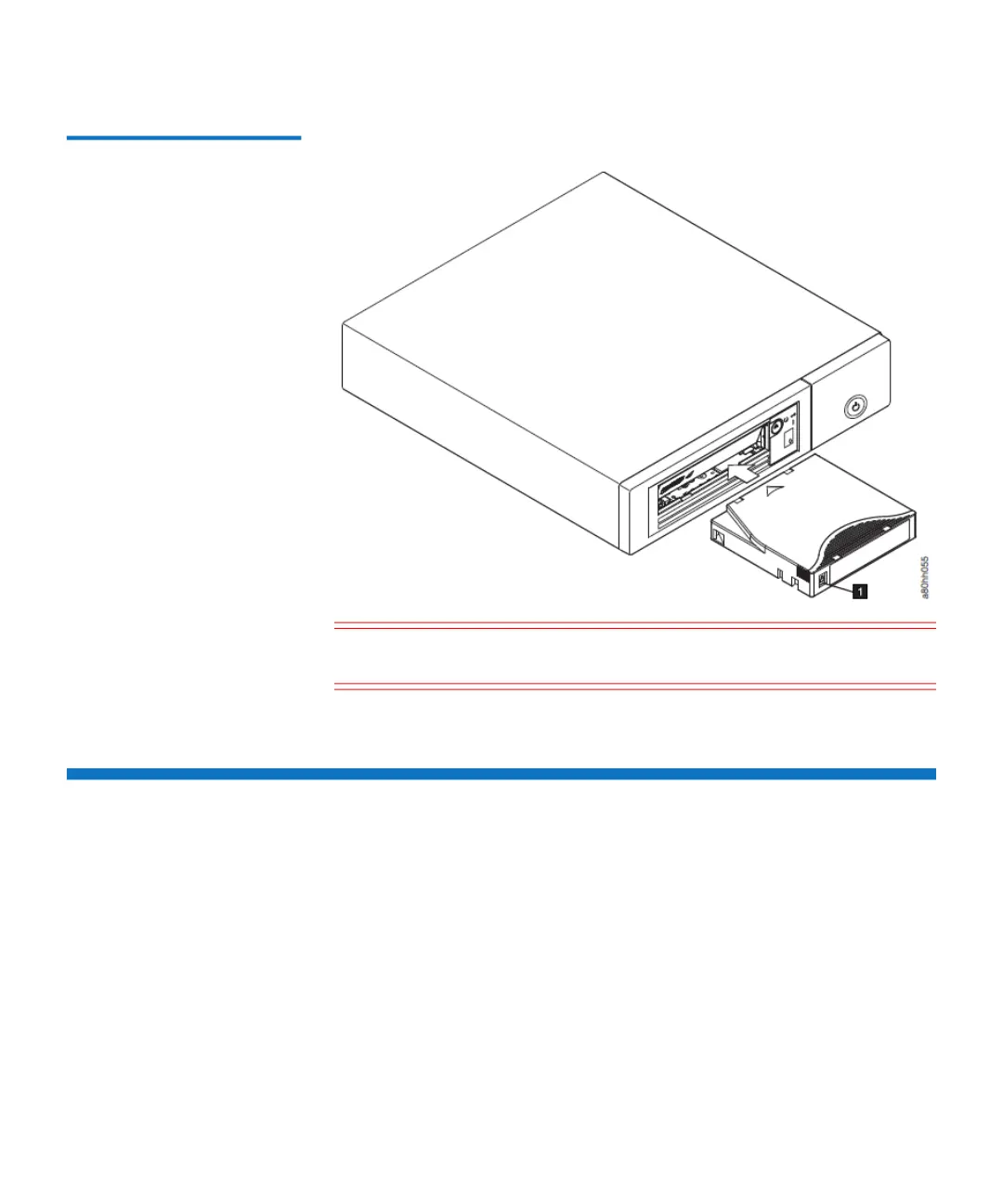
Figure 7 Inserting a
cartridge into the drive
Caution: Do not attempt to load a cartridge when the drive is in
Maintenance Mode until the drive requests it.
Removing a Tape Cartridge
To remove a tape cartridge:
1 Ensure that the drive is powered-on.
2 Press the Unload button. The drive rewinds the tape and partially
ejects the cartridge. The Ready light flashes while the tape rewinds,
then goes out before the cartridge partially ejects.
3 After the cartridge partially ejects, grasp the cartridge and remove
it.


 To Next Page
 Loading...