4.AlignmentandTroubleshooting
4.1.3.JAMRemoval
NOTE
Toavoidtearingthepaper,pullthejammedpaperoutslowlyandgently.
4.1.3.1.InTray1
1.Openandclosethefrontcover.Thejammedpaperis
automaticallyejectedfromthemachine.Ifthepaper
doesnotexit,refertonextblow.
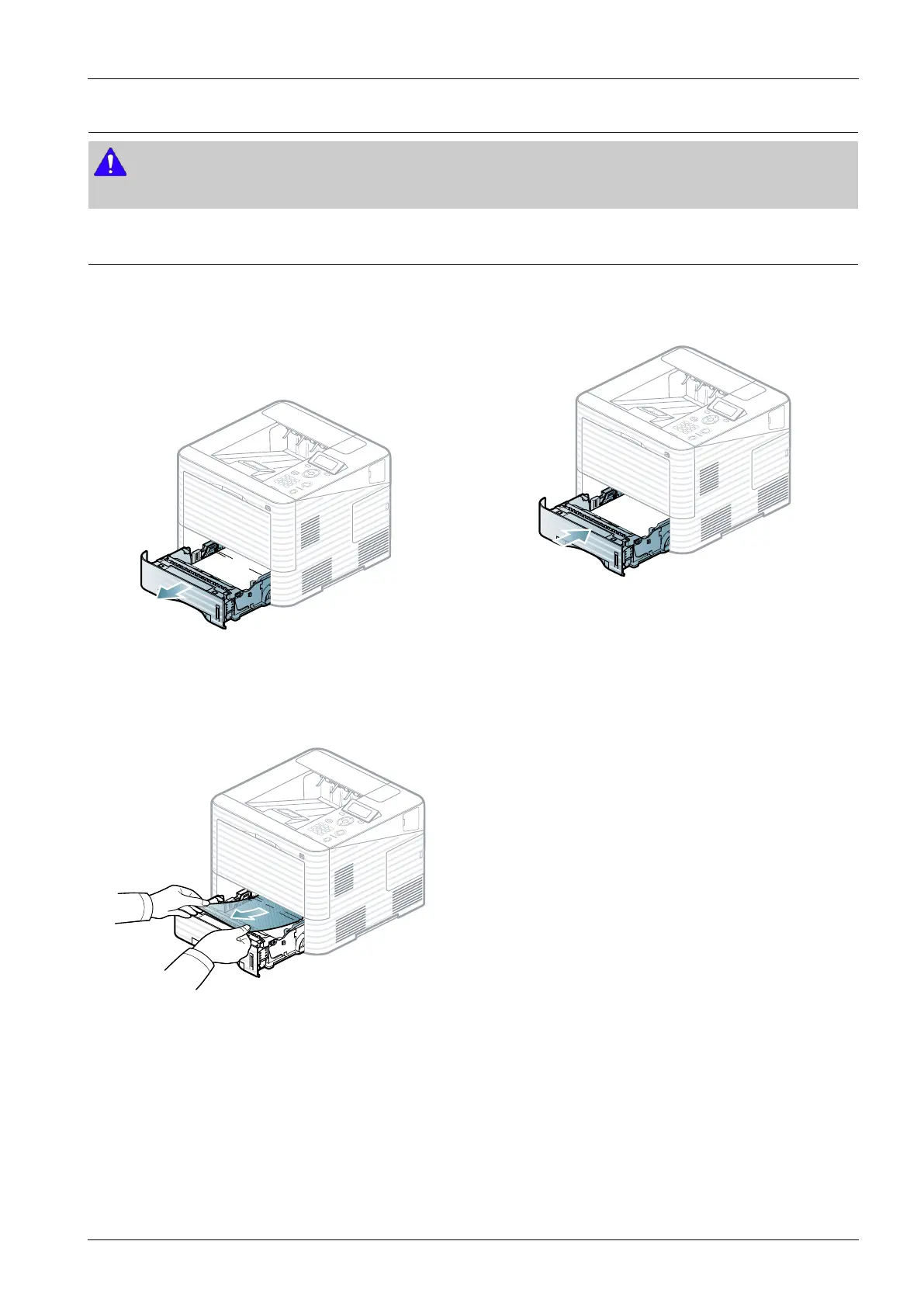
2.Pulloutthetray1.
3.Removethejammedpaperbypullinginthedirection
shown.Toavoidtearingthepaper,pullitoutgently
andslowly.
Ifthepaperdoesnotmovewhenyoupull,orifyou
donotseethepaperinthisarea,checkthefuserarea
aroundthetonercartridge.
4.Inserttray1backintothemachineuntilitsnapsinto
place.
Copyright©1995-2016SAMSUNG.Allrightsreserved.4-4


 To Next Page
 Loading...










