[ ENGLISH ]
Advanced Recording
Selecting the Digital Effects
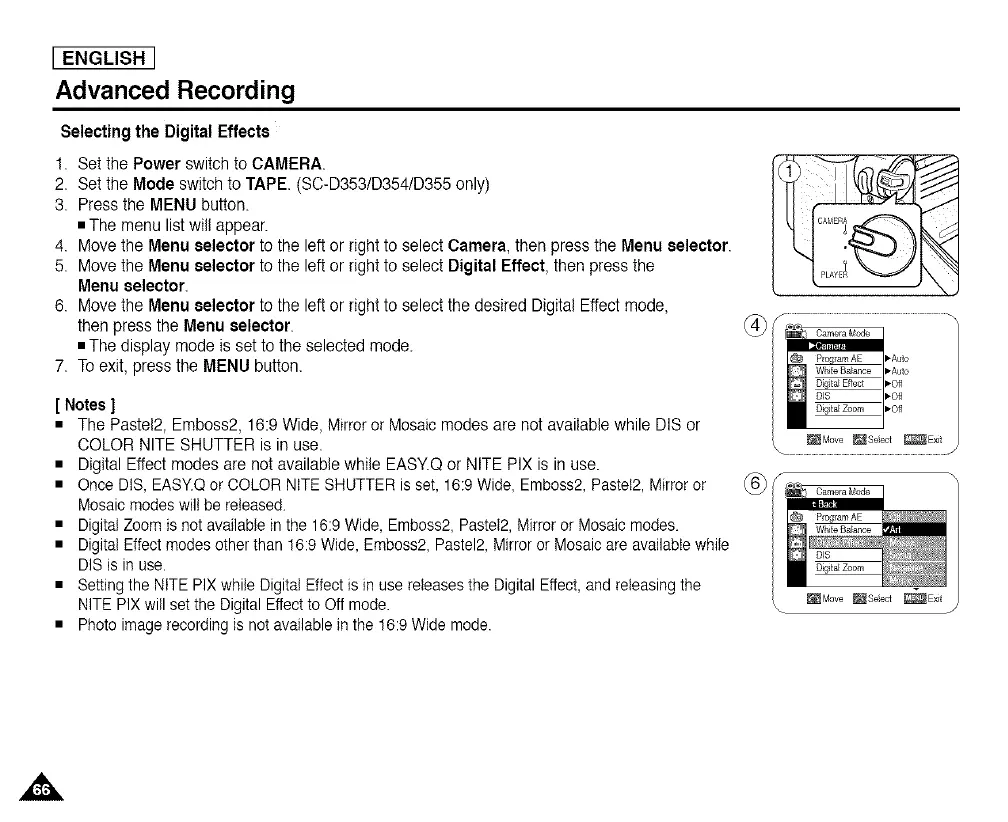
1. Setthe Power switchto CAMERA.
2. Setthe Mode switch to TAPE. (SC-D353/D354/D355 only)
3. Press the MENU button.
• The menu listwill appear.
4. Move the Menu selectorto the left or right to select Camera, then press the Menu selector.
5. Move the Menu selectorto the left or right to select Digital Effect, then press the
Menu selector.
6. Move the Menu selectorto the left or right to select the desired Digital Effect mode,
then press the Menu selector.
• The display mode is set to the selected mode.
7. To exit, press the MENU button.
[ Notes ]
• The Pastel2, Emboss2, 16:9 Wide, Mirror or Mosaic modes are not available while DIS or
COLOR NITE SHUTTER is in use.
• Digital Effect modes are not available while EASY.Q or NITE PIX is in use.
• Once DIS, EASY.Q or COLOR NITE SHUTTER is set, 16:9 Wide, Emboss2, Pastel2, Mirror or
Mosaic modes will be released.
• Digital Zoom is not available in the 16:9 Wide, Emboss2, Pastel2, Mirror or Mosaic modes.
• Digital Effect modes other than 16:9 Wide, Emboss2, Pastel2, Mirror or Mosaic are available while
DIS is in use.
• Setting the NITE PIX while Digital Effect is in use releases the Digital Effect, and releasing the
NITE PIX will set the Digital Effect to Off mode.
• Photo image recording is not available in the 16:9 Wide mode.
v
_Move _Seect _Exit
\ J


 To Next Page
 Loading...










