ENGLISH
2222
Preparation
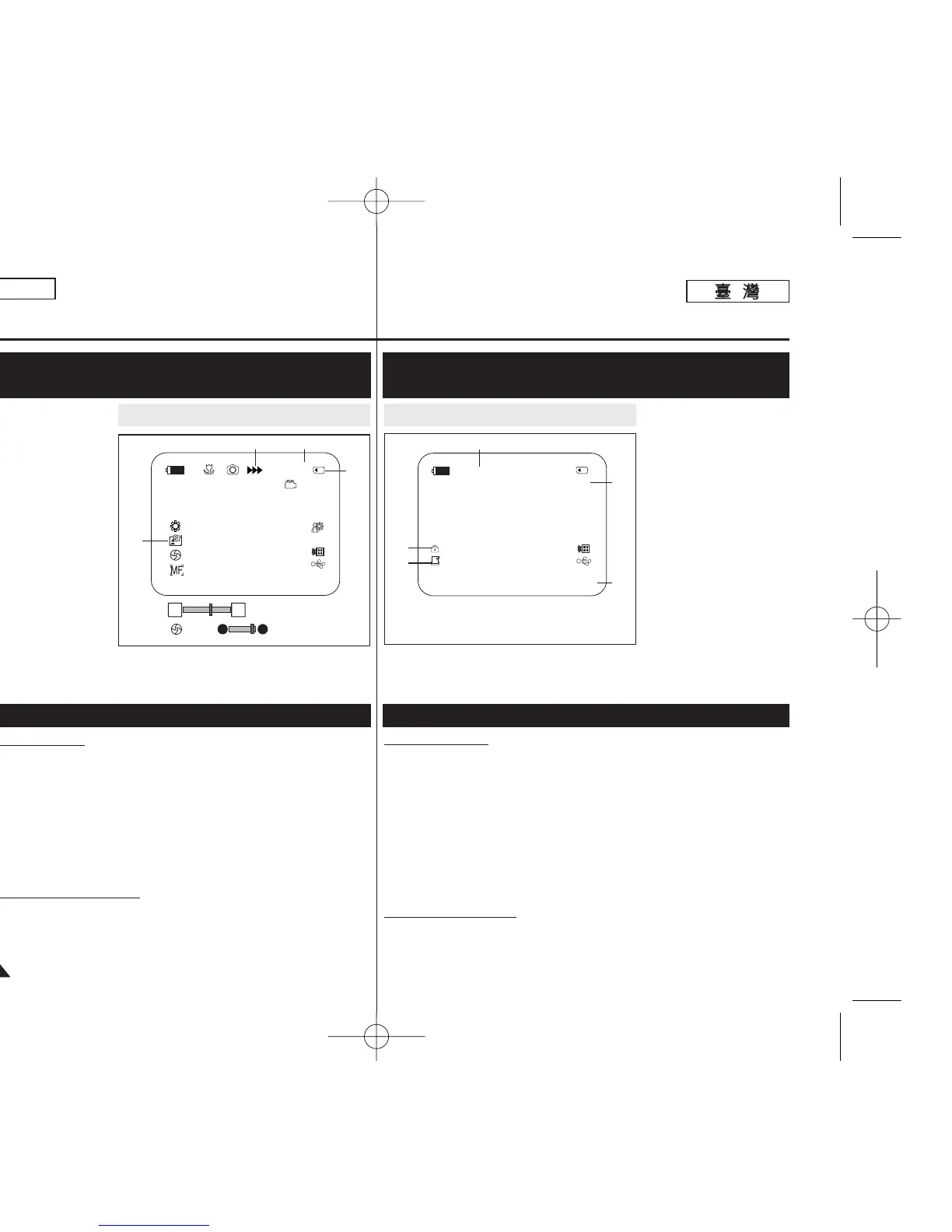
OSD (On Screen Display) in M.Cam/M.Player Modes
(SC-D363/D364/D365/D366 only)
1. Photo Quality
➥page 71
2. CARD (Memory
Card) Indicator
3. Image Counter (Total
number of
recordable photo
images)
4. Image Recording
and Loading
Indicator
5. Erase Protection
Indicator ➥page 75
6. Print Mark ➥page 84
7. Folder Number -
File Number
➥page 72
8. JPEG Image Size
9. Slide Show ➥page 74
T
urning OSD On/Off
Press the [DISPLAY] button on the left side control panel.
■ Each press of the button toggles the OSD function on and off.
■ When you turn the OSD off,
-In <Camera Mode>: The STBY, REC modes are always
displayed on the screen, even when the OSD is turned off.
-In <Player Mode>: When you press any Function Button, it is
displayed on the OSD for 3 seconds before it
turns off.
T
urning the Date/Time On/Off
To turn the Date/Time on or off, access the menu and change the
<Date/Time> mode. ➥page 30
Turning the OSD (On Screen Display) On/Off
準準備備工工作作
M.Cam/M.Player
模模式式下下的的
OSD
((螢螢幕幕顯顯示示))
((僅僅限限
SC-D363/D364/D365/D366
))
開開啓啓
/
關關閉閉
OSD
((螢螢幕幕顯顯示示))
1.
相相片片品品質質
➥第 71 頁
2.
賓賓((記記憶憶賓賓))指指示示器器
3.
影影像像計計數數器器((可可錄錄製製的的
相相片片影影像像的的總總數數))
4.
影影像像錄錄製製和和載載入入指指示示
器器
5.
刪刪除除保保護護指指示示器器
➥第 75 頁
6.
列列印印標標記記
➥第 84 頁
7.
資資料料夾夾編編號號
-
圭圭案案編編號號
➥第 72 頁
8. JPEG
影影像像大大小小
9.
連連續續放放映映
➥第 74 頁
開開啓啓
/
關關閉閉
OSD
按下左控制台上的 [DISPLAY]
((顯顯示示))
按瞿0
■
每按一下按瞿卽可切換開啓或關閉 OSD 功能0
■
關閉 OSD 時,
- 在 <Camera Mode> 下: 卽使關閉 OSD 且輸入資料顯示 3 秒然後
關閉,螢幕上會一直顯
示 STBY(待機)/ REC(錄製)模式0
- 在 <Player Mode> 下: 當舅按下任何功能按瞿時,該功能會在
OSD 上顯示 3 秒然後關閉0
開開啓啓
/
關關閉閉日日期期
/
時時間間
若要開啓或關閉日期/時間,請存取選單橙變更 <Date/Time> 模式0
➥第 30 頁
OSD in M.Cam Mode OSD in M.Player Mode
W T
46
12:00 AM JAN.1,2006
[29]
[29]
†
…
3 min
1
34
2
No Memory Card !
2/46
Slide
12:00 AM JAN.1,2006 100-0002
800X600
001
5
6
7
8
9
No Memory Card !
00970F SCD363 TAI~022 1/12/06 3:16 PM 페이지22 001 QMS 1660E



 To Next Page
 Loading...









