ENGLISH
3737
Basic Recording
Searching a quickly for a desired scene (Setting the
ZERO MEMORY) (SC-D364/D366 only)
✤ The ZERO MEMORY function works in both <Camera> and
<Player> modes. ➥page 19
✤ You can mark a point on a tape that you want to return to following
playback.
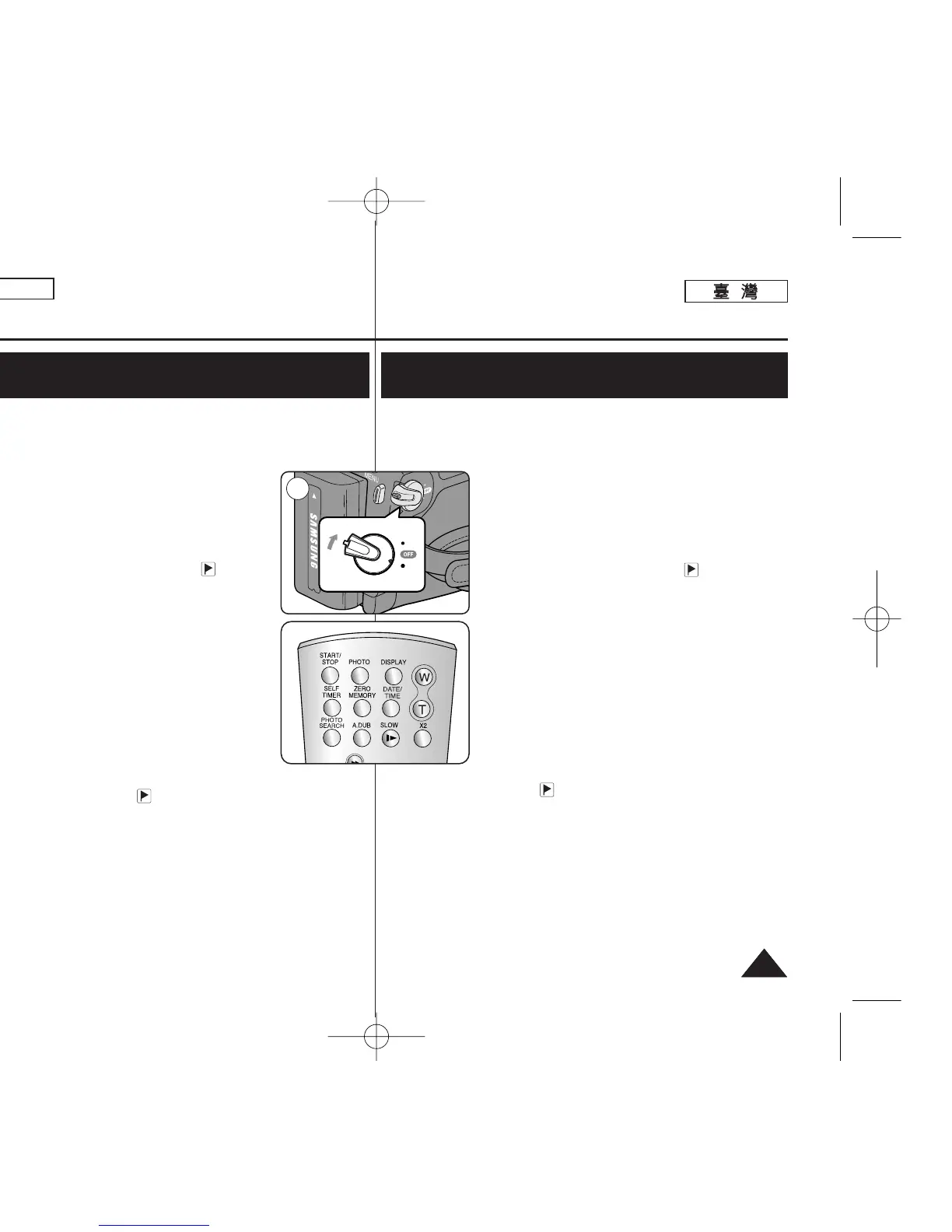
1. Set the [Power] switch to [CAMERA] or [PLAYER].
2. Set the [Mode] switch to [TAPE].
3. Press the [ZERO MEMORY] button on the remote
control before the recording or during playback at the
point where you wish to return.
■
The time code is changed to a tape counter that
is set to ZERO MEMORY with the < 0:00:00>
(ZERO MEMORY indicator).
■
If you want to cancel the ZERO MEMORY
function, press the [ZERO MEMORY] button
again.
4. Finding the zero position.
■
When you have finished playback, fast forward or
rewind the tape in stop mode.
The tape stops automatically when it reaches the
zero position.
■
When you have finished recording, set the
[Power] switch to [PLAYER] and press the
[
œœœœ
(REW)] button.
The tape stops automatically when it reaches the
zero position.
5. The tape counter with the <>(ZERO MEMORY indicator)
disappears from the display and the tape counter is changed to the
time code.
[ Notes ]
■
In the following situations, ZERO MEMORY mode may be canceled
automatically:
- At the end of the section marked with the ZERO MEMORY
function.
- When the tape is ejected.
- When you remove the Battery Pack or power supply.
■
The ZERO MEMORY may not function correctly where there is a
break between recordings on the tape.
œ
1
基基本本錄錄製製
快快速速搜搜尋尋所所要要的的場場景景((設設定定零零記記憶憶))
((僅僅限限
SC-D364/D366
))
✤ 零記憶功能可在 <Camera> 和 <Player> 模式下操作0 ➥第 19 頁
✤ 舅可以在錄影帶上標記舅要返回繼續播放的點0
1. 將 [Power]
((電電源源))
開關設定爲 [CAMERA] 或
[PLAYER]
((播播放放機機))
0
2. 將 [Mode]
((模模式式))
開關設定爲 [TAPE]
((錄錄影影帶帶))
0
3. 在錄製前或播放期間,在舅要返回的點按遙控器上
的 [ZERO MEMORY]
((零零記記憶憶))
按瞿0
■
時間代碼變成設定爲零記憶 < 0:00:00>
(零記憶指示器)的錄影帶計時器0
■
若舅要取消零記憶功能,請再次按
[ZERO MEMORY]
((零零記記憶憶))
按瞿0
4. 尋胥零位置0
■
當舅完成播放時,在停止模式中快進或回轉錄影
帶0
錄影帶將在到達零位置時自動停止0
■
當舅完成錄製時,將 [Power]
((電電源源))
開關設定爲
[PLAYER]
((播播放放機機))
,然後按下
[
œœœœ
(REW)]
((œœœœ ((回回轉轉))))
按瞿0
錄影帶將在到達零位置時自動停止0
5. 具有 < >(零記憶指示器)的錄影帶計時器將
從顯示怜面消失,同時錄影帶計時器將變更 至時間
代碼0
[
附附註註
]
■
在下列情況下,零記憶模式可能自動取消:
- 在標記有零記憶功能部略的完結處0
- 當錄影帶被彈出時0
- 當舅取出電池組或移除電源時0
■
零記憶可能在錄影帶上的錄製具有間隔時無法正確發揮功能0
00970F SCD363 TAI~043 1/12/06 3:25 PM 페이지37 001 QMS 1660E



 To Next Page
 Loading...









