ENGLISH
3131
Initial Setting : Display Menu Setting
Setting the TV Display (TV Display)
✤ The TV Display function works in <Camera>/<Player>/<M.Cam>/
<M.Player> modes. ➥page 19
✤ You can select the output path of the OSD (On Screen Display).
- <Off>: The OSD appears in the LCD Screen and Viewfinder only.
- <On>: The OSD appears in the LCD Screen, Viewfinder and TV.
(Connecting to a TV ➥page 64, 65)
- Use the [DISPLAY] button to turn the OSD on/off on the LCD
Screen/Viewfinder/TV.
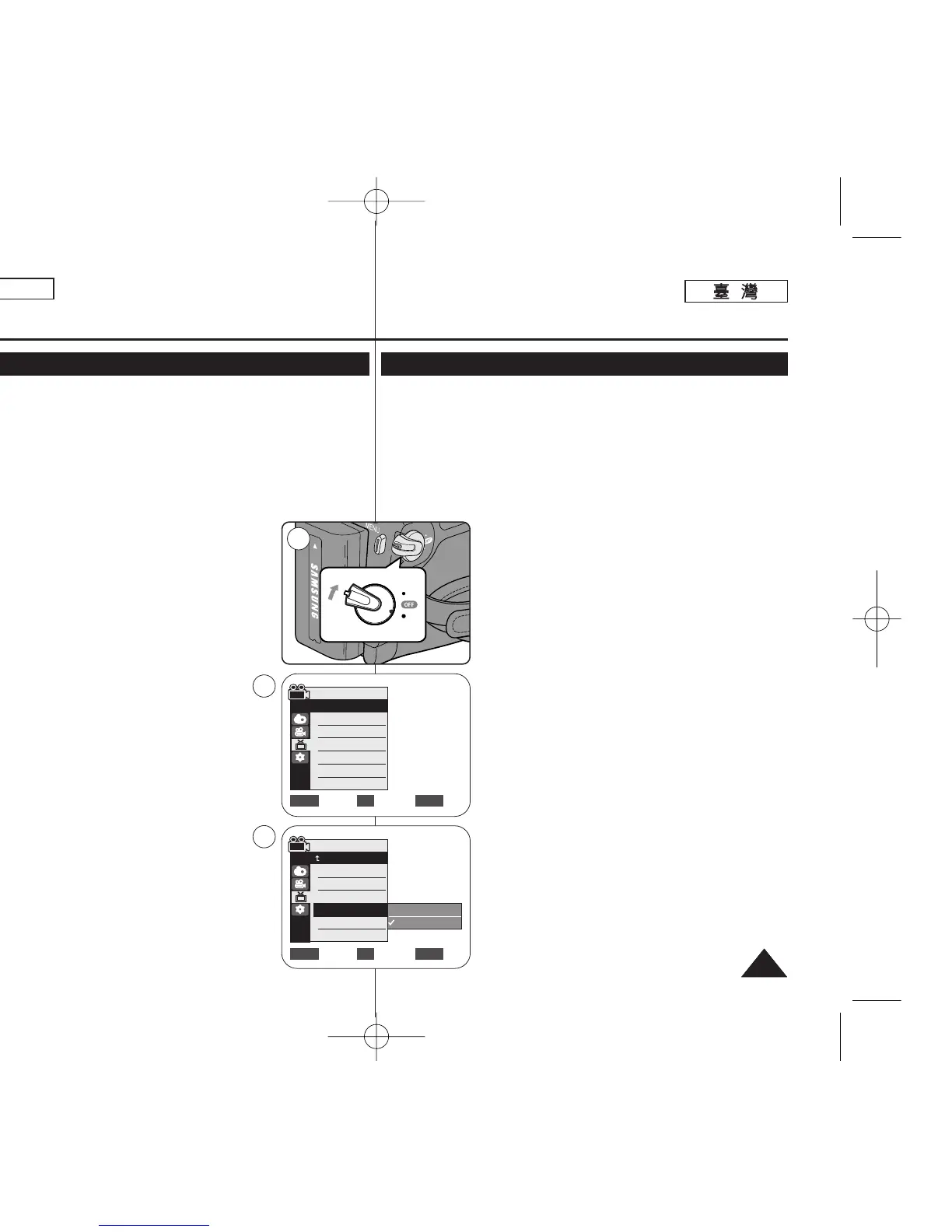
1. Set the [Power] switch to [CAMERA] or [PLAYER].
2. Set the [Mode] switch to [TAPE] or [MEMORY].
(SC-D363/D364/D365/D366 only)
3. Press the [MENU] button.
■
The menu list will appear.
4. Move the [Zoom] lever up or down to select
<Display>, then press the [OK] button.
5. Move the [Zoom] lever up or down to select <TV
Display>, then press the [OK] button.
6. To activate TV Display function, move the [Zoom]
lever up or down to select <On> or <Off>, then press
the [OK] button.
7. To exit, press the [MENU] button.
起起始始設設定定:: 顯顯示示選選單單設設定定
設設定定電電視視機機顯顯示示((電電視視機機顯顯示示))
✤ 電視機顯示功能可在 <Camera>/<Player>/<M.Cam>/<M.Player> 模
式下操作0 ➥第 19 頁
✤ 舅可以選擇 OSD(螢幕顯示)的輸出路徑0
- <Off>: OSD 僅顯示在 LCD 螢幕和觀景鎖中0
- <On>: OSD 僅顯示在 LCD 螢幕/ 觀景鎖和電視機上0
(連接至電視 ➥第 64/ 65 頁)
- 使用 [DISPLAY]
((顯顯示示))
按瞿來開啓/關閉 LCD 螢幕/觀景鎖/電視機
上的 OSD0
1. 將 [Power]
((電電源源))
開關設定爲 [CAMERA] 或
[PLAYER]
((播播放放機機))
0
2. 將 [Mode]
((模模式式))
開關設定爲 [TAPE]
((錄錄影影帶帶))
或
[MEMORY]
((記記憶憶賓賓))
0
(僅限 SC-D363/D364/ D365/D366)
3. 按下 [MENU] 按瞿0
■
選單淸單將會顯示0
4. 向上或向下移動 [Zoom]
((縮縮放放))
桿以選擇
<Display>,然後按下 [OK]
((確確定定))
按瞿0
5. 向上或向下移動 [Zoom]
((縮縮放放))
桿以選擇
<TV Display>,然後按下 [OK]
((確確定定))
按瞿0
6. 若要啓動電視機顯示功能,請向上或向下移動
[Zoom]
((縮縮放放))
桿以選擇 <On> 或 <Off>,然後按下
[OK]
((確確定定))
按瞿0
7. 按 [MENU]
((選選單單))
按瞿以結束0
Camera Mode
√Display
LCD Bright
LCD Color
Date/Time
TV Display
Move Select Exit
MENUOKZOOM
√Off
√On


 To Next Page
 Loading...










