ENGLISH
4040
Basic Recording
Using the Fade In and Out
✤ The Fade function works only in
<Camera> mode. ➥page 19
✤ You can give your recording a
professional look by using special effects
such as fade in at the beginning of a
sequence or fade out at the end of a
sequence.
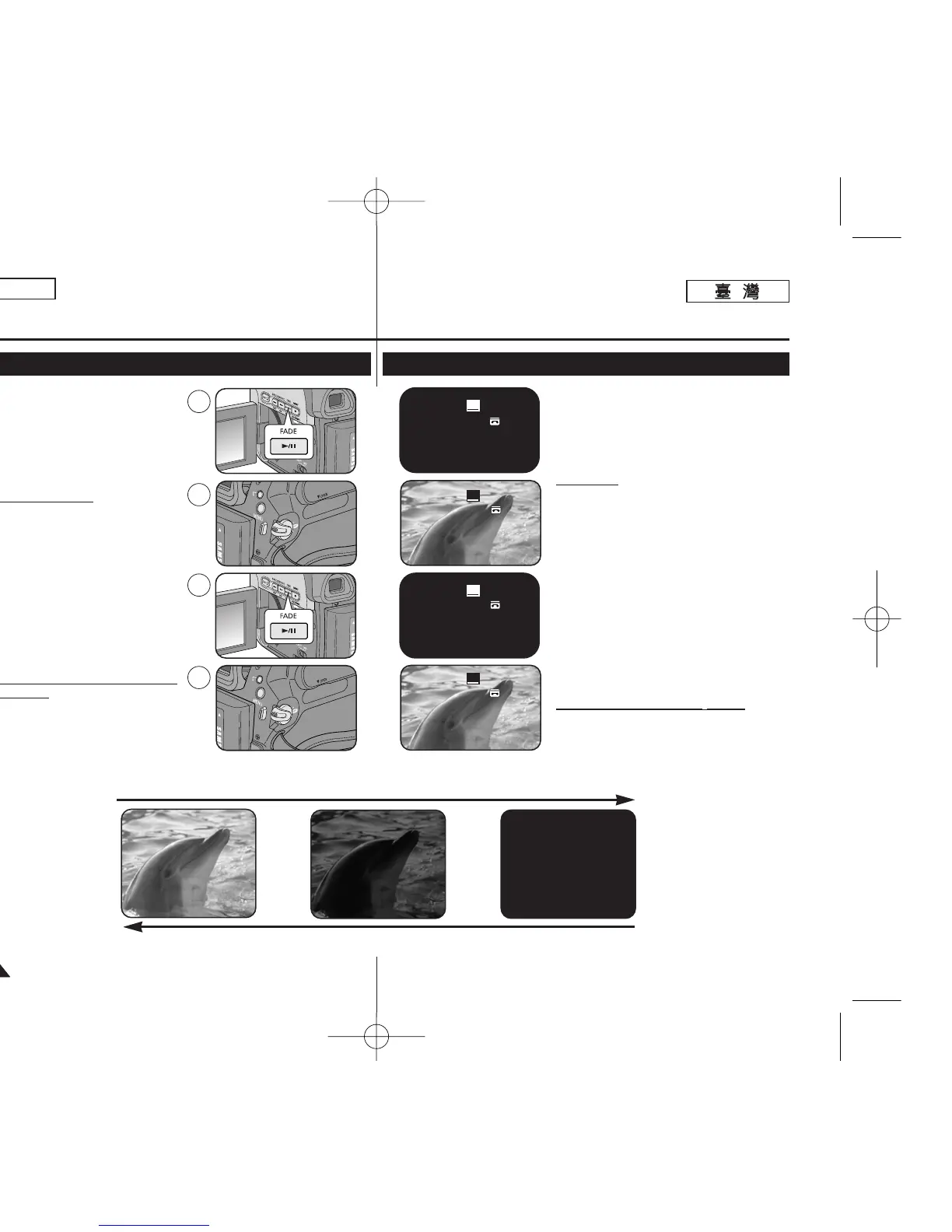
To Start Recording
1. Set the [Power] switch to [CAMERA].
2. Set the [Mode] switch to [TAPE].
(SC-D363/D364/D365/D366 only)
3. Before recording, press and hold the
[FADE] button.
■
The picture and sound gradually
disappear (fade out).
4. Press the [Start/Stop] button and at the
same time release the [FADE] button.
■
Recording starts and the picture and
sound gradually appear (fade in).
To Stop Recording (use Fade
In/Fade Out)
5. When you wish to stop recording, press
and hold the [FADE] button.
■
The picture and sound gradually
disappear (fade out).
6. When the picture has
disappeared, press the
[Start/Stop] button to
stop recording.
a. Fade Out
(Approx. 4 seconds)
b. Fade In
(Approx. 4 seconds)
Gradual appearance b. Fade In Release the [FADE] button
Press and hold the [FADE] button
a. Fade Out Gradual disappearance
60min
0:00:05
SP
STBY
➔
➔


 To Next Page
 Loading...










