178
Appendix
A.1 Configuring the computer to obtain an IPv4
address automatically
Perform the configuration procedures corresponding to Windows 10, Windows 8 and Windows 7
as required. A computer installed with a wired network adapter is used as an example to describe
the procedures. The procedures for configuring computers installed with a WiFi network adapter
are similar.
A.1.1 Windows 10
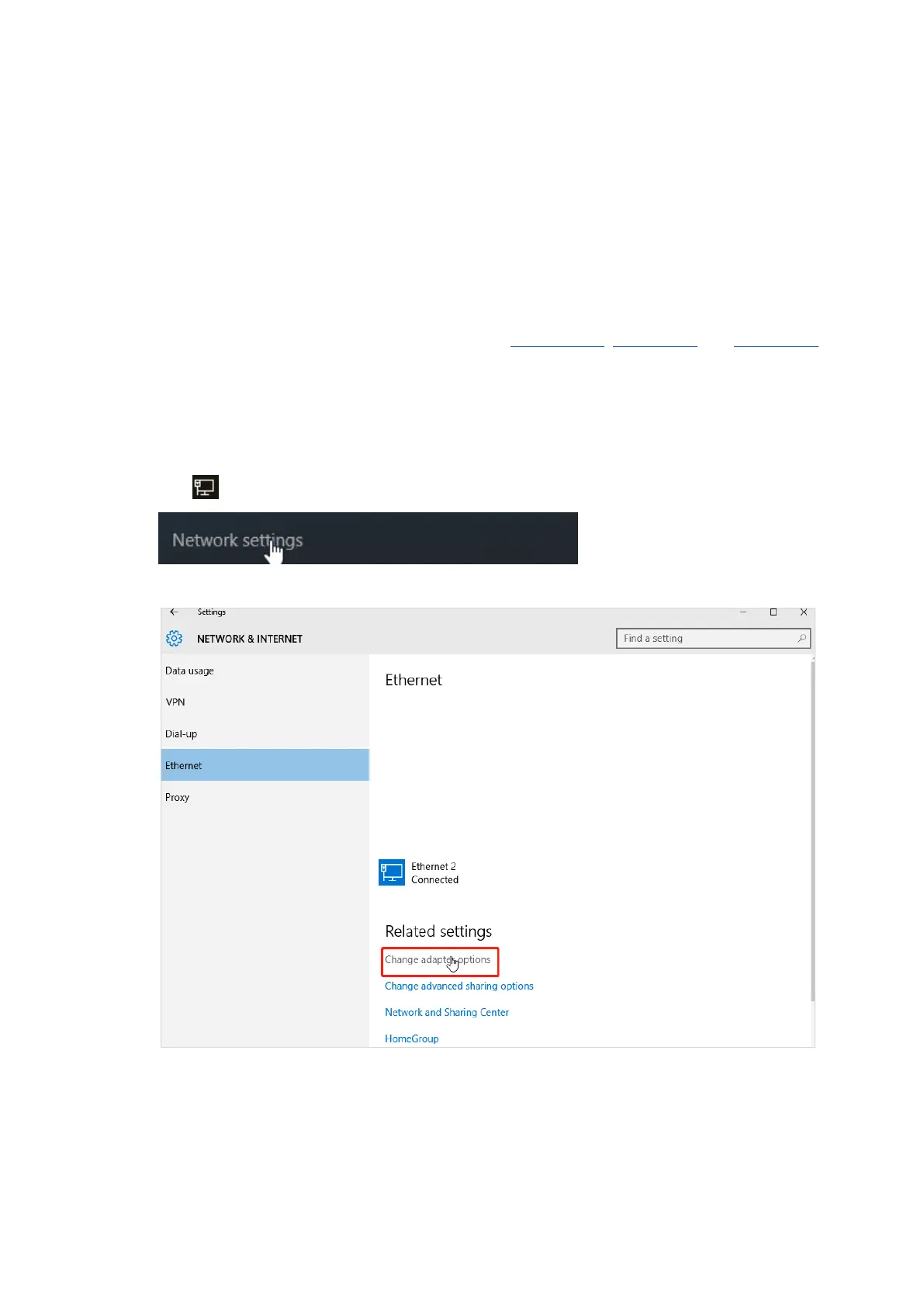
Step 1 Click in the bottom right corner of the desktop and choose Network settings.
Step 2 Click Change adapter options.



 To Next Page
 Loading...