Steps
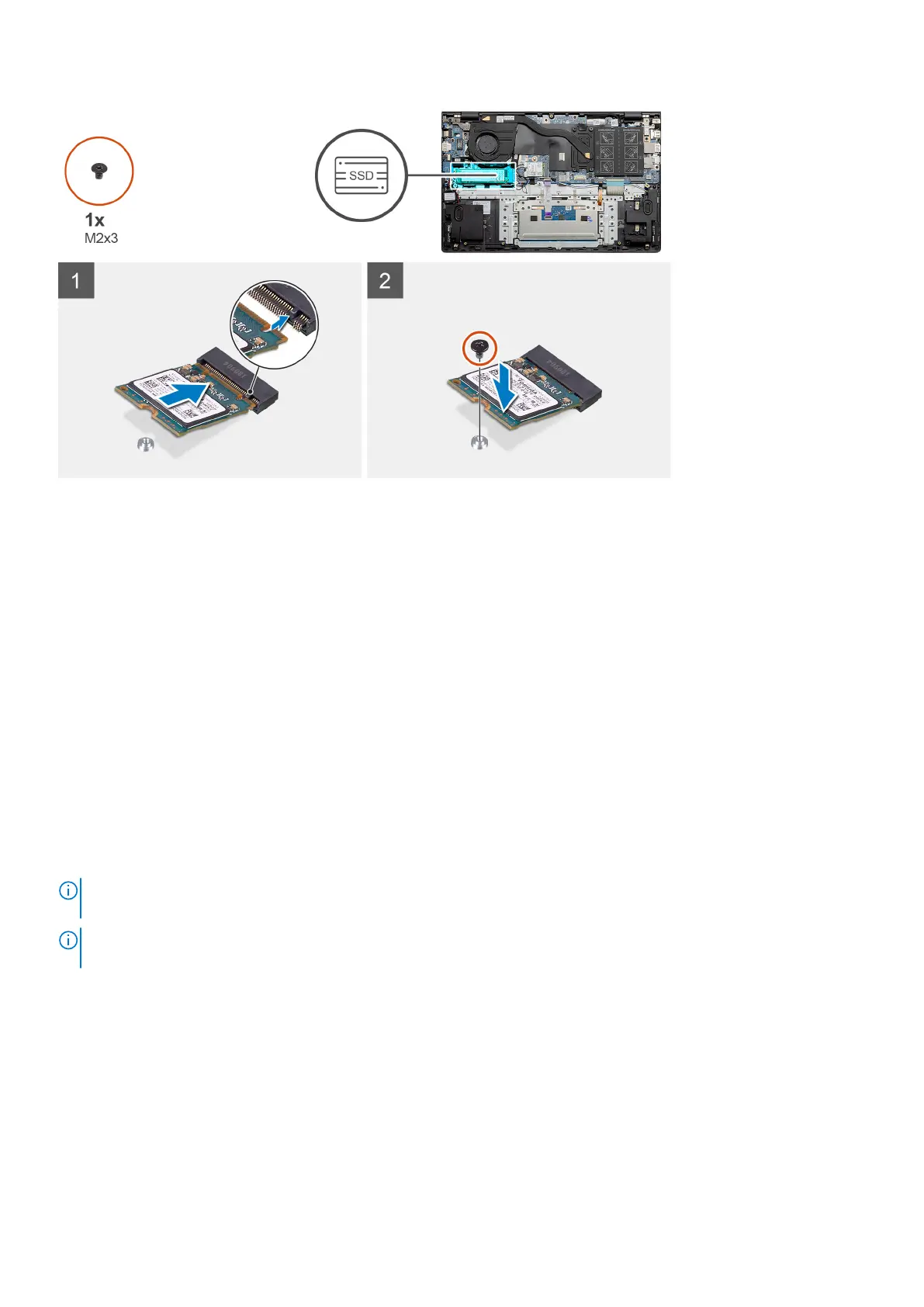
1. Align the solid-state drive bracket to accommodate the M.2 2230 solid-state drive.
2. Replace the single (M2x3) screw to secure the solid-state drive module to the palm-rest and keyboard assembly.
Next steps
1. Connect the battery (3-cell or 4-cell) based on the configuration.
2. Install the base cover.
3. Follow the procedure in after working inside your computer.
Removing the M.2 2280 solid-state drive - SSD-1 - discrete
Prerequisites
1. Follow the procedure in before working inside your computer.
2. Remove the base cover.
3. Disconnect the battery (3-cell or 4-cell).
About this task
NOTE:
Depending on the configuration ordered, your computer may support a 2230 solid-state drive or a 2280 solid-state
drive in M.2 slot one.
NOTE: M.2 slot two supports one PCIe Gen3 x4 NVMe or SATA solid-state drive (M.2 2230 or M.2 2280) or one Intel
Optane memory H10 with solid state storage.
The figure indicates the location of the M.2 2280 solid-state drive in slot one and provides a visual representation of the removal
procedure.
34
Disassembly and reassembly


 To Next Page
 Loading...







