Chapter 16 PLC Function ApplicationsC2000
16-144
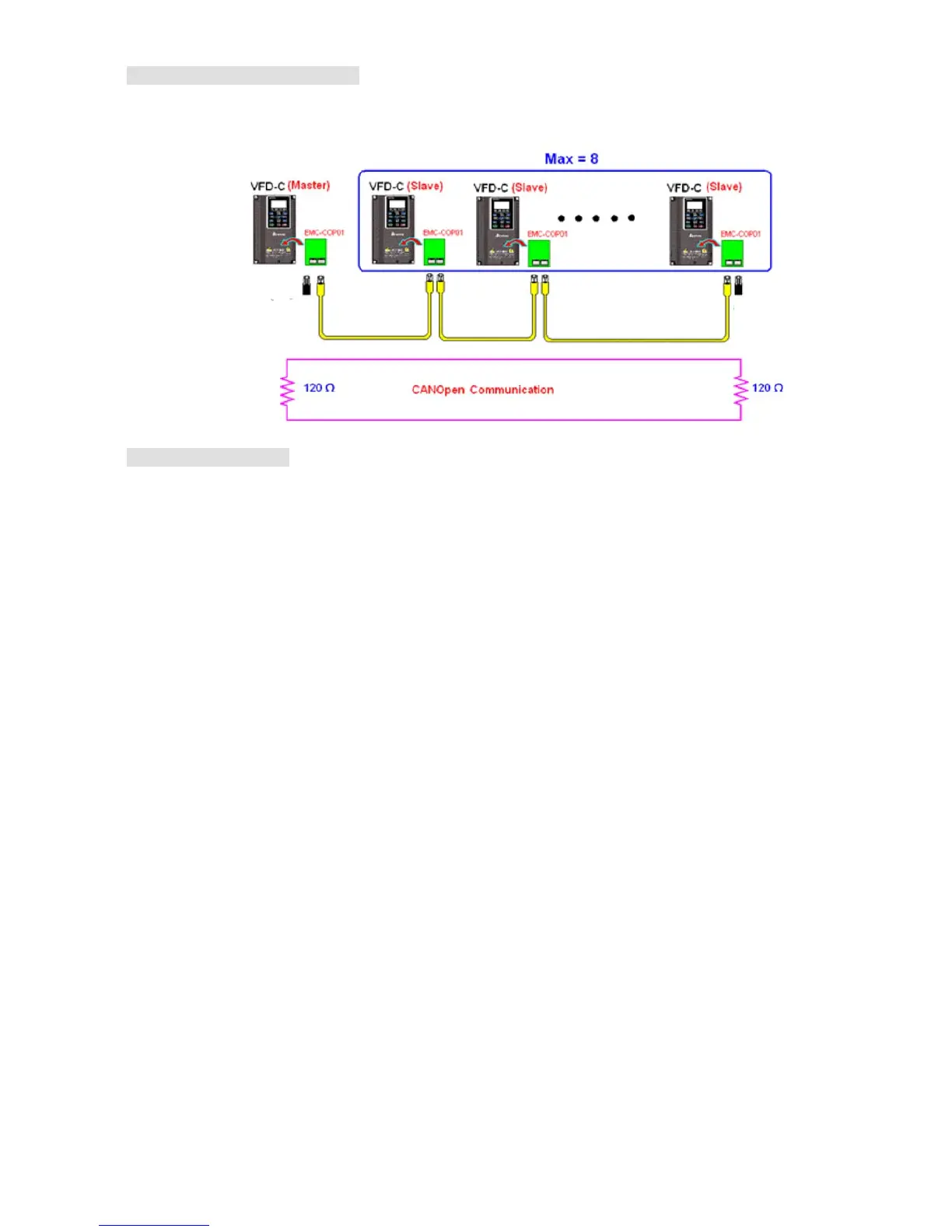
Step 6: Connect hardware wiring
When performing wiring, note the head and tail terminal resistance; connection methods are
as follows:
Terminal
resistor
Terminal
resistor
Step 7: Initiate control
After a program has been written and downloaded, switch the PLC mode to Run. Merely
turn power to master and slave stations off and then on again.
Refer to CANMasterTest 1 vs. 2 driver.dvp



 To Next Page
 Loading...





