73
3
Basic Operations
System
IMPORTANT
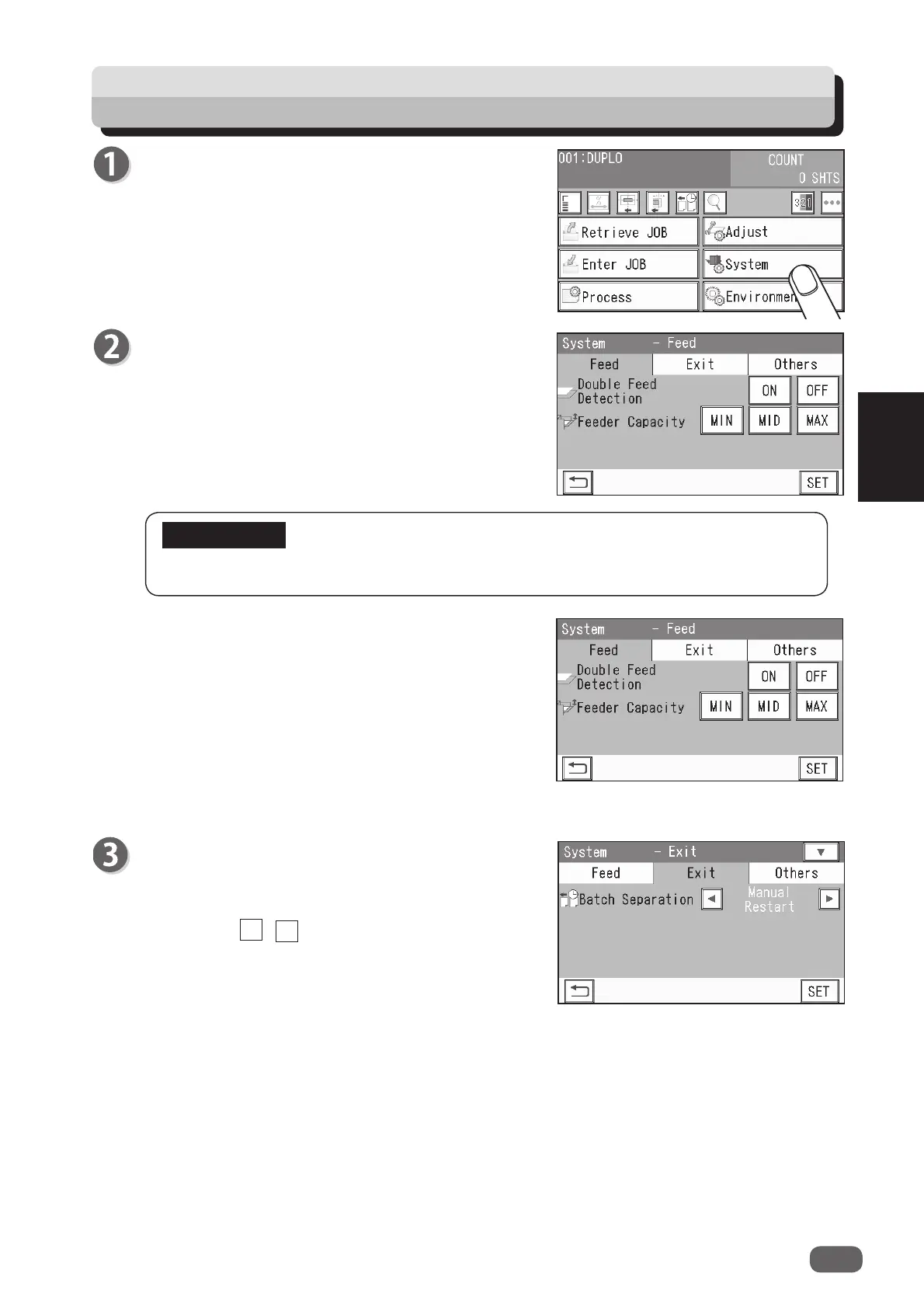
Make sure that the
standby
screen is displayed on
the
touch panel
, and then touch
System
.
2.
Feeder Capacity
The elevator (
feed tray
) level can be adjusted to
three levels according to the quantity of documents.
Select
MIN
,
MID
, or
MAX
.
Normally select
MID
.
MIN
: Select this when loading low quantity of
documents.
MAX
: Select this when loading high quantity of
documents.
• Automatic Restart
: When preset count
processing is fi nished and
Exit
1.
Batch Separation
This sets a time interval between the last process
of a document as preset and the next one.
Touch the / icon to select
Automatic
Restart
,
Manual Restart
, or
OFF
.
Feed
1.
Double Feed Detection
This detects a double feed (two or more sheets are
fed at once).
To use this function, touch
ON
. If not, touch
OFF
.
When it is set to
ON
, double feed is detected and
DOUBLE FEED
is displayed on the
touch panel
.
Double feed may not be detected if you use rough-textured documents or documents
that are inconsistent in material.
◄
►
the count becomes
0
, the documents in the DC-618 are processed
and
Separating
is displayed.
The DC-618 restarts operation automatically after the elapse of time
set in
Gap Timing
. Pressing the START key while
Separating
is
being displayed also restarts operation.


 To Next Page
 Loading...





