2. SYSTEM MENU
2-7
2
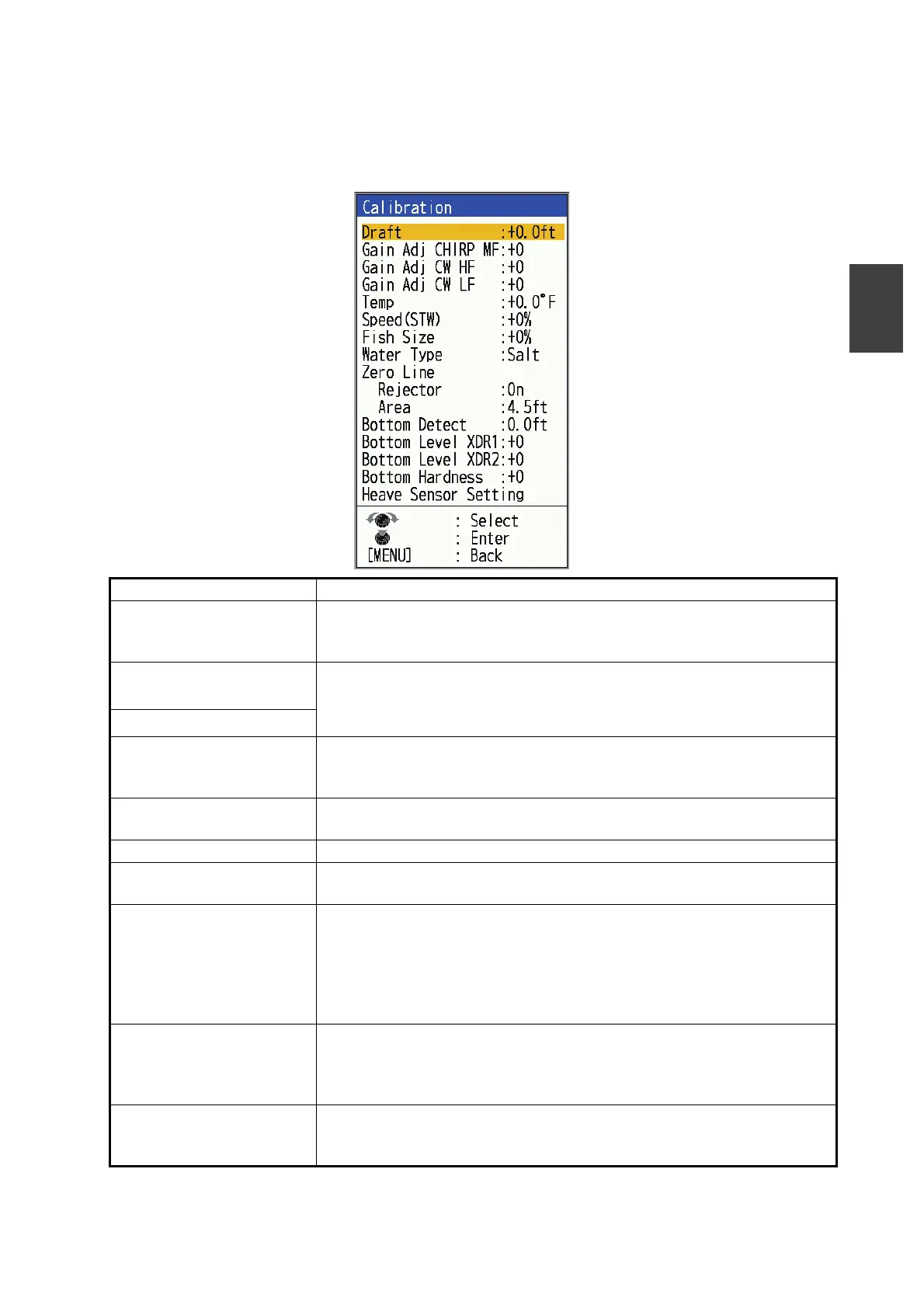
2.7 [Calib] Menu
The [Calib] menu allows you to make corrections for water temperature, speed, water
type etc. Refer to the setting ranges and guides in the window.
Menu Item Description
[Draft] The default depth display shows the distance from the transducer. If
you would rather show the distance from the sea surface, set your
ship's draft.
[Gain Adj CHIRP HF/LF/
MF]
*1
If the gain is too high or too low, or the gain for the low and high fre-
quencies appears unbalanced, you can compensate it here.
[Gain Adj CW HF/LF]
*1
[Temp] If the water temperature indication is wrong, you can correct it here. For
example, if the water temperature indication is 2° higher than actual
water temperature, enter -2.
[Speed (STW)] If the speed indication is wrong, you can correct it here. For example,
if the speed indication is 10% lower than actual speed, enter +10.
[Fish Size] Compensate for wrongful indication of fish size.
[Water Type] Select the water type with which to use the equipment, from [Salt] or
[Fresh]. Select correct water type to get accurate depth data.
[Zero line]
[Rejector]
Turn the zero line (transmission line) on or off. When turned on, the
transmission line disappears, which allows you to see fish echoes near
the surface clearly. The length of the transmission line changes with
transducer used and installation characteristics. If the width of the
transmission line is 4.5 ft (default value) or more, set the transmission
line width with [Zero Line Area], as below.
[Zero Line]
[Area]
This feature adjusts the transmission line so that the transmission line
disappears when the menu item [Zero Line Rejector] is turned on. For
a long tail, increase the value. If the transmission line does not disap-
pear, lower the TX power.
[Bottom Detect] In some installations the tail of the TX line or the echo afterglow can be
mistaken for the bottom echo. If this occurs, raise this setting to solve
the problem. Too low a setting may prevent display of the bottom echo.


 To Next Page
 Loading...





