Chapter 8 Client Soware Conguraon
8.1 Conguraon Flow of Client Soware
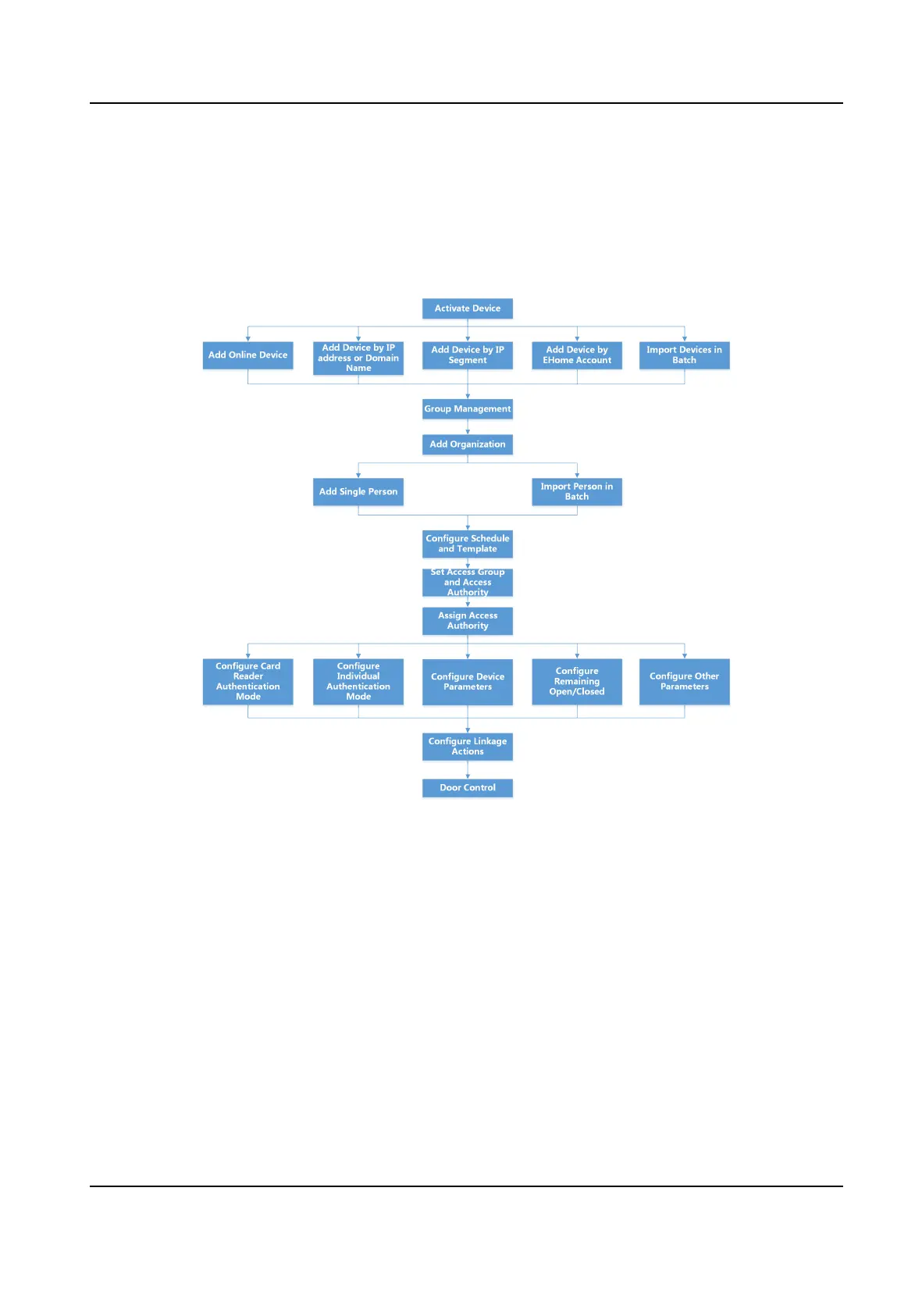
Follow the ow diagram below to congure on the client soware.
Figure 8-1 Flow Diagram of Conguraon on Client Soware
8.2 Device Management
You can manage devices on the client, including adding, eding, and deleng the devices. You can
also perform operaons such as checking device status.
8.2.1 Add Device
Aer running the client, devices including access control devices, video intercom devices, etc.,
should be added to the client for the remote conguraon and management, such as controlling
door status,
aendance management, event sengs, etc.
DS-K1T341B Series Face Recognion Terminal User Manual
75


 To Next Page
 Loading...