2K8
1-5-34
(4) Detaching and refitting the high voltage PWB
Procedure
1. Remove the all drum units (See page 1-5-
14).
2. Remove the all developing units (See page
1-5-12).
3. Remove the engine PWB (See page 1-5-
29).
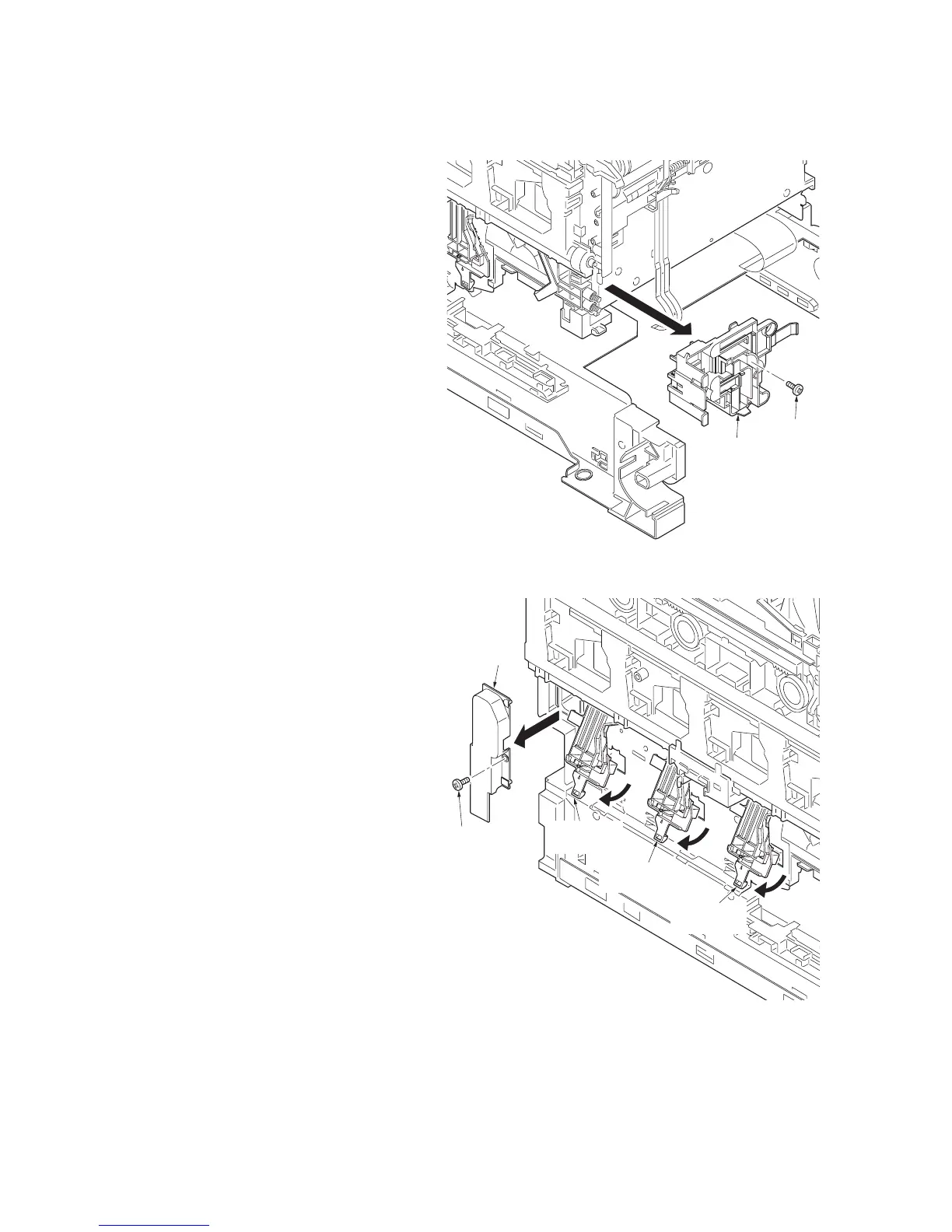
4. Remove the screw and then remove the HV
terminal assembly K.
Figure 1-5-48
5. Remove the screw and then remove the
inner cover.
6. Remove the three HV bracket C assem-
blies.
Figure 1-5-49
Screw
HV terminal assembly K
Screw
Inner cover
HV bracket
C assembly
HV bracket
C assembly
HV bracket
C assembly


 To Next Page
 Loading...