English
3 EN
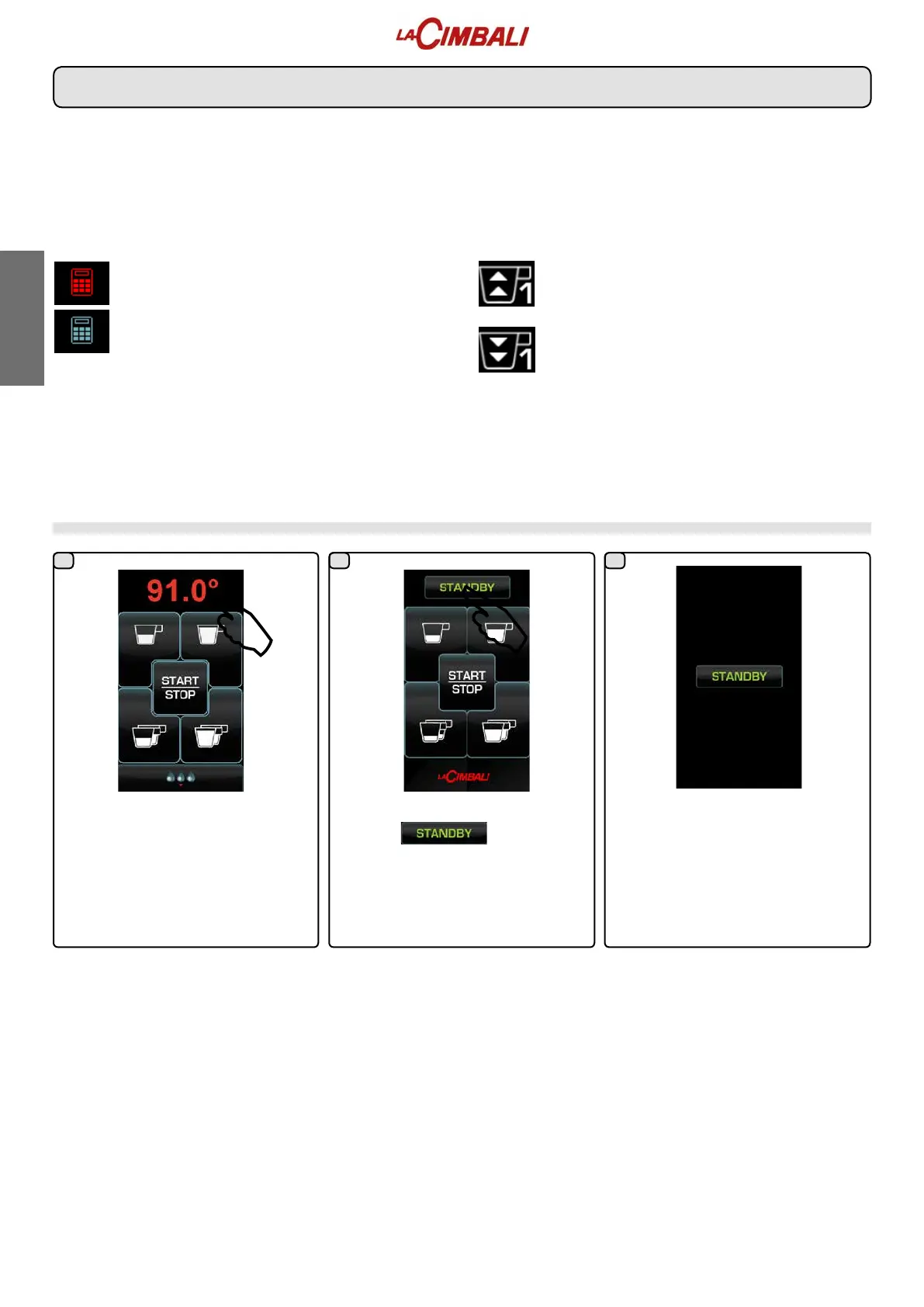
Press the temperature on the boiler
display.
On the boiler display, press the
indication .
Note:Ifnotpressedwithin5seconds,
the boiler returns to normal functioning.
The group boiler is disabled. Press the
displayatanypointtoreturntonormal
functioning.
Switching off the boiler (only on “HD / GT” machines)
Description display symbols
PAYMENT SYSTEMS
This icon indicates that the machine is connected to a
paymentsystemsinterfaceandisconguredtoworkwithit.
Dispensingisthereforepossiblesubjecttoapprovalbythe
paymentsystem.
- therediconindicatesthatthecashsystemhas
denied the transaction;
- theblueiconindicatesthatthecashsystemhas
approved the transaction.
CONTROL OF THE FLOW (ONLY IF IN USE)
When this icon lights up it means that it is necessary
to adjust the grinder-dispenser to tighten or loosen the
grinding,inordertoreturnthecoffeedosetothecorrect
parameters.
The icons that are shown are:
means that the grinding needs to be loosened.
(owofcoffeeislowerthanthereference).
means that the grinding needs to be tightened.
(owofcoffeeisgreaterthanthereference).
Note. The number next to the icon (1 or 2) indicates the
grinder-dispenser that must be used.
Theiconappearsonthedisplayinsteadofthelevelsymbol.
1 32



 To Next Page
 Loading...