ESP-SMT Smart Modular Control System
9
Configure Controller
This section shows you how to configure the ESP-SMT controller for your site
conditions using one of the following Two methods:
1) Select Location by Zip Code; 2) Enter Custom Site Data relative to site location
Method 1: Select Location by Zip Code
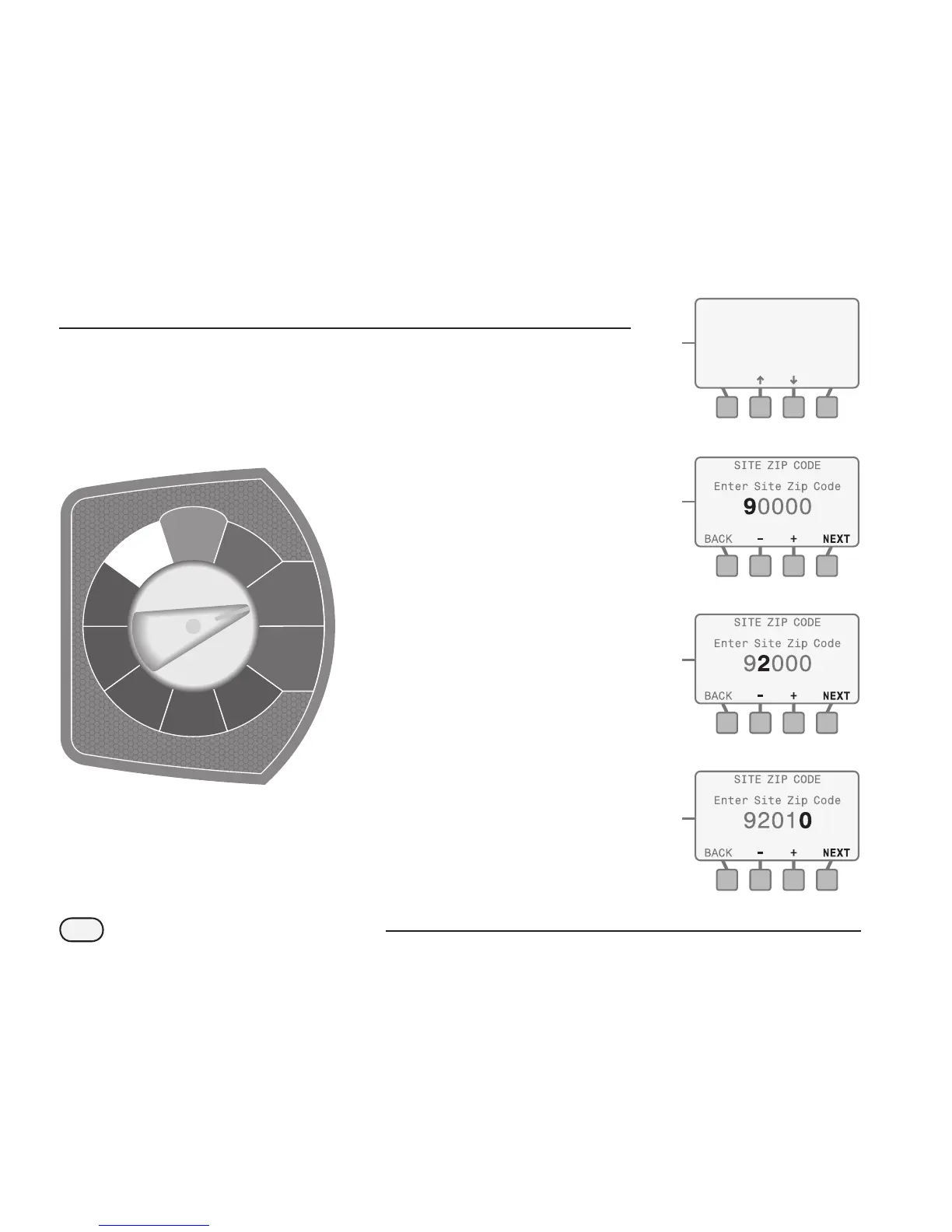
Rotate the dial to the CONFIGURE CONTROLLER position...
A
The CONFIGURE CONTROLLER
screen will appear and Enter Site
Zip Code will be blinking; press the
SELECT button.
B
The SITE ZIP CODE screen will
appear and the 1st digit of the zip
code will be blinking.
a. Press the - or + button(s) to set the
number from 0 to 9 to match the 1st
digit of the site zip code; then press
the NEXT button.
b. The 2nd digit of the zip code will
begin to blink. Press the - or +
button(s) to set the number from 0
to 9 to match the 2nd digit of the
site zip code; then press the NEXT
button.
c. Perform this function until all 5 digits
of the site zip code are entered; then
press the NEXT button.
a.
B
B
A
b.
B
c.
CONFIGURE CONTROLLER
Enter Site Zip Code
- OR -
Enter Custom Data for
Location
SELECT
FINE-TUNE
WATERING
SET DATE
& TIME
AUTO
SPECIAL
FEATURES
SYSTEM
REVIEW
INPUT ZONE
INFORMATION
CONFIGURE
CONTROLLER
MANUAL
WATERING
OFF
RESTORE
SETTINGS



 To Next Page
 Loading...