ŝ152Ş
ƈ You can download, view, edit and save your digital images and movies with this software.
This software is only compatible with Windows except for the Windows 98.
ƈ To start the program, click [Start ƍ Programs ƍ Samsung ƍ Digimax Master].
ƃ Downloading images
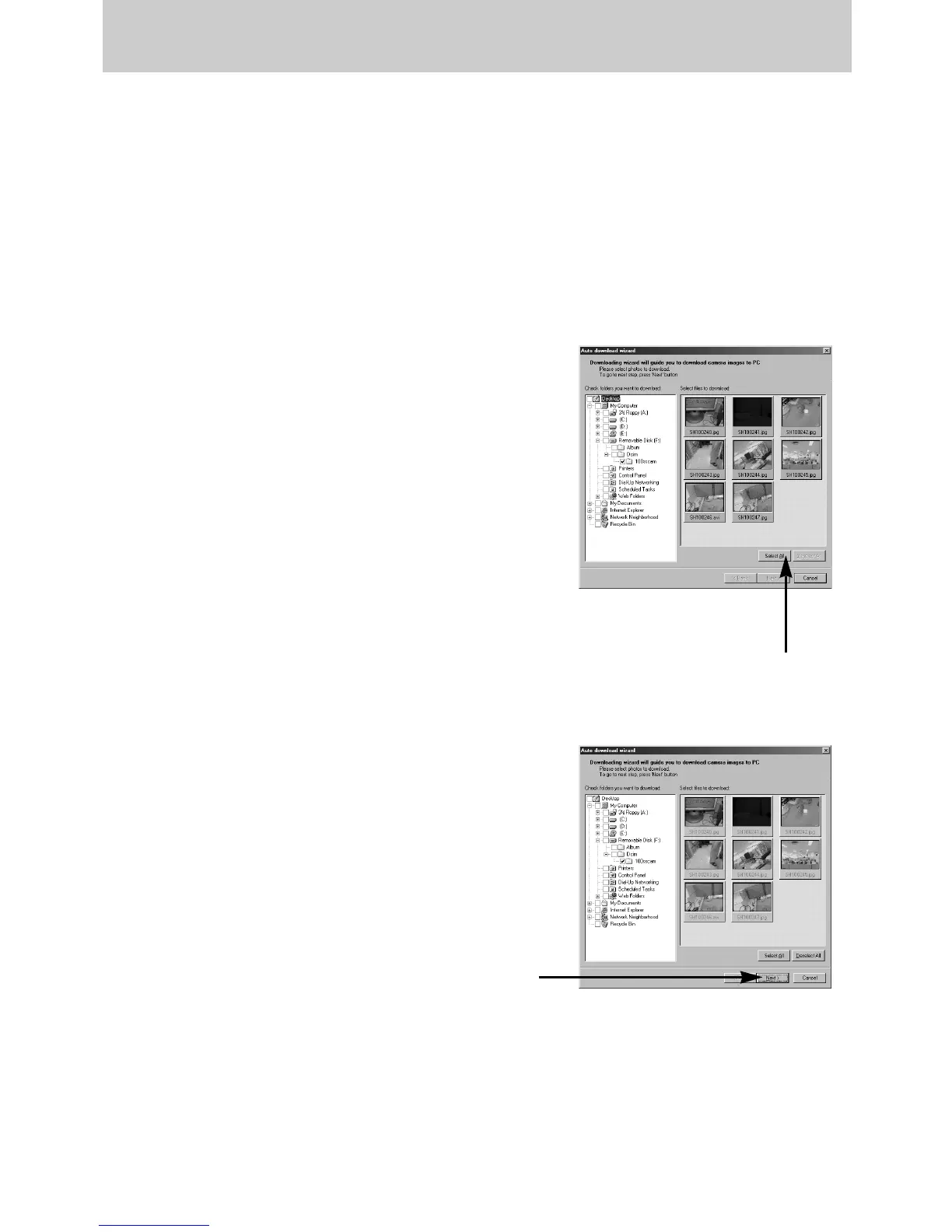
1. Connect the camera to your PC.
2. A window for downloading images will display after
connecting the camera and your PC.
- To download the captured images, select the
[Select All(A)] button.
- Select desired folder in the window and click the
[Select All(A)] button. You can save captured
images and selected folder.
- If you click the [Cancel] button, downloading will be
cancelled.
3. Click [Next(N) >] button.
[Click !]
[Click !]
Digimax Master


 To Next Page
 Loading...