ŝ86Ş
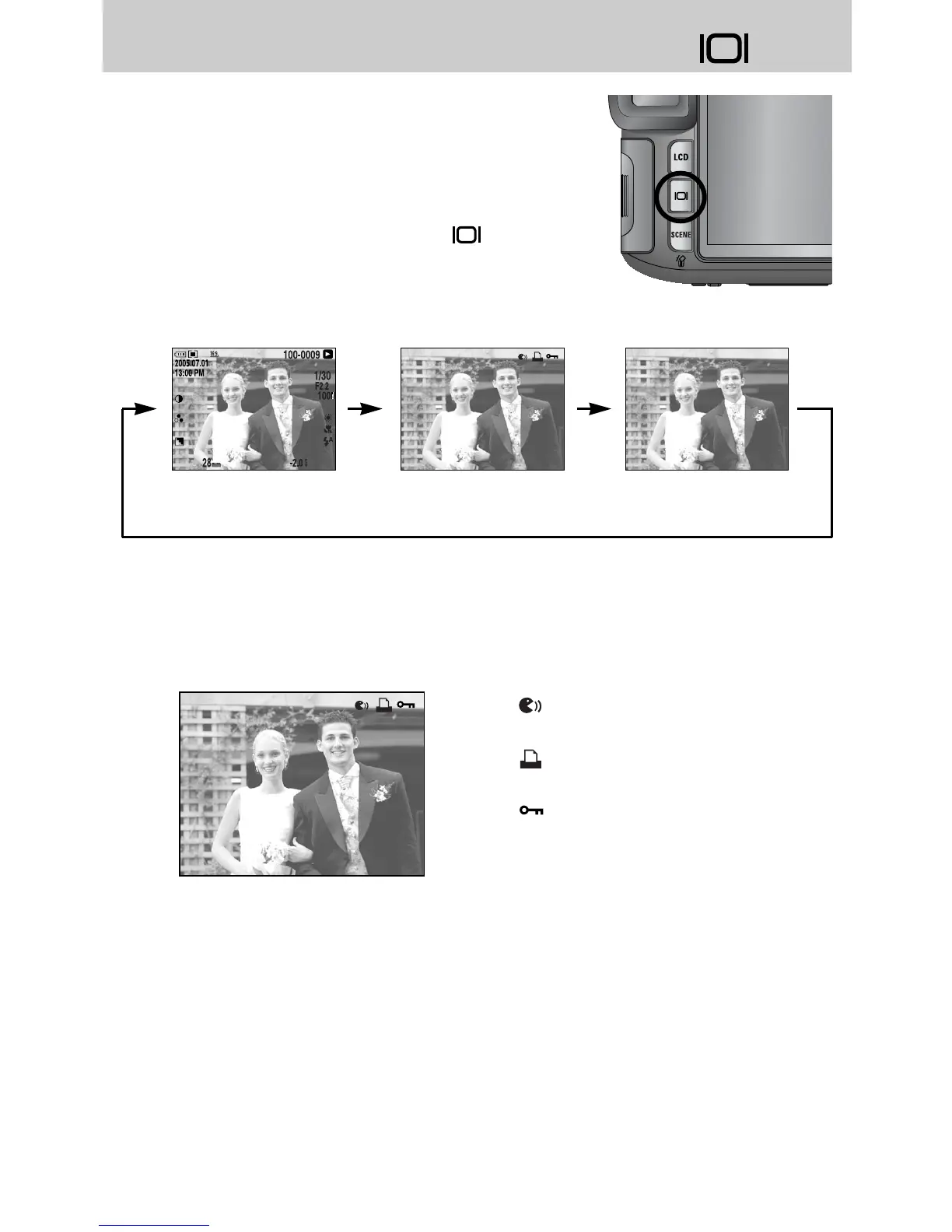
ƈ The shooting and playing back information will be
displayed on the LCD. The last image stored in the
memory is displayed on the LCD by pressing the play
mode button.
ƈ Pressing the Display/ Information button( ) in the
PLAY mode will change the display as shown below.
ƈ Refer to page 82 for more information about the shooting information.
ƈ The following is playing back information.
[ Shooting information ] [ Playing back information ] [ Image only ]
- [ ] : Voice memo
- [ ] : DPOF indicator
- [ ] : Protect indicator
Display/ Information button ( )


 To Next Page
 Loading...