北米Model "A3240BE-A" EDITED: 2022/ 7/ 29
. When the select lever is other than in
the “R” position
– About 3 minutes have elapsed since
you pressed the view monitor switch
to access the Surround View Moni-
tor.
. When the select lever is not in the “R” or
“P” position
– The vehicle accelerates to 13 mph
(20 km/h) or more.
– You depress the brake pedal and
pull up the parking brake switch to
apply the parking brake.
. When the select lever is in the “D” or “R”
position
– The select lever is shifted to the “P”
position.
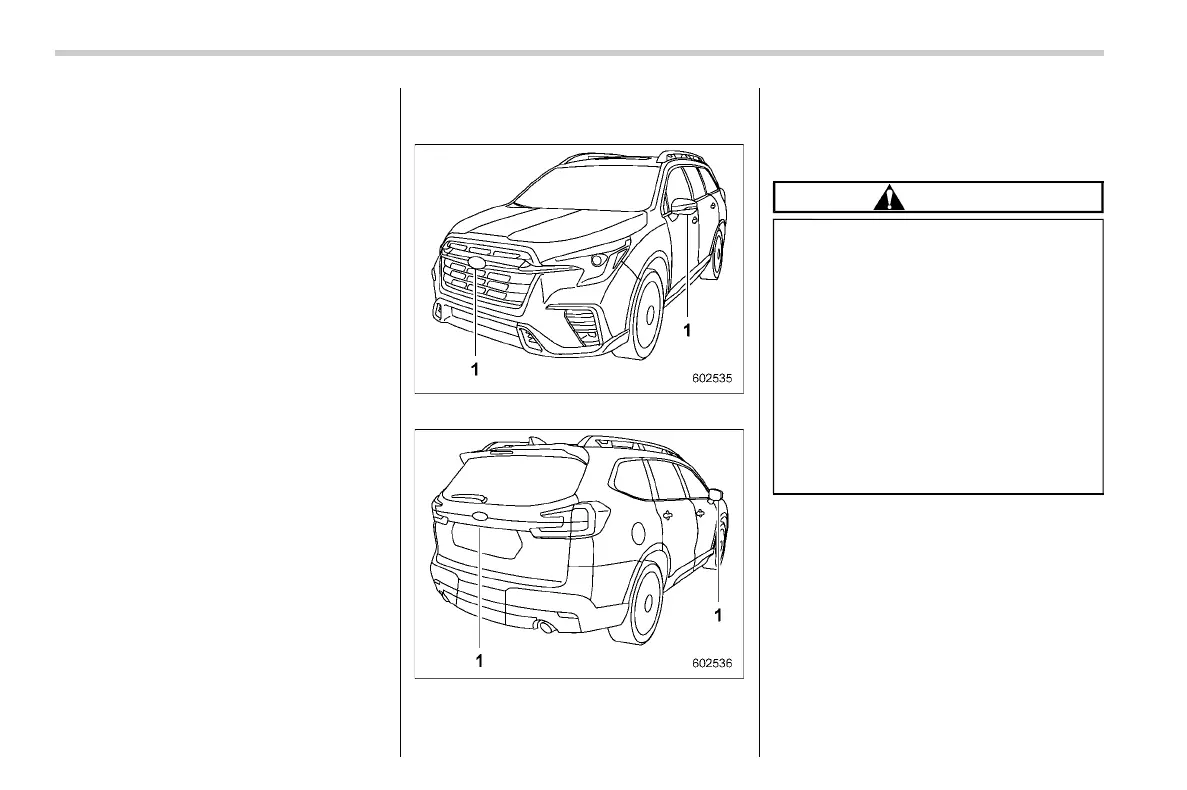
& How to view the camera
images
S06BJ03
1 Cameras
1 Cameras
The camera image displays guiding lines
that provide information on the distance
and direction of travel of your vehicle, as
well as information on any vehicles you are
approaching.
CAUTION
. When you drive the vehicle, do
not rely only on the guiding lines.
Make sure that you check your
surroundings directly.
. The position and other informa-
tion provided by the guiding lines
may differ from the actual dis-
tance of objects from the vehicle
if it is tilting at an angle relative to
the road surface due to the num-
ber of passengers or the distribu-
tion of cargo on board the vehi-
cle.
NOTE
. Top view and rear view only: The
display of the predicted course line
linked to the steering angle can be
turned on/off by operating “Steering
Angle Lines” in the center informa-
tion display. To turn the function on
and off, refer to “General settings”
�P210.
. The camera image may be hard to
see in the following situations. This
Surround View Monitor
324


 To Next Page
 Loading...