YL9110 Quaternary Pump
[Remote operation]
START-IN : Operate instrument, and start running of gradient program.
If you connect it with autosampler or external valve, automatic running is available.
START-OUT : If the signal input on the START-IN terminal, the signal pulse output through this port. It can
be used for synchronization of remote start with the other instrument.
MARK-IN : To control event program or operate additional operation.
MARK-OUT : To control time event program output.
READY-IN : To change error state and stop operation if there is a input.
READY-OUT : When YL9110 quaternary pump is not ready state because of running status, output
error signal is indicated if there is a leak.
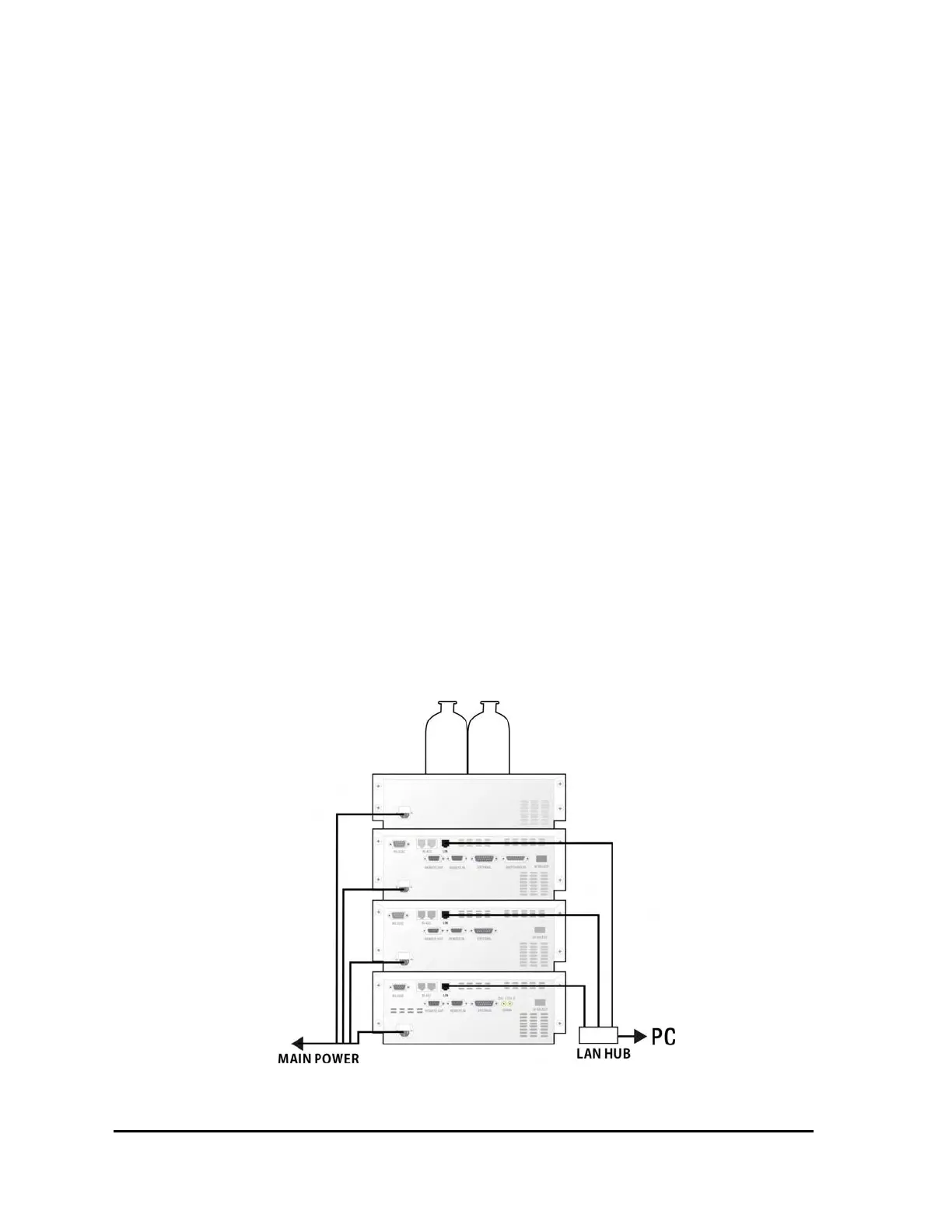
3-5. Connection of communication cable
YL9110 quaternary pump provides TCP/IP internet protocol as a standard. The IP address of YL9100
pump series is 10.10.10.10, if DIP SW settings on the rear side are On position. If you change the IP
address using control software, the DIP SW has to be set OFF.
[Fig. 13] Connection of communication cable
Notice ! : The LAN HUB used for cable connection on the PC must use switching mode module.
14


 To Next Page
 Loading...