9. GPS OPERATION
9-4
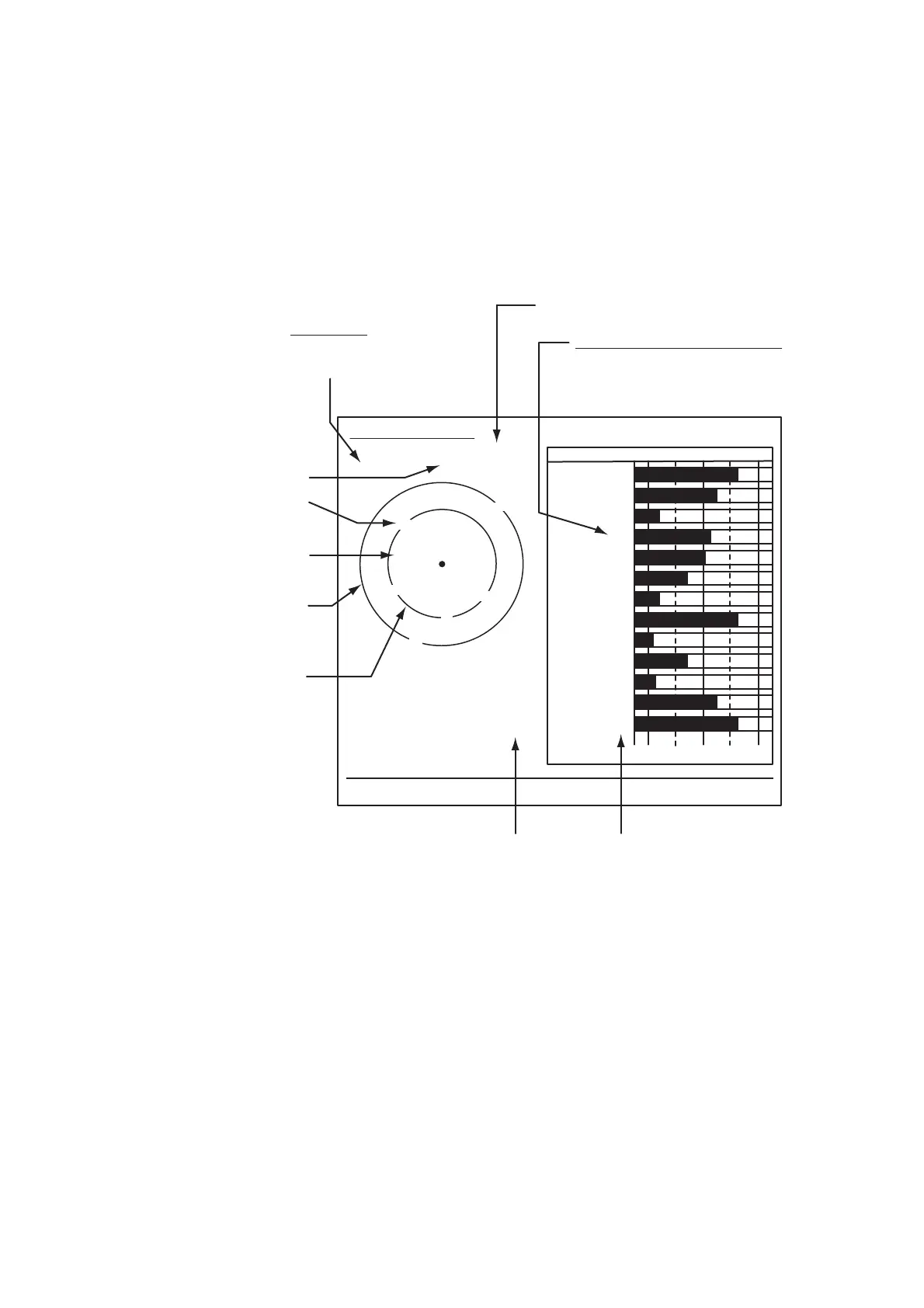
9.4 Satellite Monitor
The Satellite Monitor provides the information about GPS and WAAS satellites. See
your GPS navigator's owner's manual for detailed information.
1. Press the MENU/ESC key to open the menu.
2. Use the Cursorpad ( or ) to select [GPS] and press the ENTER key.
3. Use the Cursorpad ( or ) to select [Satellite Monitor] and press the ENTER
key.
Satellite monitor
4. Press the ENTER key to close only the satellite monitor display.
06
W3D
DOP
1.5
15m
13
Altitude
01GPS
WAAS
12
24
16
SNRSatellite No.
30 40 50
122
01
31
18
19
06
07
09
08
13
North marker
DOP (Dilution of Precision, 0.0 - 99.0)
SNR of tracked GPS satellites
Satellites whose SNR is above
40 are used to fix position.
GPS mode
2D, 3D,
W2D, W3D
GPS satellite no.*
WAAS satellite
Satellites in ring
have elevation
angle of 5°
Satellites in ring
have elevation
angle of 45°
Altitude of
GPS antenna
from sea
surface
SNR of tracked
WAAS satellite
W
N
[MENU/ESC] / [ENTER]: Close this window
* Satellites used to fix
position are shown in red.
Satellite Monitor
01
09
24
12
19
18
07
13
16
08
31


 To Next Page
 Loading...







