When the channel change mode is "MANUAL"
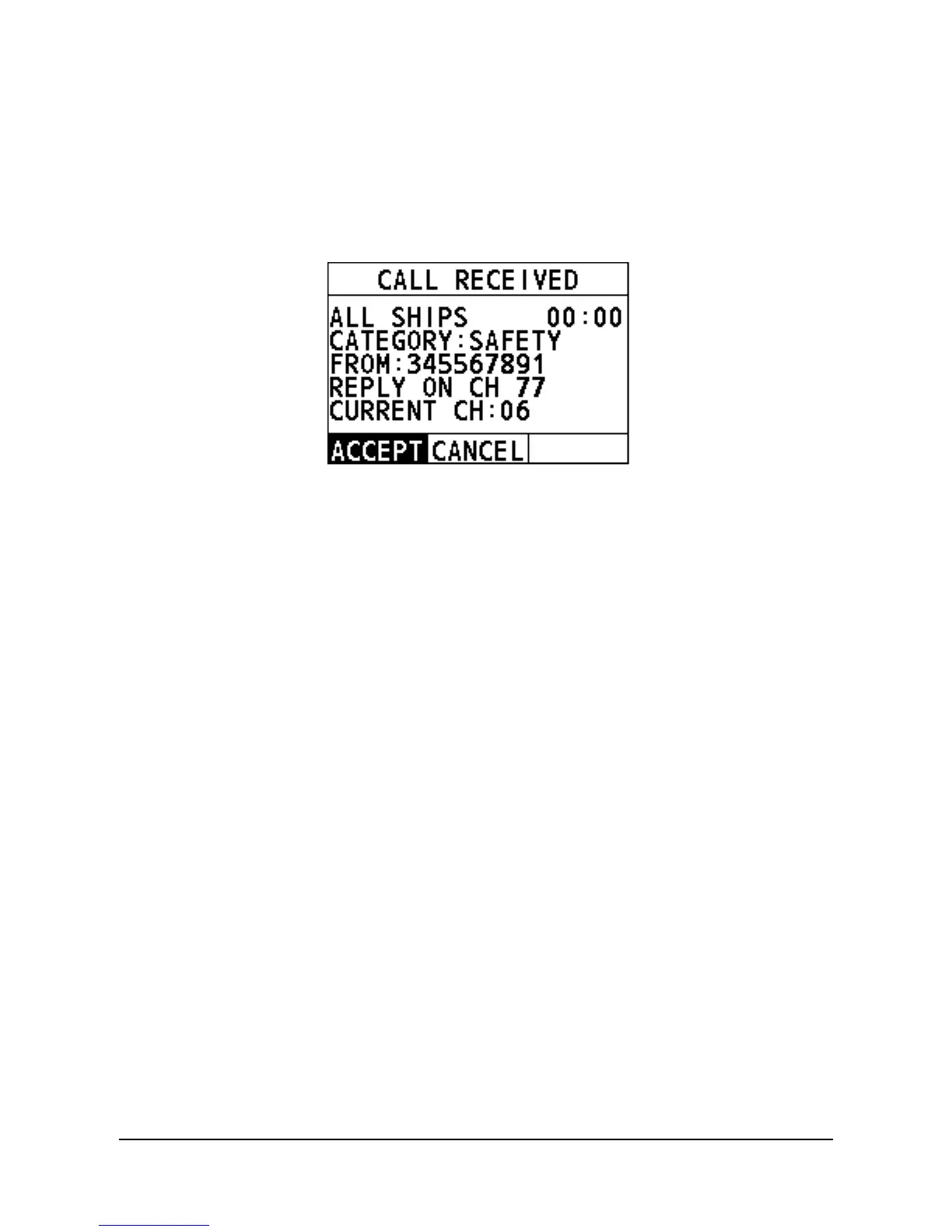
Step 1 When an All Ships call is received, an emergency alarm sounds. Press
any key to stop the alarm.
The following screen appears. The screen shows the MMSI of the vessel
calling and two soft keys: "ACCEPT" and "CANCEL". If the requested
channel cannot comply, the screen only shows the "CANCEL" soft key.
ACCEPT: Select the soft key to continue with the call and switch to the
requested channel.
CANCEL: Select the soft key and then the radio returns to the home
screen and the channel remains unchanged.
Step 2 Select "ACCEPT" to continue with the call.
The radio monitors the requested channel until the All Ships call is
completed.
4.7 Position Request Call
The radio with DSC the feature can poll the location of another vessel and show the
position of that vessel on the radio screen.
4.7.1 How to Initiate a Position Request Call
Enter the position request interface
Step 1 On the home screen, press the Menu/DSC control to enter the "MAIN
MENU" interface on the screen.
Step 2 Go to "DSC CALL > POS REQUEST".
The "POS REQUEST" interface appears on the radio screen.



 To Next Page
 Loading...




