12.2.3 Deleting an Entry
Step 1 Press the Menu/DSC control until the "MAIN MENU" screen appears.
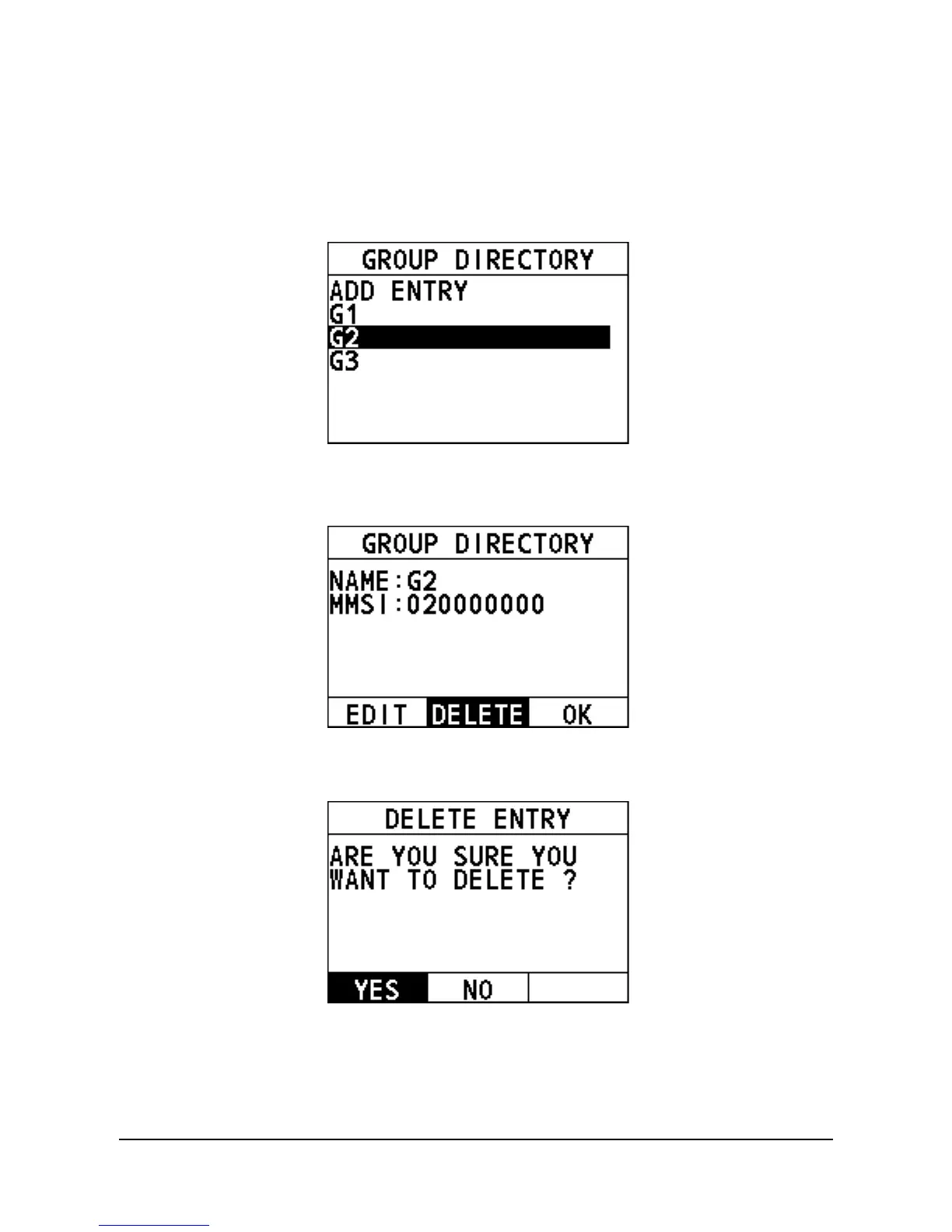
Step 2 Go to "DSC SETUP > GROUP DIRECTORY".
The following interface appears on the screen.
Step 3 Select the entry needing deleting.
The following interface appears on the screen.
Step 4 Select "DELETE".
The following screen appears.
Step 5 Select "YES".
The directory is deleted and the radio returns to the previous screen.
12.3 Channel Change Mode
This feature allows you to set the channel change mode of the radio. When selecting


 To Next Page
 Loading...





