57
9.4 Entering Password
Inverter parameters are protected by password. User can enter into the “Set-parameter”
sub-menu only after entering the correct password. Proceed as follows to enter the
password:
step 1 Tap “Function” from the default menu.
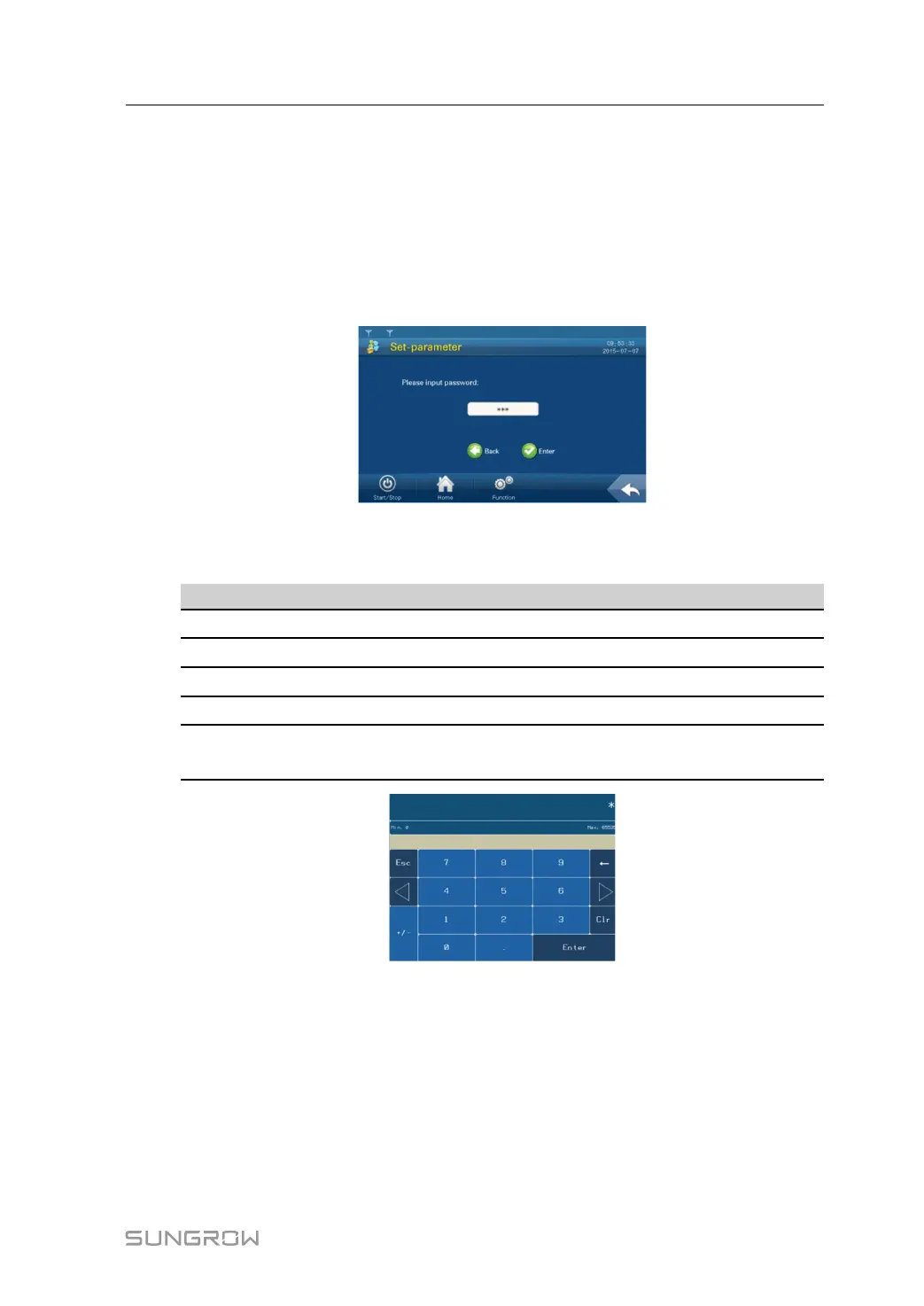
step 2 Tap “Set-parameter” and the password entering window pops up.
step 3 Tap the white edit box and a keypad pops up.
step 4 Enter the password 1111 through the keypad.
Button Function
←
Backspace key, delete the digit input
Clr
Clear the digitals input
Esc
Escape and close the keypad
Enter
Confirm the password entered
Max./Min.
The maximum and minimum value can be input; digital outside this
range is invalid
If the input password is correct, the parameter setting page pops up, and the user can set
the system parameters, running parameters, protection parameters and communication
parameters.
step 5 Press “Enter” to confirm the password input.
step 6 If the password is incorrect, an “Error password” window will appear. Tap “Enter” and re-
enter the password.
System Manual 9 LCD Menu Operation


 To Next Page
 Loading...