Chapter 8: Tables
151
7308ENG.DOC CH 8 Tables, English Julie Hewlett Revised: 07/29/98 12:08 PM Printed: 05/19/99 9:01 AM
Page 151 of 14
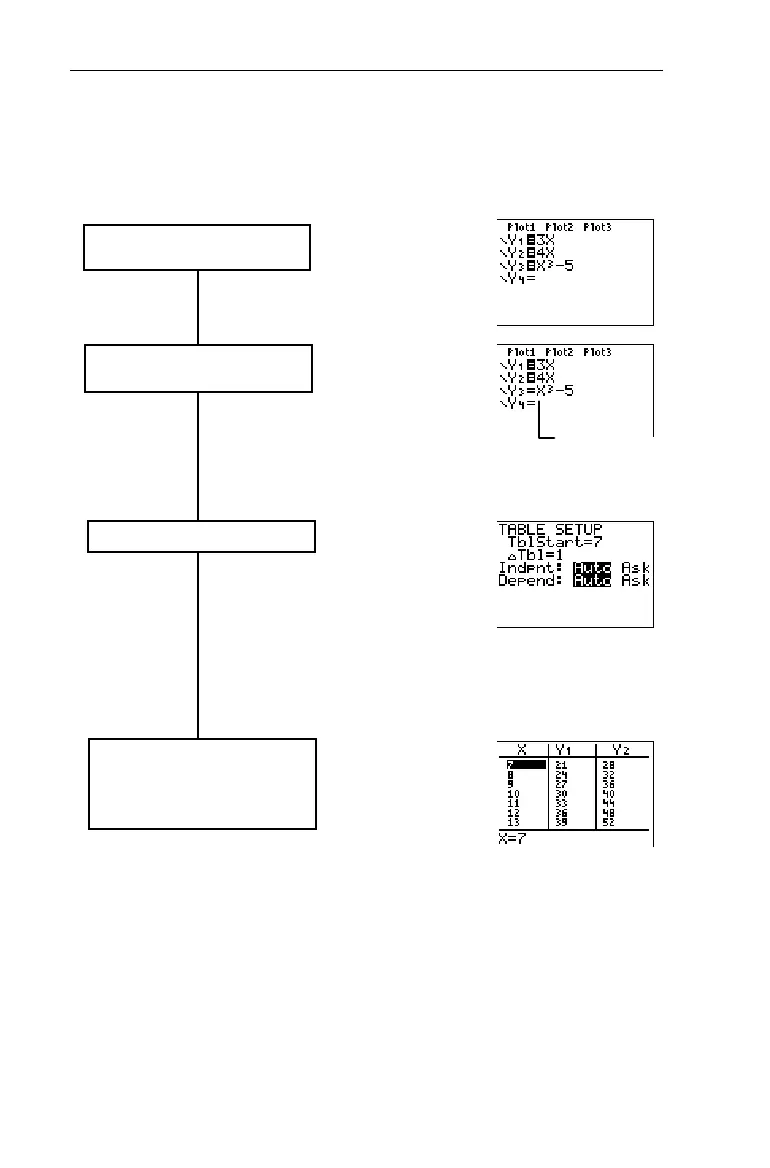
Steps for Creating a Table
Follow these basic steps when defining a table.
Define or edit up to four functions
in the Y= editor.
Select the Y
n
function(s) that you
want to be included in the table.
Set up the table.
Display the table. Numeric
Notation, Decimal Notation, and
Angle mode settings determine the
display of the elements.
Y
1
and
Y
2
are
selected;
Y
3
is
deselected.
&
Highlight
=
, and
press b.
- f
- i


 To Next Page
 Loading...














