BRAKES
8-39TX525 Service Manual Rev. 000
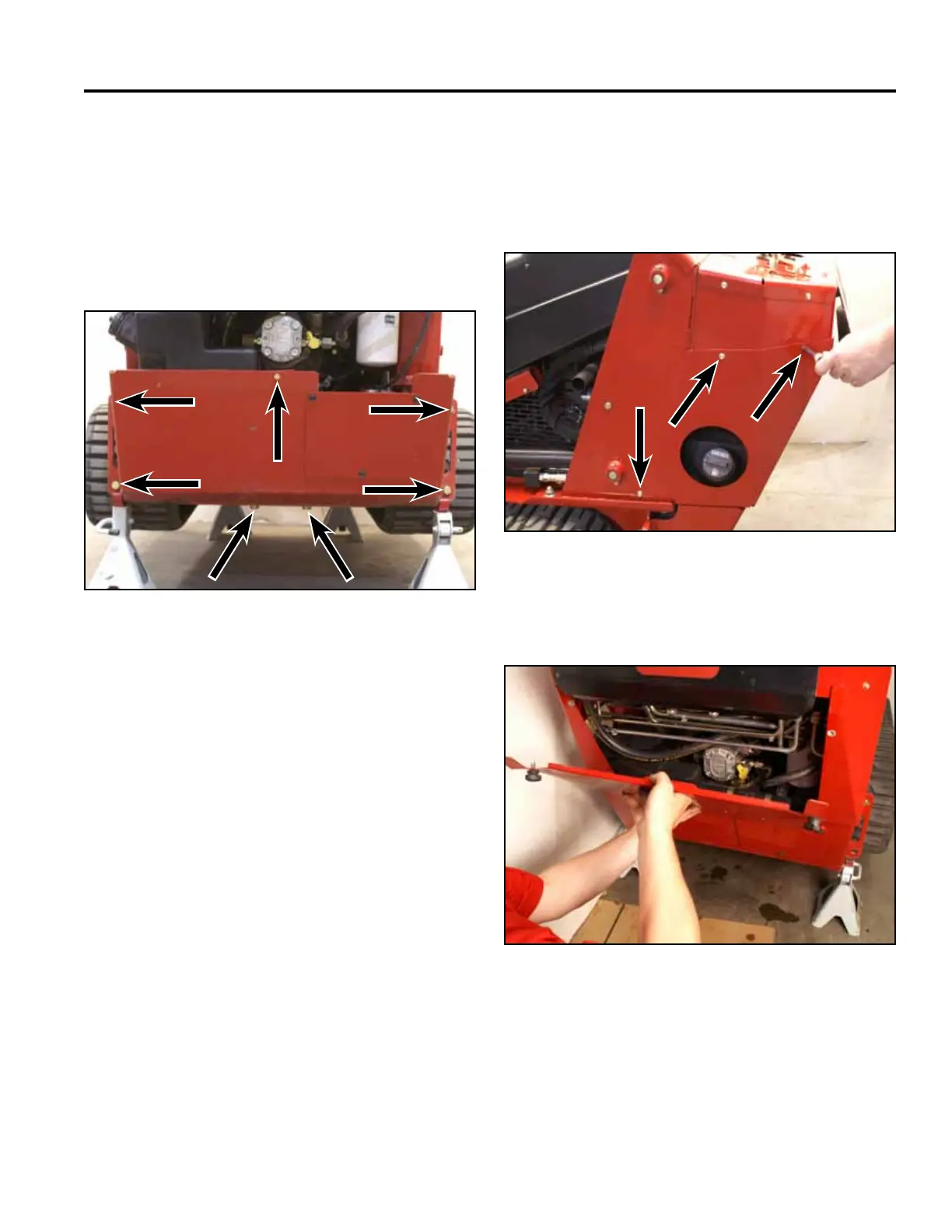
11. Position the rear frame cover to the rear end of the
frame. Using 3/4” and 1/2” sockets, install 7 bolts
and nuts to secure the rear frame cover to the frame
and fuel tank bracket (Fig. 1779).
Note: The rear of the machine may have to be lifted
to reposition the jack stands so that the rear
frame cover can be installed.
13. Install the rear access panel (Fig. 1781).
Fig 1779 PICT-4259
Fig 1781 PICT-4505
14. Lower the machine.
12. Position the left hand rear cover support panel to
the tower. Using a 3/8” socket, install 3 screws to
secure the left rear cover support panel to the tower
assembly. Repeat to install right hand rear cover
support panel (Fig. 1780).
Fig 1780 PICT-4256


 To Next Page
 Loading...










