3 Copy
52 Xerox 6204 Wide Format Solution
Copy
3
Copy Features
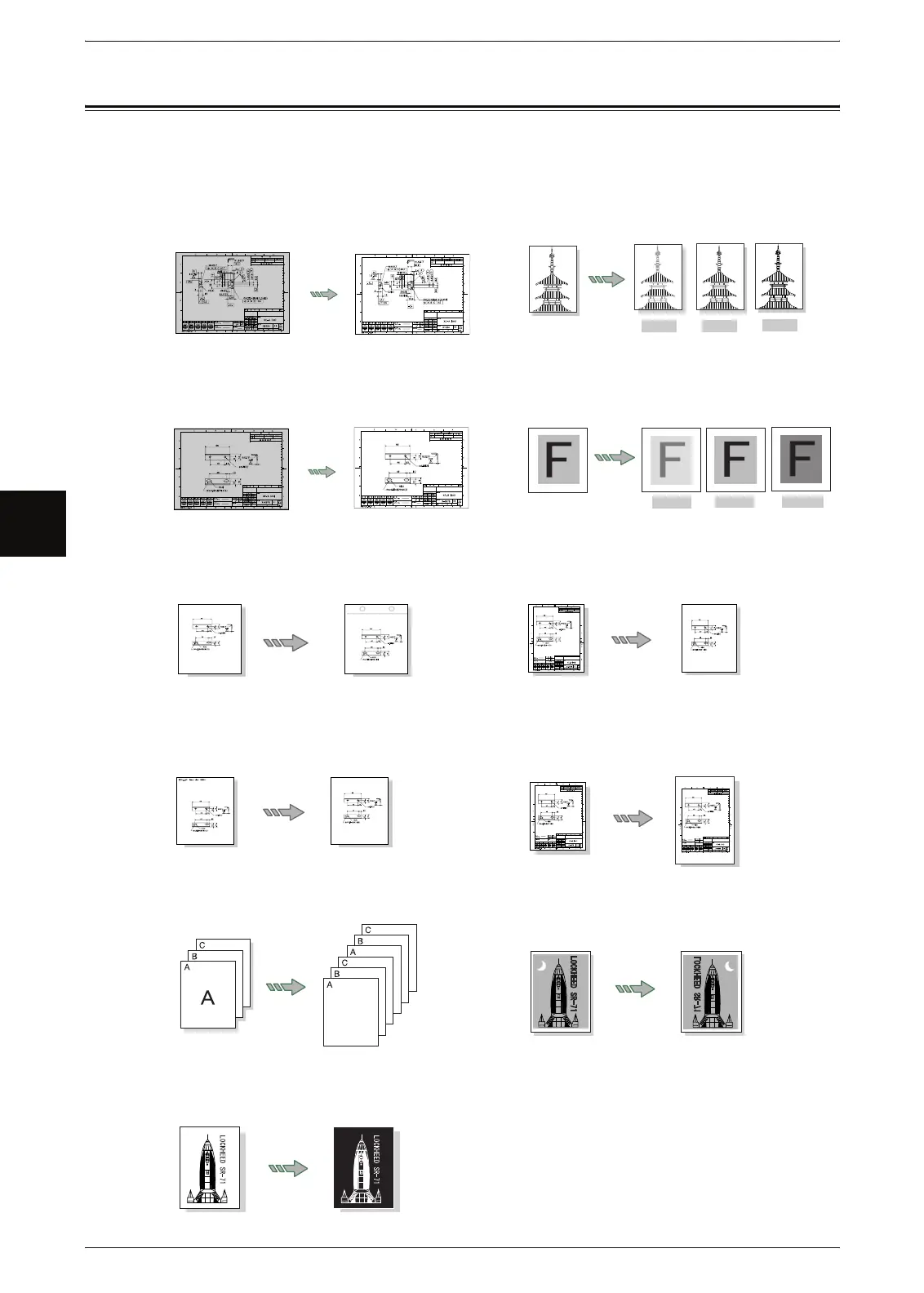
The Xerox 6204 Wide Format Solution has the following copy features:
Original Type
Selects the suitable image quality for
the type of original used.
Copy density
Adjusts the copy density.
Original
Normal
Darken
Lighten
Background Suppression
Erases the background "color" of the
original that contains uneven density.
Contrast
Adjusts the contrast of the original.
Original
Normal
Hightest
Lowest
Image Location
Shifts the position of the image for the
copy.
Edge Erase
Erases the edges of the original.
Scan Start Position
Skips the unneeded portion of the leading
edge of the original.
Lead & Trail Margins
Makes copies with the lead and trail
margins
Collation
Selects copy collation for print output.
Mirror Image
Makes copies with the left and right sid
of the original image reversed.
Original A
‘
C
Invert Image
Makes copies with the "colors" of the
original image reversed in black and white.



 To Next Page
 Loading...