37
RX-V3900/DSP-AX3900
RX-V3900/
DSP-AX3900
Reverse
逆送り
Forward
順送り
Main menu selection
メインメニューの選択
Forward
順送り
Sub-menu selection
サブメニューの選択
● メニュー動作中の表示
ダイアグ中、モニター画面には壁紙表示と以下の動作中
の機能がショートメッセージとして表示されます。
・ インプット切替、マルチチャンネルインプット
・ ミューティング
・ マスターボリューム
本機の FL ディスプレイには動作中の機能が表示されます。
機能動作中の表示内容については、後述の機能詳細で記
述します。
● メインメニューとサブメニューの操作
ダイアグには 30 のメニューがあり、そのそれぞれにサブ
メニューがあります。
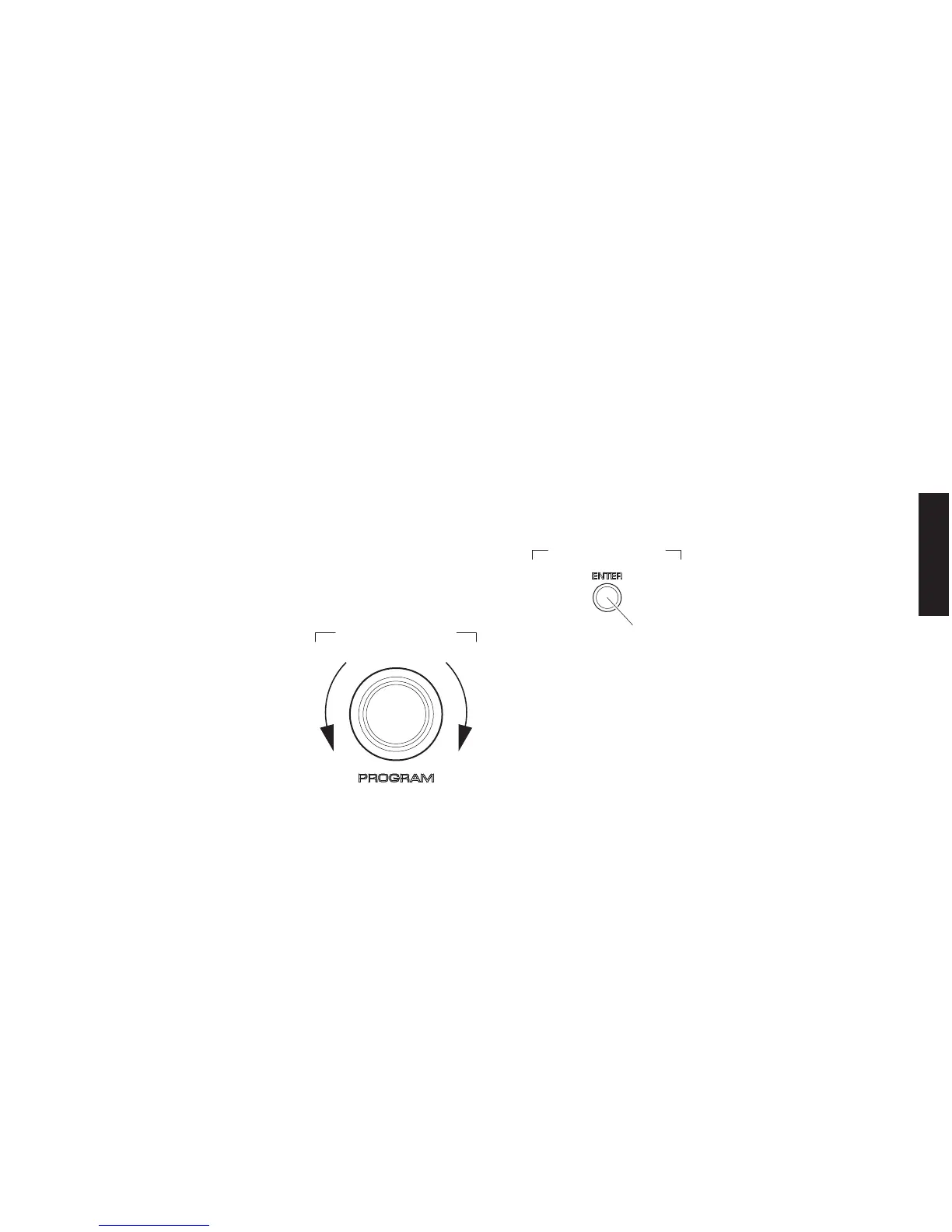
メインメニューの選択
“PROGRAM” ツマミで選択します。
サブメニューの選択
“ENTER”(順送り)キーで選択します。
●
Display during menu operation
During the self-diagnostic function mode, the monitor
screen shows the wall paper and the selected function
among following functions as a short message.
• Input selection, multi channel input
• Muting
• Master volume
The FL display of this unit shows the selected function.
The displayed contents are described in the later section
on details of self-diagnostic function menu.
●
Operation procedure of Main menu
and Sub-menu
There are 30 menu items, each of having sub-menu items.
Main menu selection
Select the main menu using “PROGRAM” knob.
Sub-menu selection
Select the sub-menu using key of “ENTER” (Forward).



 To Next Page
 Loading...