Connecting to an External Monitor
162
Connecting to an External Monitor
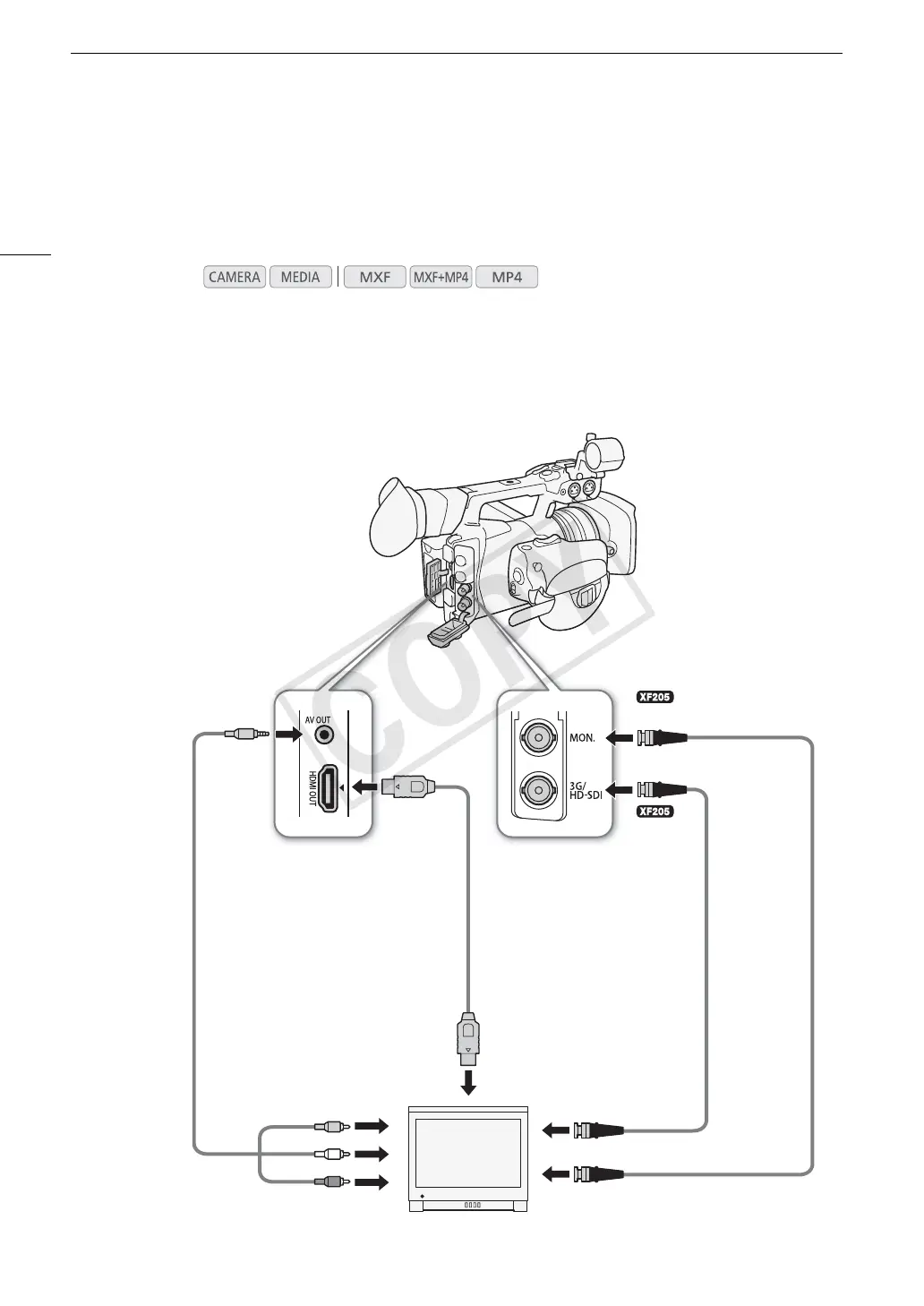
When you connect the camcorder to an external monitor for recording or playback, use the terminal on the
camcorder that matches the one you wish to use on the monitor. Then, select the video signal output
configuration (A 159). The camcorder can output video from all of the video output terminals simultaneously.
Connection Diagram
We recommend that you power the camcorder from a household power outlet using the compact power adapter.
Operating modes:
HDMI IN
3G-SDI IN or HD SDI IN
BNC cable
(commercially
available)
HDMI cable
(commercially
available)
HDMI OUT
terminal
MON. terminal
AV OUT
terminal
AV IN
STV-250N
Stereo Video
Cable (optional)
3G/HD-SDI
terminal
HD SDI IN or SDI IN
COPY


 To Next Page
 Loading...