Introduction
6
Projector Features
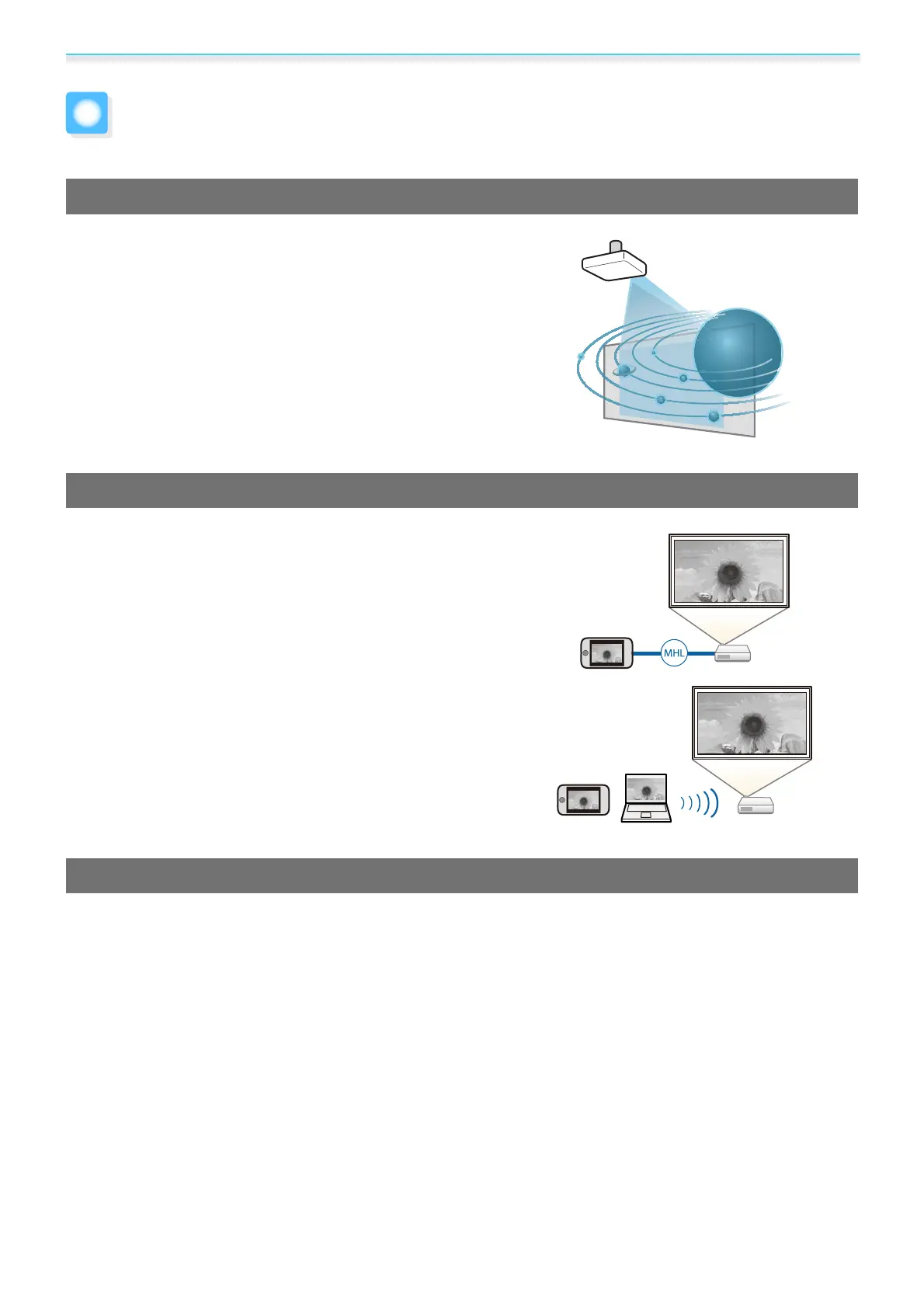
Dynamic 3D Display
Enjoy 3D contents on Blu-ray and images filmed with a 3D
camera through a stunning projection display.
s p.49
Project Images from Mobile Devices
HDMI2/MHL port to connect a commercially available MHL ca-
ble to the mobile device and to the projector.
By using Epson iProjection, you can wirelessly connect the pro-
jector to smartphones and tablets. You can download Epson
iProjection for free from the App Store or from Google play.
s p.81
Other Useful Functions
In addition, the following useful functions are provided.
•
Playing audio through the internal speaker. This allows you to enjoy audio without an external speaker. (EH-
TW6700W/EH-TW6700 only)
•
You can view slideshows by simply connecting a USB memory to the projector. When a digital camera is connected,
you can view the photos on the camera using Slideshow.
s p.72
•
Operate by remote control from a smartphone. By using Epson iProjection, you can operate the projector from a
smartphone or tablet.
s p.82
Downloaded from www.vandenborre.be


 To Next Page
 Loading...